3
Note
This symbol is used to indicate additional information or important notes.
3. Package contents
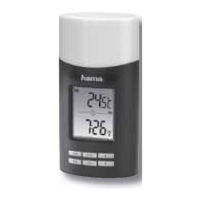
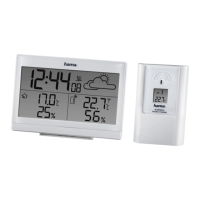
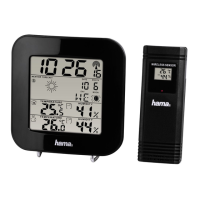
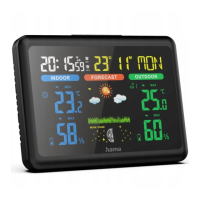
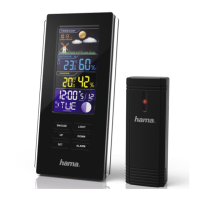
• „Meteotime“ weather station (base station for indoor use)
• Outdoor sensor for outdoor use
• 4AAMignon batteries
• These operating instructions
4. Safety instructions
•The product is intended for private, non-commercial use only.
•Use the product only for the intended purpose.
• Protect the product from dirt, moistureand overheating and use it in dry rooms
only.
•Donot use the product in the immediate vicinity of heaters, other heat sources or
in direct sunlight.
•Aswith all electrical products, this device should be kept out of the reach of
children.
• Only use the article under moderate climatic conditions.
•Donot operate the product outside the power limits specied in the technical
data.
•Donot use the product in areas in which electronic products arenot permitted.
•Donot use the product in adamp environment and avoid splashing water.
•Donot place the product near interference elds, metal frames, computers, TVs,
etc. Electronic devices and window frames can negatively affect the product’s
functionality.
•Donot drop the product and do not expose it to any major shocks.
•Donot modify the product in any way.Doing so voids the warranty.
•Keep the packaging material out of the reach of children due to the risk of
suffocation.
•Dispose of packaging material immediately in accordance with the locally
applicable regulations.
• Do not attempt to service or repair the product yourself.Leave any and all service
work to qualied experts.
• Do not open the device or continue to operate it if it becomes damaged.
Warning -Batteries
• When inserting batteries, note the correct polarity (+ and -markings) and
insert the batteries accordingly.Failure to do so could result in the batteries
leaking or exploding.
• Only use batteries (or rechargeable batteries) that match the specied type.
• Beforeyou insert the batteries, clean the battery contacts and the polar
contacts.
• Do not allow children to change batteries without supervision.
• Do not mix old and new batteries, or batteries of different types or from
different manufacturers.
• Remove the batteries from products that arenot being used for an extended
period (unless these arebeing kept ready for an emergency).
• Do not short-circuit batteries.
• Do not charge batteries.
• Do not burn batteries.
• Keep batteries out of the reach of children.
• Never open, damage or swallow batteries or allow them to enter the
environment. They can contain toxic, environmentally harmful heavy metals.
• Remove spent batteries from the product and dispose of them without delay.
• Avoid storing, charging and using in extreme temperatures and at extremely
low atmospheric pressures (such as at high altitudes).
5. Getting started
Note
Please remember,during commissioning, to always insert the batteries into the
outdoor sensor rst and then into the base station.
5.1 Inserting the batteries
• Open the battery compartment of the outdoor sensor (XYZ) and remove the
contact breaker.Then close the battery compartment again.
• Remove the protective lm from the base station display.
• Open the battery compartment (H) and remove the contact breaker.
• Then close the battery compartment cover.
• Abeep will now sound and the base station will start searching for the DCF
signal, for the outdoor sensors and for the Meteotime signal. This search takes
several minutes.
• If no time signal is received after alonger period of time, change the location and
check the reception conditions using the test function described in 6.1.
6. Installation
Note -Installation
• We recommend initially positioning the base station and outdoor sensor at
the preferred setup locations without installing them and carrying out all the
settings -asdescribed in 6. Operation.
• Do not install the station(s) until the settings arecorrect and the radio
connection is stable.
Note
• The range of the radio transmission between the outdoor sensor and the base
station is up to 50 minunobstructed areas.
• Beforeinstalling, make surethat the radio transmission is not inuenced by
interfering signals or obstacles such as buildings, trees, vehicles, high-voltage
power lines, etc.
• Before nal installation, make surethat thereissucient reception between
the desired installation locations.
• When installing the outdoor sensor,take caretoensureitispositioned so that
it is protected from direct sunlight and rain.
• The international standardheight for measuring air temperatureis1.25 m(4
ft) above ground.
Warning
• Buy special or suitable installation material from aspecialist dealer for wall-
mounting.
• Ensurethat you do not install any faulty or damaged parts.
• Never apply force during installation. These can damage the product.
• Beforemounting, check that the wall you have chosen is suitable for the weight
to be mounted. Also make surethat thereare no electric, water,gas or other lines
running through the wall at the mounting site.
• Do not mount the product above locations wherepersons might sit or stand.
6.1 Base station
• Alternatively,place the base station on a at surface using the stand (G).
• Alternatively,you can mount the base station on awall using the recess (I) on
the back.
6.2 Outdoor Sensor
• Youcan also set the outdoor sensor up on an even surface outdoors.
• We recommend mounting the outdoor sensor securely and rmly onto an outdoor
wall.
• Securethe dowel, screw,nail, etc. in the wall provided.
• Hang the outdoor sensor onto it using the cut-out provided.


 To Next Page