2
G Operating instruction
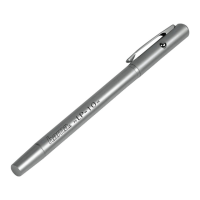
Controls and Displays
1. Magnetic cap
2. Micro-USB charging socket
3. On/off switch /Status LED
Thank you for choosing aHama product.
Take your time and read the following instructions
and information completely.Pleasekeep these
instructions in asafe place for futurereference. If
you sellthe device, please passthese operating
instructionsontothe new owner.
1. Explanation of Warning Symbols and
Notes
Warning
This symbol is used to indicate safety instructions
or to draw your attention to specichazards
and risks.
Note
This symbol is used to indicate additional
information or important notes.
2. Package Contents
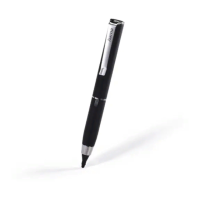
•Aktive Stylus ‘Pro’
•USB charging cable
•These operating instructions
3. Safety Notes
•The product is intended for private, non-
commercial use only.
•Donot use the product in the immediate vicinity
of heaters or other heat sources or in direct
sunlight.
•Protect the product from dirt, moistureand
overheating, and only use it in adry environment.
•Keep this product,asall electrical products, out of
the reach of children!
•Donot drop the product and do not expose it to
any major shocks.
•The battery is integrated and cannot be removed.
•Donot open the device or continue to operate it if
it becomes damaged.
•Donot operate the product outside the power
limits given in the specications.
•Donot continue to operate the device if it
becomes visibly damaged.
•Children arenot permitted to play with the device.
Children may not clean the product or perform
user maintenance without supervision.
•Donot modify theproduct in any way.Doing so
voids the warranty.
•Dispose of packaging material immediately
according to locally applicable regulations.
•Donot throw the battery or theproduct into re.
•Donot tamper with or damage/heat/disassemble
the batteries/rechargeable batteries.
4. Getting started and operation
Note
Only use original accessories (or accessories
approved by Hama), to prevent damage to the
product.
Warning –Magnet
•Keep bank cards or similar cards with magnetic
strips away from the magnet. Thedata on the
cards’ magnetic strip could be damaged or
completely deleted.
•People with pacemakers should keep away
from the magnet. Themagnet can negatively
affect the function of thepacemaker.
4.1Chargingthe battery
Warning –Rechargeable battery
•Only use suitable charging devices or USB
connections for charging.
•Asarule, do not use charging devices or USB
connections that aredefective and do not try
to repair them yourself.
•Donot overcharge the product or allow the
battery to completely discharge.
•Avoid storing, charging or using the device
in extreme temperatures and extremely low
atmospheric pressure(for example, at high
altitudes).
•When stored over along period of time,
batteries should be charged regularly (at least
every three months).
•The product has arechargeable battery.
•Charge the product fully beforeusing it for the
rst time.
•Remove the magnetic cap (1) at theend ofthe
inputpen.
•Connect the supplied USBcharging cable to the
USB port (2) on theproduct.
•Connect the unused connector of the USB
charging cable to asuitable USBcharger.
•Please refer to the operating instructions for the
USB charger used.


 To Next Page