3
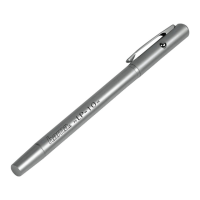
•The status LED (3) is constantly litred during
charging. When the battery is fully charged, the
status LED (3) is lit green.
Note –Charging/battery capacity
•Ittakes about 90 minutes to fully charge
the battery.
•The input pen’sbattery can be charged
whether the input pen is on or off.
•Ifthe battery charge level is less than 10%, the
status LED (3) ashes blue slowly and switches
off automatically after about 10 seconds.
•The actual battery life varies depending on use
of the device, the settings and the ambient
conditions (rechargeable batteries have alimited
service life).
Note –Automatic switch-off
•Beawarethat the input pen switches off after
30 minutes of no activity.
Note -Damage to the display
•Toavoid causing damage to the display,please
observe the following points:
•Avoid exerting strong pressureonthe display
with the input pen.
•Make surethat the displayand the input pen
areclean beforethey areused. Smalldebris
such as grains of sand can cause scratches
when using the input pen.
Note -Display protector /protective
glass
Using display protectors /protective glass can
lead to the function of the input stylus being
restricted.
•Press the on/off switch (3) to switch on the input
pen. The status LED (3) is constantly lit blue.
•Press and hold the on/off switch (3) to switch off
the input pen. The status LED (3) goes out.
5. Care and Maintenance
Only clean this product with aslightly damp, lint-free
cloth and do not use aggressive cleaning agents.
6. Warranty Disclaimer
Hama GmbH &CoKGassumes no liability and
provides no warranty for damage resulting from
improper installation/mounting, improper use of
the product or from failuretoobserve the operating
instructions and/or safety notes.
7. Technical Data
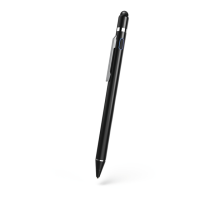
Aktive Stylus “Pro”
Power supply 5V/1A
Input 5V
120mA
Battery type Li-Po
Min. capacity 130mAh /0.48 Wh
Typ. capacity 140mAh/0.52Wh
Weight 16g
Dimensions
(length xdiameter)
146 x9mm


 To Next Page