6
Note – Summer time
The clock automatically switches to summer time.
S
appears on the display as long as summer time is
activated.
5.2. Manually setting the date/time
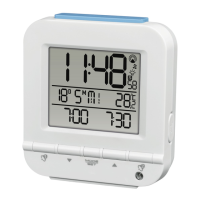
• Press and hold the MODE button (11) for approx. 3 seconds until the hours display begins to ash.
• Set the following information in the order listed:
• Hours (2)
• Minutes (2)
• Year (5)
• Month (4)
• Day (3)
• To select the individual values, press the ▲ button (13) or the button (12) and conrm each selection by
pressing the MODE button (11).
• Press the MODE button (11) immediately to adopt the set value displayed and skip ahead.
• If you do not make an entry for 30 seconds, you automatically exit the setup mode.
Weekday
• To change the language in which the weekday is displayed (5), press the button (12) for 3 seconds. The
current language will be displayed.
• Hold down the button (12) to change to the other languages.
Note – Day of the week
You can choose German (GE), English (EN), Italian (IT), Spanish (SP) or French (FR) for the weekday
display.
Setting the time zone
Note – Time zone
• The DCF signal can be received over long distances, but always transmits the current Central European
Time in Germany. Make sure you account for the time difference in countries with another time zone.
• If you are in Moscow, the time is 3 hours later than in Germany. This means that you should set +3 for
the time zone. The clock then automatically sets the time to 3 hours after the DCF signal received or
relative to the manually set time.


 To Next Page