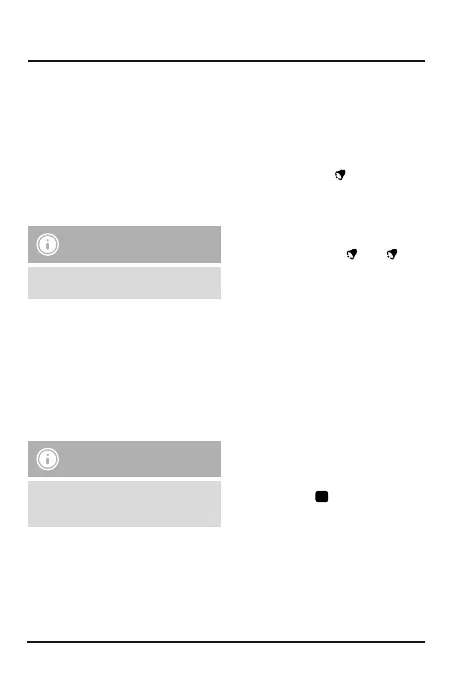
4
5.2 Manually setting the date/time
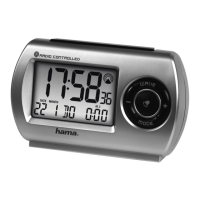
• Press and hold the wave button (5) for approx. 3
seconds to start manually setting the date/time
• Set the following information in the order listed:
hour,minute, year,month, day
• To select the individual values, press the + button
(2) or the – button (3) and conrm each selection
by pressing the mode button (4)
• If you do not make an entry for 30 seconds, the
settings will automatically close.
Note –Input
Hold down the + button (2) or the
–
button
(3) to select the values faster.
5.3 Setting the time format and day of
the week
• Press the + button (2) to switch between the 12
and 24-hour formats. In the 12-hour format, AM
or PM appears beforethe time.
• To set the language for the day of the week
display,press and hold the – button (3) for
approx. 3seconds. Press and hold the – button
(3) until the language you want is shown.
Note –Day of the week
Youcan choose from German (GE), English
(EN), Italian (IT), Spanish (SP)and French
(FR)for the display of the day of the week.
5.4. Alarm settings and display
• Press the mode button (4) repeatedly until AL1
is displayed.
• Hold the mode button (4) for approx. 3seconds.
The hours display begins to ash.
• Press the + button (2) or the – button (3) to
select the hour for the alarm time and conrm
your selection by pressing the mode button (4).
The minutes display begins to ash.
• Repeat the process to set the minutes for the
alarm time. Once you have conrmed your
minutes selection with the mode button (4),
alarm 1isactivated and
appears.
• Youcan also set asecond alarm time.
Press the mode button (4) repeatedly until AL2
is displayed and repeat the settings for AL1.
• Press the alarm on/off button (6) to activate/
deactivate alarm time 1, alarm time 2orboth
at once. The alarm symbols
and/or
will
appear/not appear.
• If the alarm is triggered, the corresponding
alarm symbol will begin to ash and an alarm
will sound.
• Press the alarm on/off button (6) to stop the
alarm. Otherwise, it will stop automatically after
4minutes.
• If you press the light /snooze button (1) during
the alarm, the alarm is interrupted for 4minutes
and then goes off again. The corresponding
alarm symbol and the snooze symbol
Z
Z
will ash.
5.5.
Settings and display for asecond
time zone
• Press and hold the + button (2) for approx.
3seconds to display the second time zone as
the main time. The
symbol appears next
to the time.
• Press and hold the wave button (5) for approx.
3seconds to set asecond time in another time
zone. The hours display begins to ash.
• Press the + button (2) or the – button (3) to
make the setting and conrm your selection by
pressing the mode button (4).


 To Next Page