3
4.2. Replacing the battery
•Open the battery compartment on the back of the
product.
•Remove and dispose of any used batteries. Insert
the new battery (AA). Ensurethat the polarity of the
battery corresponds to the symbols in the battery
compartment.
•Close the battery compartment.
5. Operation
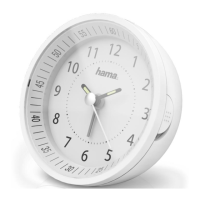
5.1. Automatictime setting using the DCFsignal
•Onceyou have removed thecontact breaker,an
acoustic signal sounds andthe alarmclock
automatically startssearching for aDCF signal.
•After approx.5-10minutes(dependingonhow
quickly theradio signal wasreceived),the
hands will set themselves to thecorrect time.
5.2. Setting the timemanually
•Ifthe correcttime hasnot beenset afterapprox.10
minutes,this means the clock could not
nd aDCF signal.
•Press andholdthe M.SET buttontomanuallyset the
correct time. Release the M.SET button
once you have reachedthe required time.
•The clock automatically continues to search forthe DCF
signalonadaily basis. If the signal
is receivedsuccessfully, themanuallyset timeis
overwritten.
•You mayneedtochangethe installationlocationand
avoid areas withpossible sources of
interference (cordlessand mobiletelephones,wireless
speakers, etc.).
5.3. Starting manual reception
•Oncethe clock is running, press the REC button for 3
seconds. Thiswill setthe hands to the
12:00 position. Nowthe clock starts searching for
the DCF signal.
•Ifnosignalhas been received, theclockwillshowthe
timepreviouslysaved.
5.4.Alarm
Setting thealarm
•Move thesetting wheelonthe backofthe alarm clock
to setthe required alarmtime.
•Toactivate/deactivate the alarm, move theslide switch
to the ON or OFF position.
Stopping the alarm/snoozefunction
•Ifthe alarm is activated,itistriggeredatthe set time
and an alarm signal soundsfor twominutes
with increasingvolume. Thealarm automatically stops
after this time andisthentriggered again
at theset alarm time.
•Tostop the alarm early,move theslideswitch to the
OFF position.
•Move theslide switch back to the ON position to
activate thealarm for theset alarm time.
Note –Snooze function
•While the alarm signal is sounding, press the
SNOOZE/LIGHT button to activate the snooze
function. The alarm signal will be stopped for 5
minutes, after which it will sound again.
•The snooze function can be activated nine
consecutive times.
5.5. Backlight
•Ifyou pressthe SNOOZE/LIGHTbutton,the clock face
will lightupfor approx.5seconds.
6. RESETfunction:
•If, forwhate verreason, the clock hasnot been set
correctly,you canreset it.
•Use ametal object (suchasaneedle)toshort-circuit
the clockbymeans of the‚RESET‘
button on the rear side. Allhands will move to the
12:00position.
•After approx.5-10minutes (dependingonhow
quickly thesignal wasreceived),the hands
will automaticallyset thems elvestothe co rrec ttime.


 To Next Page