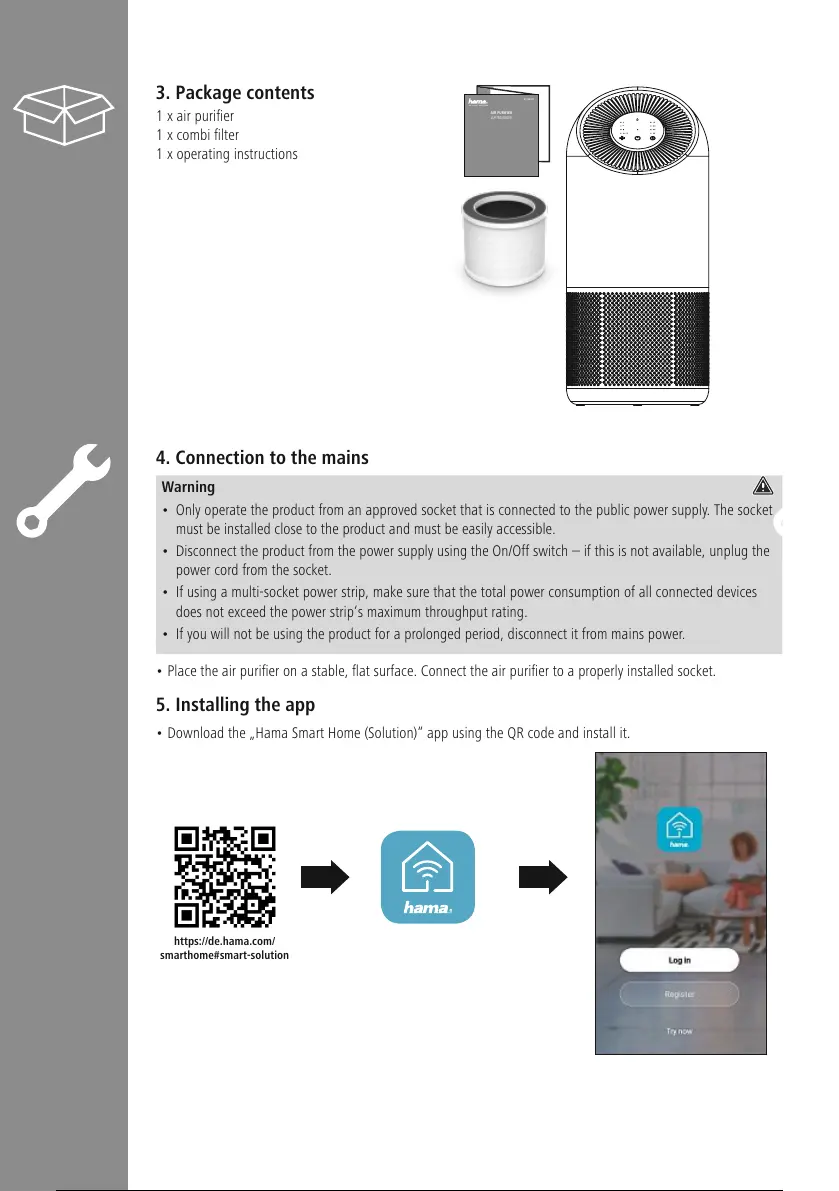
3. Package contents
1xair purier
1xcombi lter
1xoperating instructions
4. Connection to the mains
Warning
• Only operate the product from an approved socket that is connected to the public power supply.The socket
must be installed close to the product and must be easily accessible.
• Disconnect the product from the power supply using the On/Off switch –ifthis is not available, unplug the
power cordfromthe socket.
• If using amulti-socket power strip, make surethat the total power consumption of all connected devices
does not exceed the power strip‘s maximum throughput rating.
• If you will not be using the product for aprolonged period, disconnect it from mains power.
• Place the air purier on astable, at surface. Connect the air purier to aproperly installed socket.
5. Installing the app
• Download the „Hama Smart Home (Solution)“ app using the QR code and install it.
00186437
AIR PURIFIER
LUFTREINIGER
M
https://de.hama.com/
smarthome#smart-solution


 To Next Page