6. Integrating devices into the Hama Smart Home (Solution) app
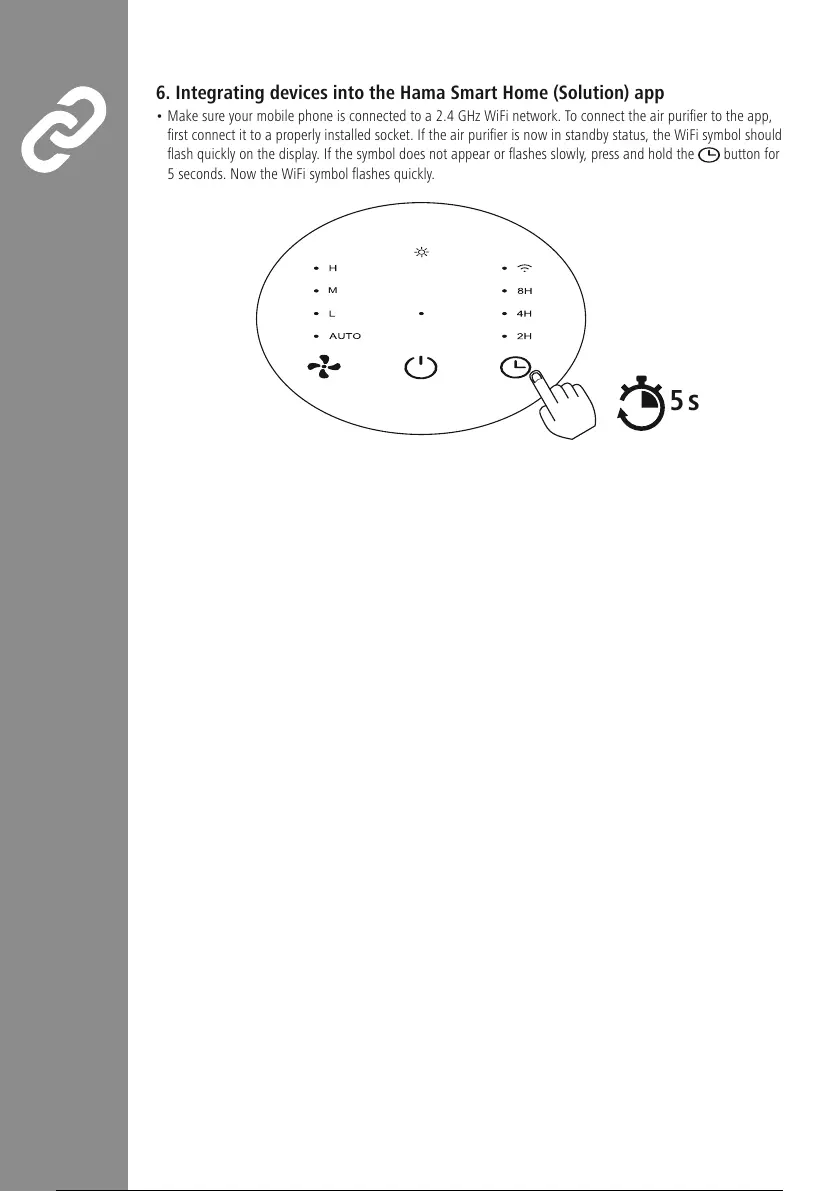
• Make sureyour mobile phone is connected to a2.4 GHz WiFi network. To connect the air purier to the app,
rst connect it to aproperly installed socket. If the air purier is now in standby status, the WiFi symbol should
ash quickly on the display.Ifthe symbol does not appear or ashes slowly,press and hold the button for
5seconds. Now the WiFi symbol ashes quickly.
5s
M


 To Next Page