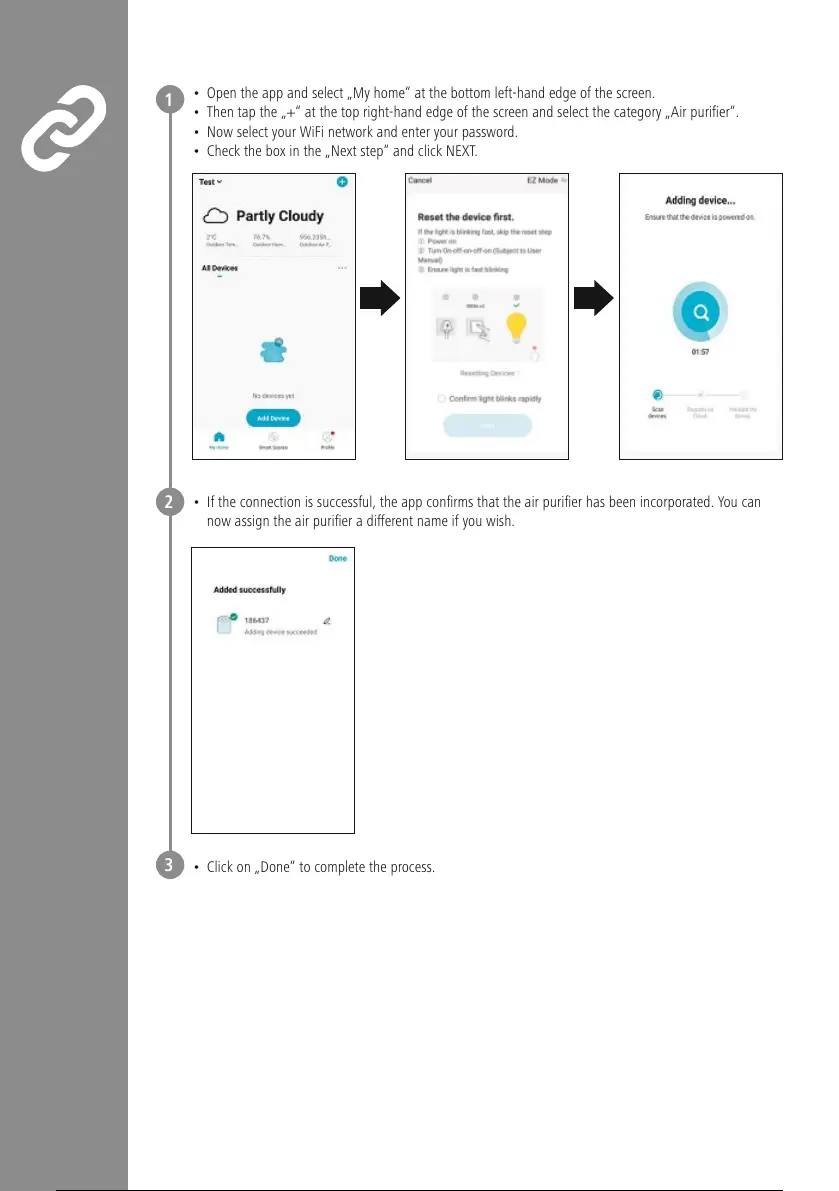
• Open the app and select „My home“ at the bottom left-hand edge of the screen.
• Then tap the „+“ at the top right-hand edge of the screen and select the category „Air purier“.
• Now select your WiFi network and enter your password.
• Check the box in the „Next step“ and click NEXT.
• If the connection is successful, the app conrms that the air purier has been incorporated. Youcan
now assign the air purier adifferent name if you wish.
• Click on „Done“ to complete the process.
1
2
3


 To Next Page