7
7.3 Battery capacity
When the headphone battery capacity is low,the LED (9) ashes
redand the announcement "Battery Low"isheard.
8. Bluetooth® connection (pairing) -Alternative use-
directly without dongle
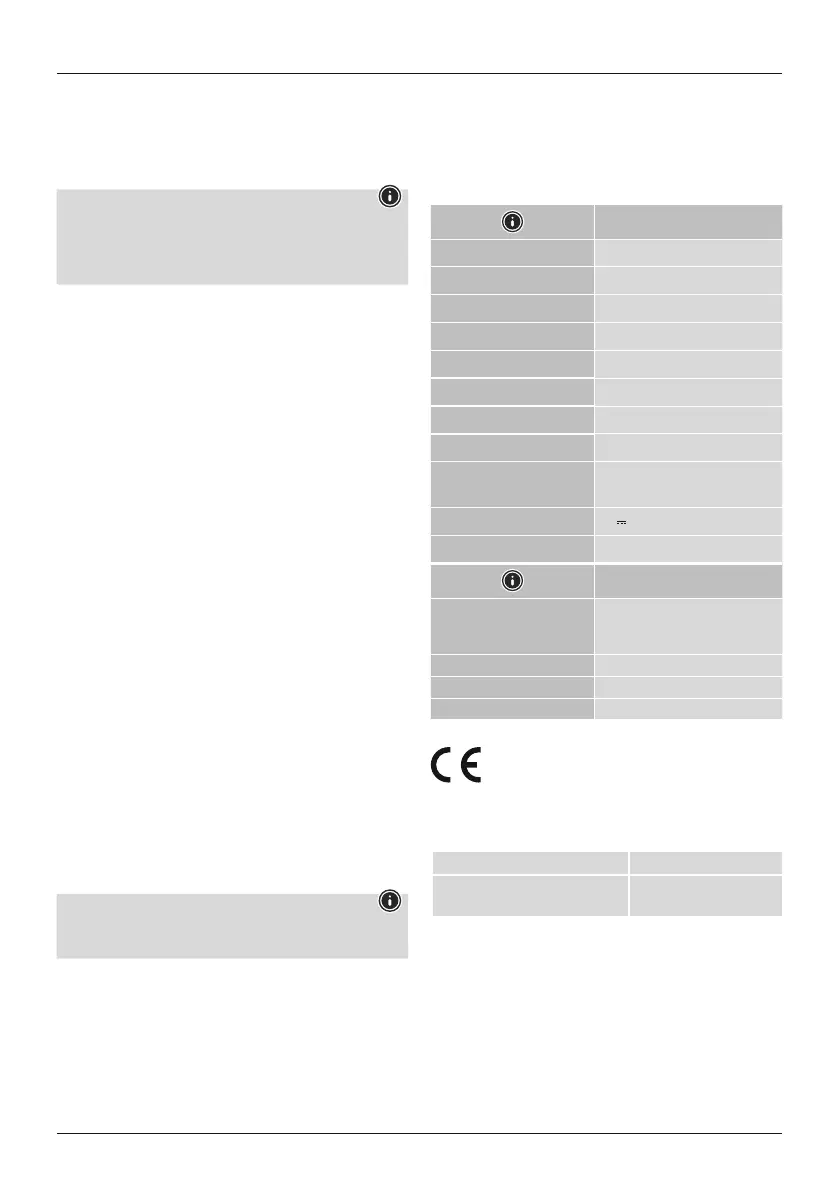
Note -pairing
• Ensurethat the Bluetooth
®
-enabled device is switched on and
that the Bluetooth
®
function is activated.
• Please refer to the operating instructionsofyour device for more
information.
The headphones and the device should not be more than1metre
apart. The shorter the distance, the better.
Switch the headphones on using the On/Off button (7).
Press the Vol+ (5) and Vol- (6) buttons simultaneously for 3
seconds until you hear “Pairing”.
If the LED (9) is flashing alternately blue and the
announcement:
Headphones searching for aBluetooth®connection.
When the LED (9) lights up green and the announcement:
The headphones arealready paired with aBluetooth® device.
9. Control elements
9.1 Mode
Youcan select from 3different modes using the Mode button (8).
Normal mode: neutral playback
Full mode: treble and bass amplied
Voice mode: speech emphasised
To do this, press the button once to switch to the next mode
9.2 Phone
Youcan use the Phone button (4) to accept and endphone calls in
Bluetoothmode
9.3Volumecontrol
Increase volume
Pressthe +button(5) once to increasethe volume. Whenthe
maximum volume is reached, asignal is heard.
Decrease volume
Press the –button (6) once to decreasethe volume.
10. Audio playback via an audio cable
Alternatively,you can also connect these headphones using an
AUX cable. To do this, plug one end into the device and the other
end into the audio input (3).
11. Care and maintenance
Note
Disconnect the device from the mains beforecleaning and
during prolonged periods of non-use.
• Only clean this product using alint-free, slightly damp cloth and
do not use any harsh cleaners.
• Ensurethat no water is able to enter the product.
12. Warranty disclaimer
Hama GmbH &CoKGassumes no liability and provides no
warranty for damage resulting from improper installation/
mounting, improper use of the product or from failuretoobserve
the operating instructions and/orsafety notes.
13. Technical data
Headphones
Signal reception Radio /Bluetooth®5.3
Transmission frequency 2.4GHz/2402 -2480 MHz
Range 100m (RF) /10m (BT)
Frequency range 20Hz –20kHz
Sensitivity 90dB/mW
Impedance 32 Ω
Diameter 40 mm speaker
Run time 16 h
Connection
USB-C (for charging)
3.5 mm stereo (forwired use)
Current consumption 5V
240mA
Min. capacity 380mAH
Stand
Connection
AC/DC adapter,3.5 mm stereo
(for audiotransmission), optical
IN
Signal transmission Radio
Transmission frequency 2402-2480MHz
Range100m
14. Declaration of conformity
Hama GmbH &CoKGhereby declares that the
radio equipment type [00221848] is in compliance
with Directive 2014/53/EU.The fulltext of the EU
declaration of conformity is availableatthe following Internet
address:
https://support.hama.com/00221848
Frequency band(s) 2402 MHz–2480 MHz
Maximum radio-frequency power
transmitted
2.5m WE.I.R.P.
15. Specifications according to Regulation (EU) 2023/826
Information regarding energy consumption can be found at:
https://support.hama.com/00221848


 To Next Page