4
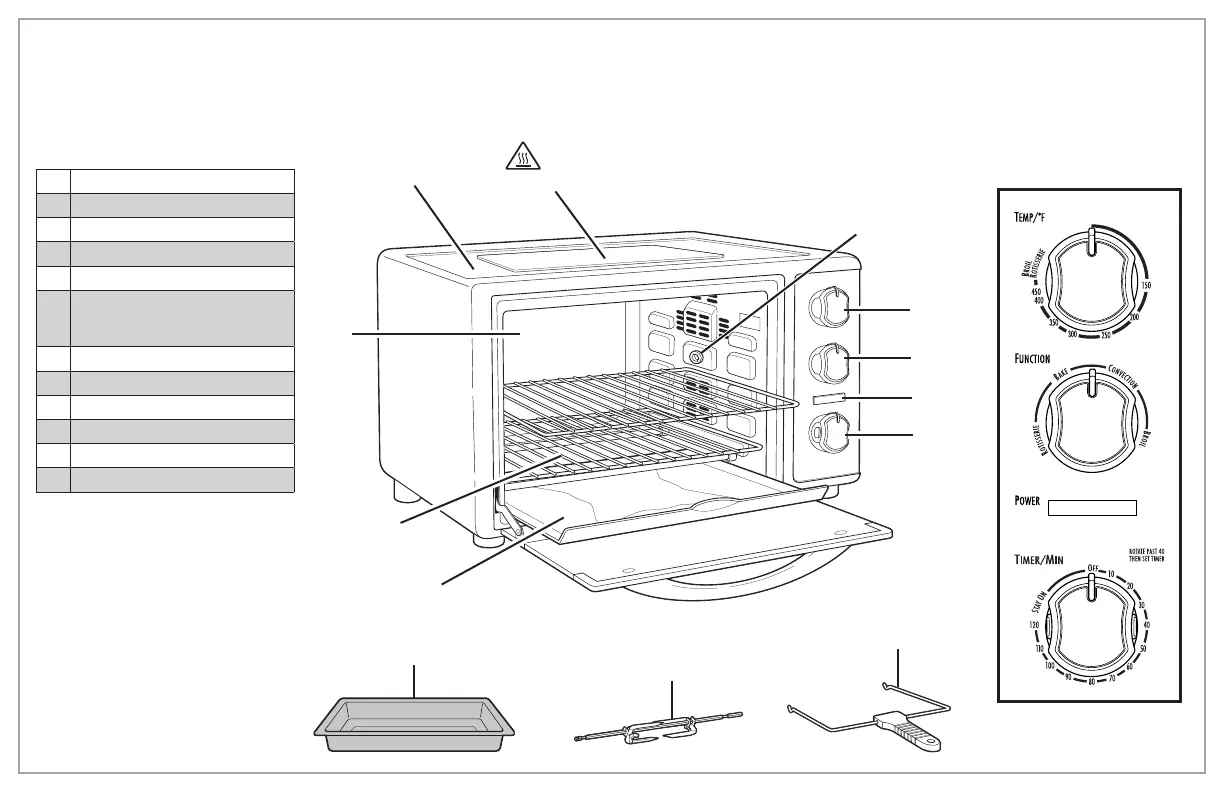
Control Panel
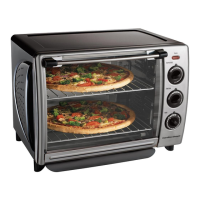
Parts and Features
11
4
2
12
3
Before first use: Most heating appliances produce an odor and/or smoke when used
the first time. Plug into outlet. Turn FUNCTION Dial to BAKE and turn TEMP Dial to 450˚F
(232˚C); then rotate TIMER to set for 5 minutes. Let Oven preheat for approximately
5 minutes. Odor should not be present after this initial preheating. Wash Baking Pan and
Oven Racks before using.
7
10
9
8
To order parts, visit:
hamiltonbeach.com/parts
1 Oven Exterior
2
Easy-Clean Oven Interior
3 Oven Racks (2)
4 Slide-Out Crumb/Drip Tray
5
Large Coated Baking Pan
6
Rotisserie Forks on
Rotisserie Rod (Rotisserie
Skewer)
7 Rotisserie Lift
8 ON/OFF Oven Control/Timer
9 Red Power Indicator Light
10 Function Dial
11
Temperature Dial
12 Rotisserie Insert
1
5
6
CAUTION: HOT SURFACE. The temperature of accessible
surfaces may be high when the appliance is operating.



 To Next Page