11
6
7
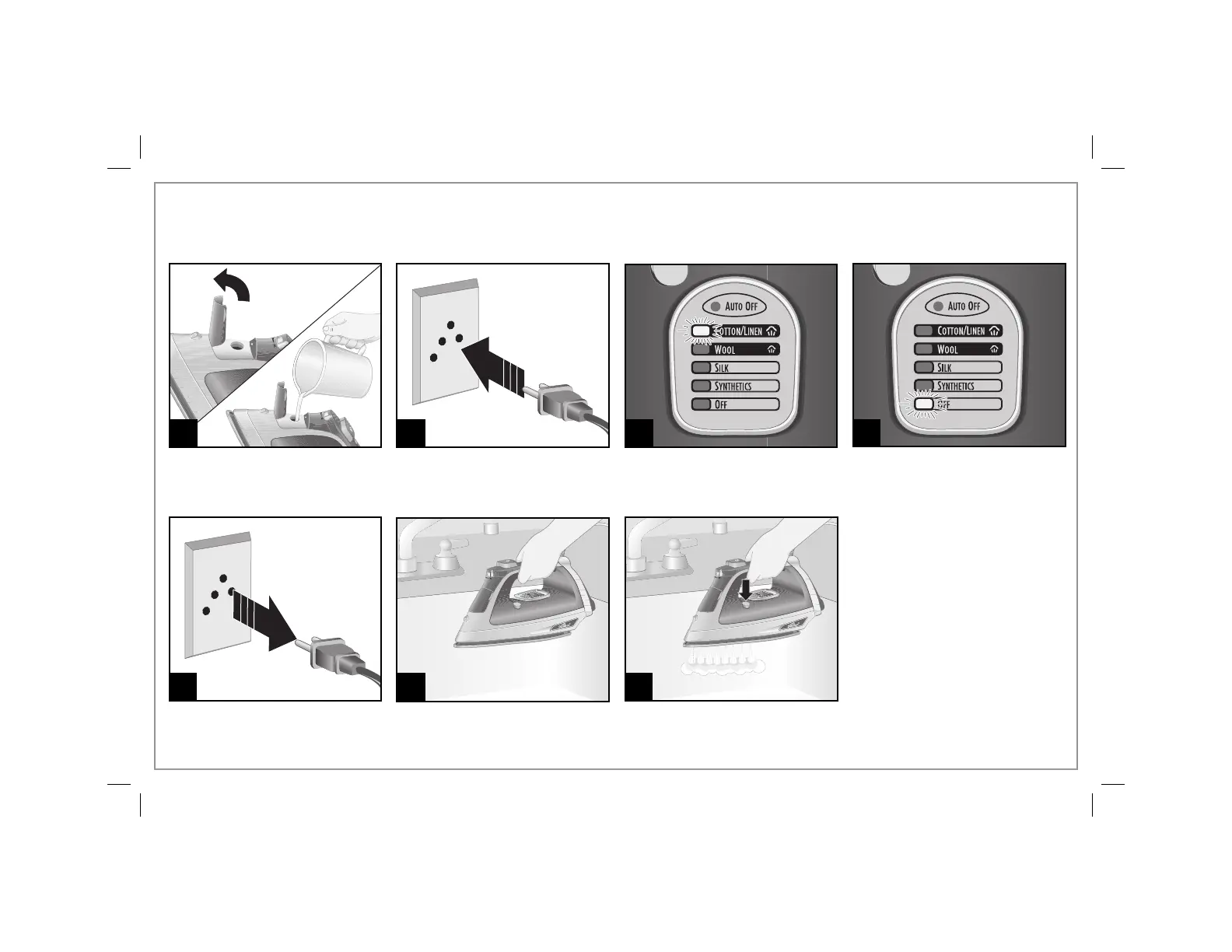
To keep the steam vents clear of any buildup, follow these
instructions each time you iron using steam.
1 2
3
4
Press and hold the Self-Clean
Button until tank is empty.
Press Temperature Settings
Button until COTTON/LINEN is
illuminated, and let iron heat until
light stops blinking.
Hold iron over sink.
Press Temperature Settings
Button until OFF is illuminated.
The light will stay on until iron is
unplugged.
Self-Clean Feature
5




 To Next Page