9
Owner’s Manual
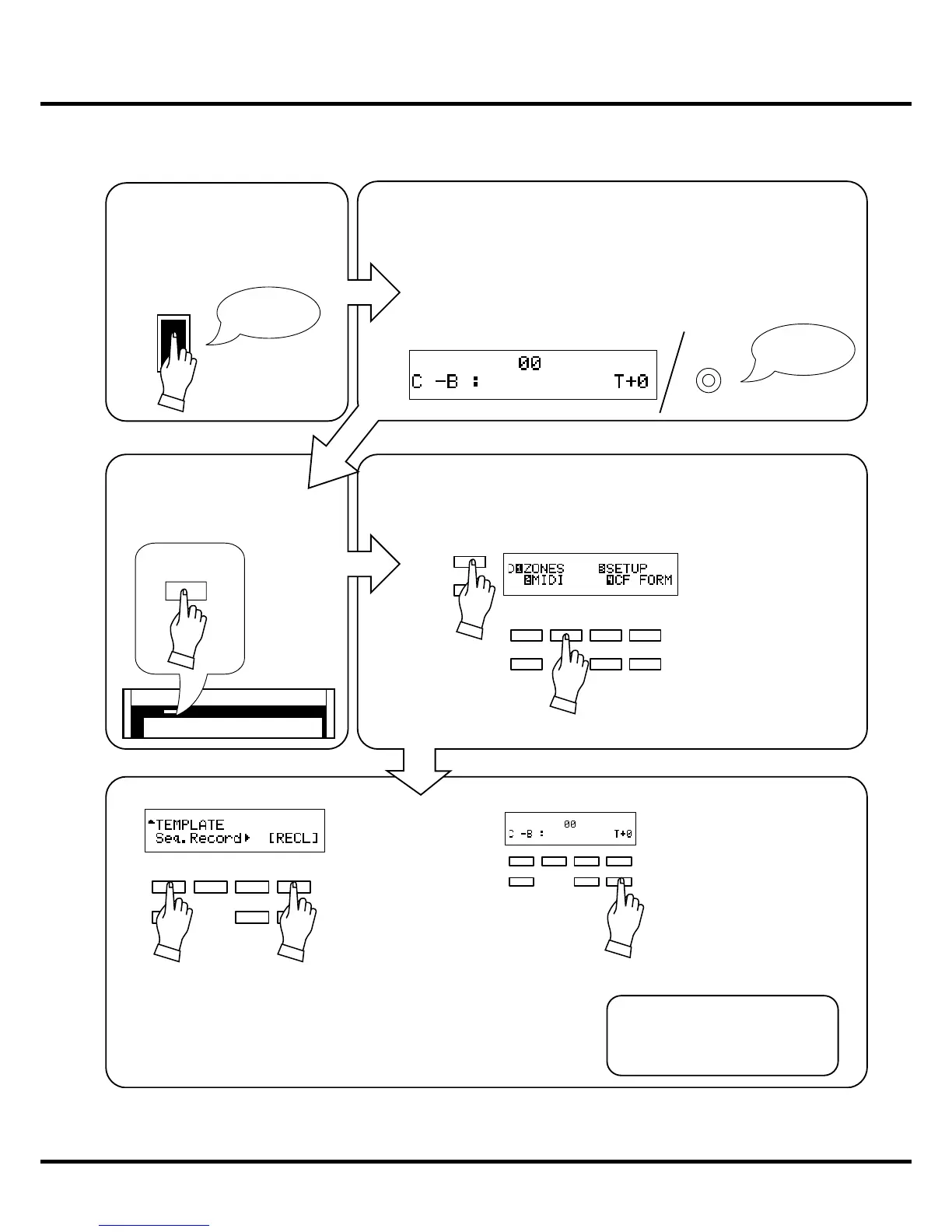
A setting example of the XK-3/3C
1
4
2
PAGE
MENU/EXIT
ON
:-
:.-
POWER
ON
1.
2. 3.
4.
5.
6.
1
2
3
4
56
Switch ON the power of the XK-3.
PLAY mode is displayed on the LCD.
e light on the XLK-3 will also be turned ON when the XLK-3 is connected.
Press the [MENU/EXIT] button to
display the MENU.
Press the [PAGE] button and move to page D.
Press the [2] MIDI button.
Select “Seq. Record”.
Press the [4] RECL button.
Press the [PLAY] button to re-
turn to the PLAY mode.
is completes the setting.
is setting is memorized, even af-
ter the power is switched o .


 To Next Page