EasyManua.ls Logo

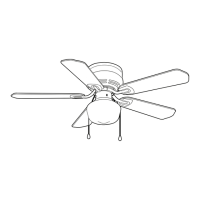
HAMPTON BAY 44-MDL - User Manual

HAMPTON BAY 44-MDL
18 pages
Print Icon
To Next Page IconTo Next Page
Loading...

Questions and Answers

  • L
    Laura HumphreyAug 9, 2025
    Why won't my HAMPTON BAY 44-MDL Fan start?
    • J
      Jennifer HaneyAug 9, 2025
      If your HAMPTON BAY Fan won't start, there are several things to check: First, check the main and branch circuit fuses or breakers. Ensure the light kit plug is connected to the motor plug. Verify the line wire connections to the fan and switch wire connections in the switch housing. Check the battery in the remote control, making sure the protective wrap has been removed and it is oriented properly. Make sure you are within the normal range of 10-20 ft. Ensure the dip switch settings are the same on the remote control and receiver. Remember to turn off the power supply before checking the dip switches settings.
  • P
    parkerthomasAug 20, 2025
    What to do if HAMPTON BAY Fan is noisy?
    • S
      Seth MillerAug 20, 2025
      If your HAMPTON BAY Fan is noisy, try the following: Make sure all motor housing screws are snug. Check that the screws attaching the fan blade bracket to the motor hub are tight. Ensure the wire nut connections are not rattling against each other or the interior wall of the switch housing. Allow a 24-hour “breaking in” period, as most noises disappear during this time. If you're using a light kit, ensure the screws securing the glassware are tight and the light bulbs are secure. Confirm the canopy is a short distance from the ceiling and not touching it. Finally, ensure your outlet box is secure and rubber isolator pads were used between the mounting plate and outlet box.
  • C
    Cristian HarperAug 28, 2025
    How to fix a wobbling HAMPTON BAY Fan?
    • J
      Jeffrey BarberAug 28, 2025
      To address a wobbling HAMPTON BAY Fan, first check that all blade bracket screws are secure and that all the blades are fully latched into place. Unequal blade levels often cause wobble. To check this, select a point on the ceiling above the tip of one blade and measure the distance from the center of each blade to that point on the ceiling. Rotate the fan to measure each blade, ensuring any deviation is within 1/8 inch. Run the fan for ten minutes.

HAMPTON BAY 44-MDL Specifications

General IconGeneral
BrandHAMPTON BAY
Model44-MDL
CategoryFan
LanguageEnglish

Related product manuals