EasyManua.ls Logo

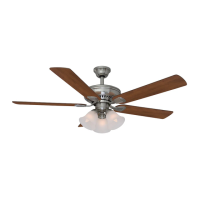
HAMPTON BAY CAMPBELL - User Manual

HAMPTON BAY CAMPBELL
28 pages
Print Icon
To Next Page IconTo Next Page
Loading...
Item # 993-855, 991-654, 995-050
Model # 51350, 51352, 51359
UL Model # 52-BVD
USE AND CARE GUIDE
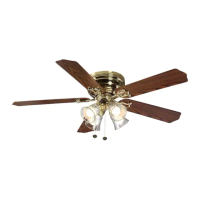
CAMPBELL 52-INCH CEILING FAN
Questions, problems, missing parts? Before returning to the store,
call Hampton Bay Customer Service
8 a.m. - 6 p.m., EST, Monday-Friday
1-877-527-0313
HAMPTONBAY.COM
THANK YOU
We appreciate the trust and condence you have placed in Hampton Bay through the purchase of this ceiling fan. We strive to continually create
quality products designed to enhance your home. Visit us online to see our full line of products available for your home improvement needs.
Thank you for choosing Hampton Bay!

Questions and Answers

  • D
    Danielle ThorntonJul 27, 2025
    What to do if my HAMPTON BAY Fan will not start?
    • W
      William MartinJul 27, 2025
      If your HAMPTON BAY Fan isn't starting, try the following: * Check the main and branch circuit fuses or breakers. * If applicable, ensure the wall switch is in the on position. * Check the line wire connections to the fan and switch wire connections in the switch housing. * Check the battery in the transmitter. * Make sure you are within the normal operating range of 10-20 feet. * Ensure the dip switch settings are the same on the transmitter and receiver. * Remember to turn off the power supply before checking the dip switches settings.
  • S
    Samantha ReyesAug 5, 2025
    Why is my HAMPTON BAY CAMPBELL Fan so noisy?
    • G
      Gary EricksonAug 5, 2025
      There are several reasons why your HAMPTON BAY Fan might be noisy: * Ensure all motor housing screws are snug. * Check that the screws attaching the fan blade bracket to the motor hub are tight. * Make sure the wire nut connections are not rattling against each other or the interior wall of the switch housing. * Allow a 24-hour 'breaking in' period, as most noises disappear during this time. * If using a light kit, confirm the screws securing the glassware are tight and the light bulbs are secure. * Verify the canopy is a short distance from the ceiling and not touching it. * Confirm your outlet box is secure and rubber isolator pads were used between the mounting plate and outlet box.
  • D
    Dominic BradfordAug 16, 2025
    How to fix a wobbling HAMPTON BAY CAMPBELL Fan?
    • E
      Elizabeth SawyerAug 16, 2025
      If your HAMPTON BAY Fan is wobbling, try these solutions: * Ensure that all blade and blade arm screws are secure. * Check that blade levels are equal by measuring the distance from each blade tip to the ceiling; deviations should be within 1/8". * Run the fan for ten minutes. * If the wobble is still noticeable, use the enclosed blade balancing kit.

Summary

Safety Information

General Safety Precautions

Essential safety steps for installation and operation, including electrical safety and clearance requirements.

Important Safety Warnings

Critical warnings regarding personal injury, electric shock, and fire hazards during fan installation and use.

Warranty Information

Suppliers Warranty Terms and Limitations

Details the fan motor and parts warranty, exclusions, and claim procedures.

Pre-Installation

Product Specifications

Technical specifications for the ceiling fan, including size, speed, power, and weight.

Tools Required for Installation

Lists all necessary tools for assembling and installing the ceiling fan.

Hardware Included in Package

Inventory of all hardware components provided for fan assembly and installation.

Package Contents Overview

Identifies all parts included in the ceiling fan package for assembly.

Installation Guide

Mounting Options and Ceiling Support

Explains different mounting methods and requirements for secure ceiling fan installation.

Assembly - Standard Ceiling Mount

Standard Mount Preparation and Wire Routing

Steps for preparing the mounting bracket and routing wires for standard ceiling installation.

Assembling the Fan Components

Detailed instructions for assembling the fan motor, ball/downrod, and securing mechanisms.

Assembly - Close-To-Ceiling Mount

Close-Mount Preparation and Wiring

Steps for preparing the canopy and routing wires for a close-to-ceiling fan installation.

Attaching and Hanging the Fan

Instructions for securing the fan to the electrical box and hanging the motor assembly.

Assembly - Hanging the Fan (Continued)

Receiver Installation and Code Setting

Guide for installing the remote receiver and setting the transmitter/receiver code.

Making Electrical Connections

Detailed steps for connecting fan, receiver, and house supply wires.

Assembly - Attaching the Fan Blades

Attaching Blades to Brackets

Procedure for attaching fan blades to their respective blade brackets using screws.

Securing Blade Assemblies to Motor

Instructions for fastening the assembled blades and brackets to the fan motor housing.

Assembly - Attaching the Lights

Attaching the Light Kit Fitter Assembly

Steps for connecting the light kit fitter assembly to the fan motor assembly.

Installing Glass Shades and Bulbs

Guide for safely installing glass shades and light bulbs into the fixture.

Operating Your Fan and Remote Control

Remote Control Functions and Usage

Explanation of the remote control buttons and their functions for fan speed and lights.

Fan Airflow Direction Control

Instructions on how to change the fan's direction of rotation for warm or cool weather.

Care and Cleaning

Fan Maintenance and Cleaning Advice

Recommendations for regular cleaning and maintaining the fan's appearance and functionality.

Troubleshooting Guide

Resolving Common Fan Issues

Solutions for common problems such as the fan not starting, noise, or wobbling.

HAMPTON BAY CAMPBELL Specifications

General IconGeneral
BrandHAMPTON BAY
ModelCAMPBELL
CategoryFan
LanguageEnglish

Related product manuals