Light Ki t
Pu
ll Cha in
4
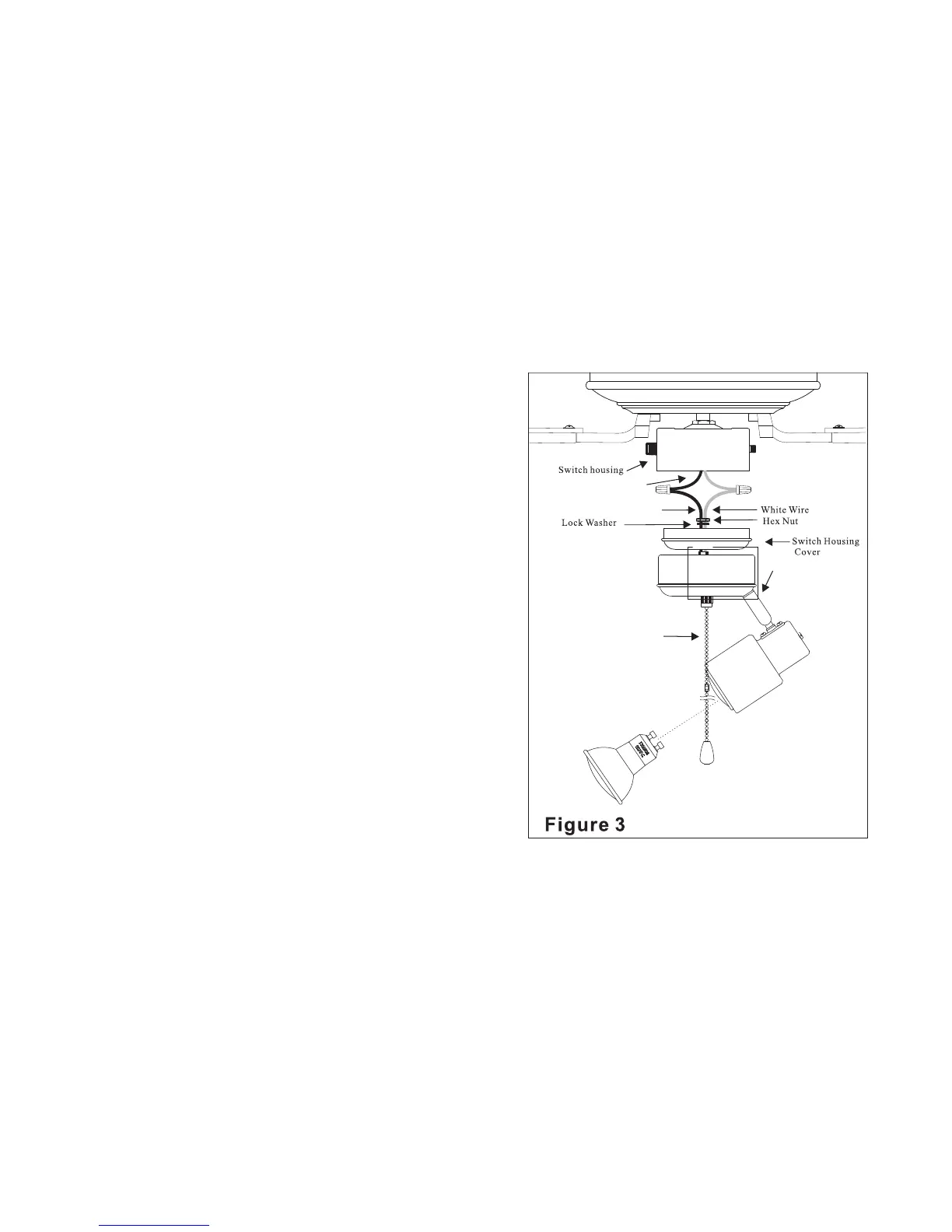
STEP 4 Locate the blue and white wires
inside the switch housing for the light kit
connection. Connect the blue wire from
the fan switch housing to the black wire
from the light kit and the white wire from
the fan switch housing to the white wire
from the light kit. Attach the wires
together using the wire connectors supplied
on the fan light wires. Refer to Figure 3.
STEP 5 Re-attach the switch housing cover
to the switch housing of the fan assembly
by aligning the screw holes on the switch
housing cover with the screw holes on the
switch housing and secure with the screws
removed in STEP1.
Your ceiling fan light kit installation is
finished!
Black Wire
Black Wire




 To Next Page