3
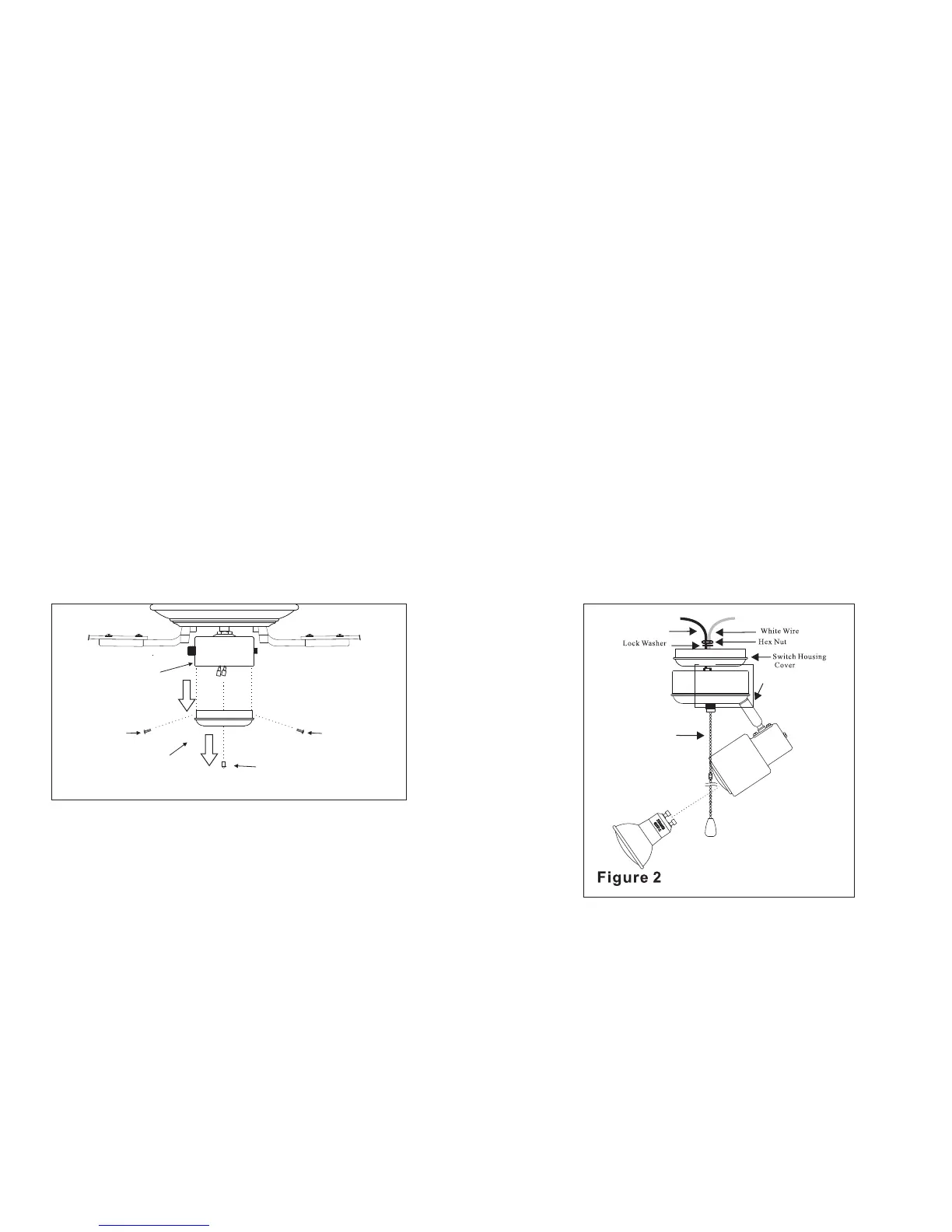
F ig u re 1
Switch housing
co
ver
Center Plug
Screw
Switch housing
Screw
Light Kit
Pull Chain
Installing Your Light Kit
STEP 1 Remove the cover from the switch
housing below the fan motor by removing
the mounting screws. Refer to Figure 1.
STEP 2 Remove the center plug from the
switch housing cover. Refer to Figure 1.
STEP 3 Remove the lock washer and
hex nut from the top of the light kit.
Insert the black and white wire from
the light kit through the center hole of
the switch housing cover, thread the
switch housing cover onto the light kit.
Re-install lock washer and hex nut and
tighten securely. Refer to Figure 2.
Black Wire




 To Next Page