24
COMPONENT PARTS
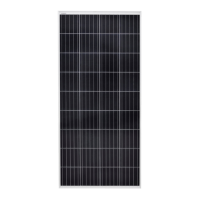
• Solar panel
• Charge controller 12 V / 10 A
• Brackets for solar panel
• Connecting cable charge controller –
battery
INSTALLATION
Connect in the following order: battery
charge controller load solar panel.
Disconnect in the reverse order.
NOTE:
• The switch must be in the OFF position
when connecting the charging regulator.
Connect the positive and negative leads
with the correct polarity.
• If an inverter is used it should be
connected directly to the battery,
not to the load terminals on the
charge controller.
USE
INTENDED USE
This product is a solar energy system that
converts solar energy to electrical energy, and
stores it in a rechargeable battery.
The battery can then supply DC equipment
with power. The product enables the use of
electrical equipment at places without a mains
supply, such as at remote cottages, or for
camping and outdoor life.
HOW TO USE
1. Place the solar panel so that it is exposed to
direct sunlight and not in the shadow. The
solar cell side should be turned to the sun.
2. Connect the supplied connecting cable
from the rechargeable battery to the battery
terminal on the charge controller (marked
with battery symbol), with the correct
polarity.
3. Connect the electrical equipment to be
supplied with power to the load terminal
(marked with bulb symbol) on the charge
controller.
4. Connect the cable from the solar panel to
the solar panel terminal (marked with solar
panel symbol) on the charge controller with
the correct polarity.
5. Mobile phones, radios etc. can be connected
to the USB port on the charge controller.
6. The switch on the charge controller should
be in the ON position when supplying power
to electrical equipment.
CHARGE CONTROLLER
This is a digital charge controller with pulse
width modulation (PWM). It is cost-ecient
and easy to use, with functions such as:
– 3-stage intelligent PWM charging
– boost charging, equalisation charging
and oat charging.
– 3 battery alternative – sealed, gel and
wet-cell battery
– status lights for battery status
– battery temperature compensation
– USB port for charging electronic
equipment
– button setting of battery type and load
output
– electronic safety functions.
SETTINGS
Output (load) ON/OFF
When the charge controller is supplied with
voltage, press the button (6) to connect and
disconnect the voltage to the output/load.


 To Next Page