EN
15
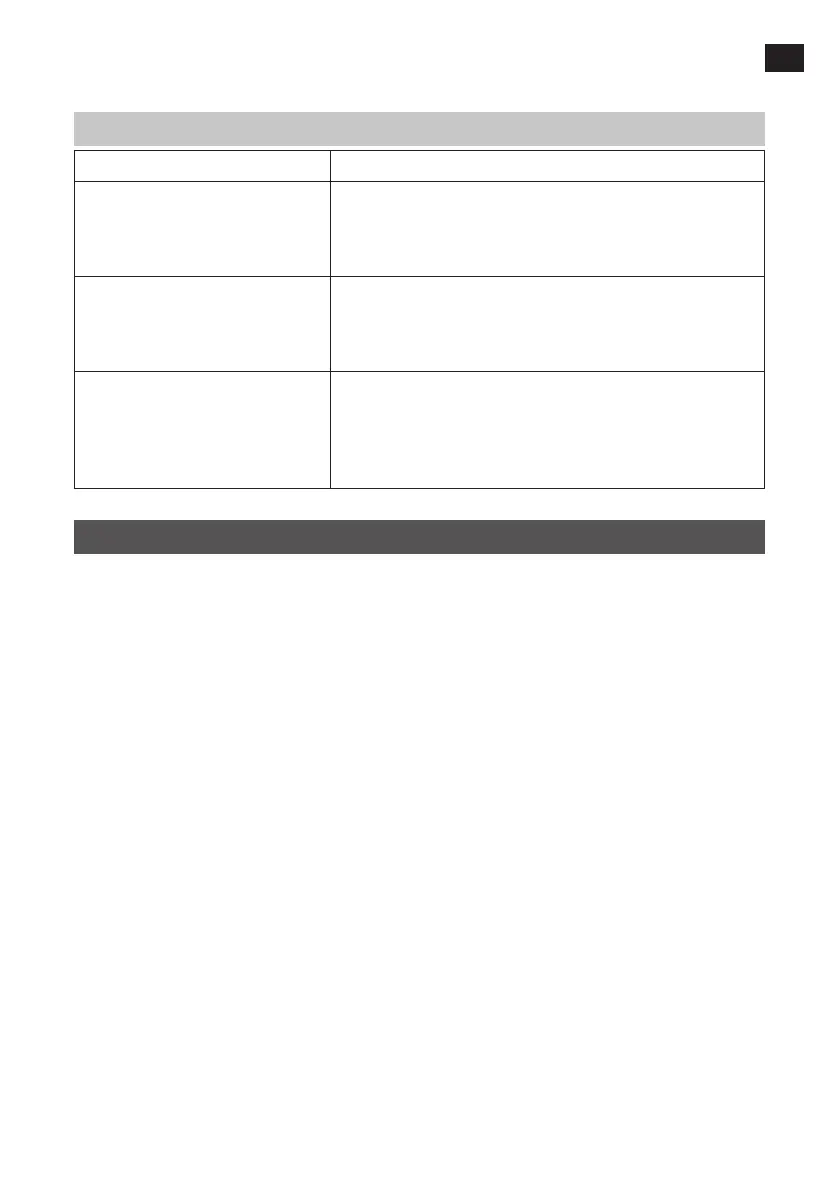
ANALYSIS OF BATTERY STATUS
LED indicator Battery status
GOOD (green). Good battery capacity. It is not certain that the battery is fully
charged. Check charging status by measuring the density of the
battery uid. Check the charging system if the measurement
shows less than full charge. Fully charge the battery.
WEAK (yellow status light) or BAD
(red status light), but status is stable
Low battery capacity. The battery could either be defective or
partially discharged. Check which by measuring the density of
the battery uid. Charge the battery and check status again.
Replace the battery if its status is not GOOD after charging.
WEAK (yellow status light) or BAD
(red status light) and status drops.
The battery could be defective or heavily discharged. Release
the test load button and check how the status changes. If the
voltage returns to at least 12 V within a few seconds the battery
is defective. If it takes longer for the voltage to return, the
battery is discharged. Measure the density of the battery uid.
MAINTENANCE
1. Store the product in a clean and dry place.
2. Clean the casing with a damp cloth. Do not use solvents. Blow clean the ventilation
openings with compressed air.
3. Remove any battery electrolyte from the clips after use. Apply a thin layer of grease to
prevent corrosion.


 To Previous Page