USER MANUAL For MULTISCAN P2
Chapter 3 - 6
I. Control Keys -----------------------------------
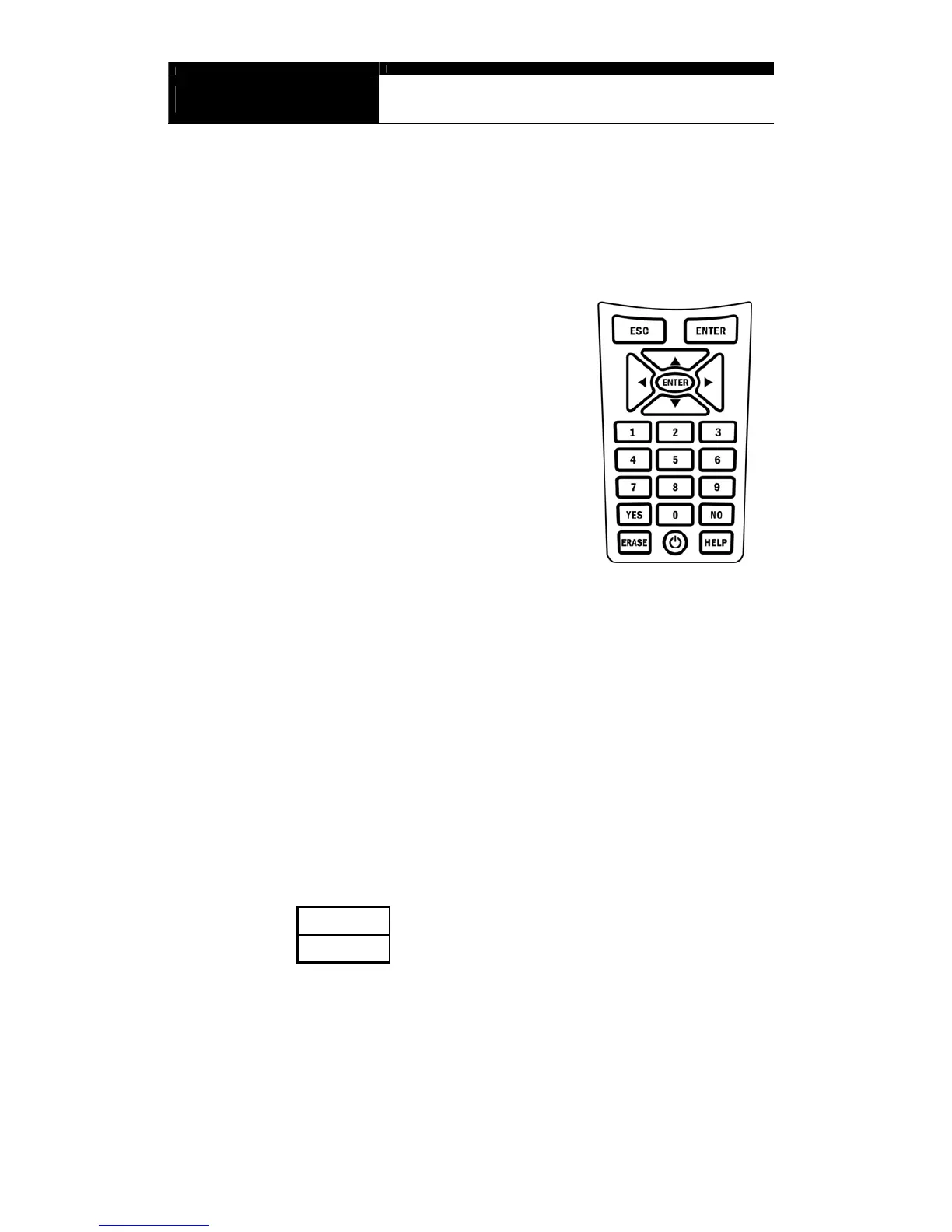
A. Keypad
The keypad is made of chemistry proofing PVC
material that prevents contamination and damage
from hazardous oily workshop environment.
The membrane keypad is designed and tested to
maintain its normal operation over a million
keystroke for each.
Each key is raised for better tactile feel. The keypad
has total of 20 keys.
B. Making selection in the menu
1. Numeric Keypad in the bottom
Simply press the corresponding number when making selection from a menu.
This is available only when you are selecting an item of which number is 9 or
less. For more than 10, you should locate the highlighted bar on the desired
item and press the [ENTER] key.
2. Arrow keys in the middle
◀ ▶ Page Up/Down
▲▼
Scroll Up/ Down


 To Next Page