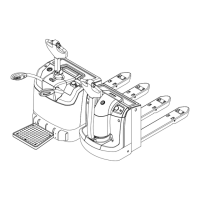
4.2 Operation
① The truck can only be allowed to use on hard ground. Do not work on oily
ground to avoid slipping.
② Turn on the switch, make sure the battery is full, then start to operate.
③ Do not use the truck when battery is low. Low voltage use will damage battery.
Charge and discharge the battery on a regular basis when truck is unused for
long time ( over one month).
④ Press the lifting button to lift forks, release the lifting button and forks stop.
Press the lowering button to lower forks, release the lowering button and forks
stop.
⑤ Keep a safety distance from the people around when the truck is loading and
unloading. Pay special attention when the cargo is too high or too heavy.
⑥ Overloading is strictly prohibited to avoid mechanical damage or casualties.
⑦ When truck is travelling, do not lift and travel at the same time. Slow
down when turning, climbing up or down a slope. To avoid danger, it’s
prohibited to turn on slope .
⑧ Put forks at the lowest position after use. Do not park the truck at
slope. Switch off the truck for longer battery life one charge.
5. Battery & Charger Use & Maintenance
5.1 Charger
① The charger has excellent constant current characteristics and extremely
fast over-current protection, which automatically stabilizes the output
current when the voltage fluctuates.
② Float charging device effectively prevents over charging. The electrolyte will
not be turbid and the service life will be prolonged.
5.2 Battery Charging
① Connect the charger to battery charging socket, use the external charger to
recharge the battery.
② Keep good ventilation, no smoking or open flames during charging period.
③ Cut charging power and remove charging cable after full charging.
④ Battery maintenance and capacity check after charging.
5.3 Button function description
Functions of the buttons on handle:
3


 To Next Page