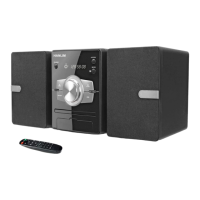
/ +
.
/
.
(
)
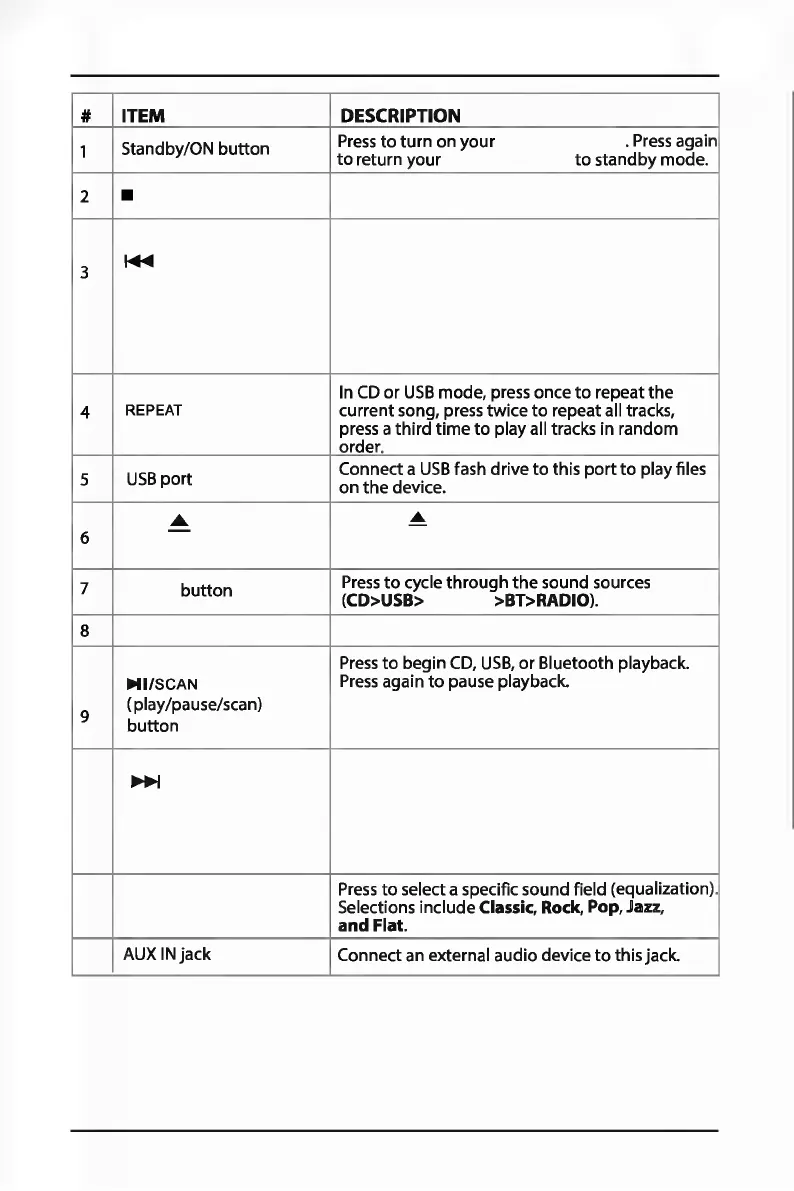
# ITEM DESCRIPTION
1
Standby/ON
button
Press
to
turn
on
your
. Press again
to
return
your
to
standby
mode.
2
■
3
!+ii
In CD
or
USB
mode,
press
once
to
repeat
the
4
REPEAT
current
song, press
twice
to
repeat
all tracks,
press a
third
time
to
play
all tracks
in
random
order.
5
USB
port
Connect
a
USB
fash
drive
to
this
port
to
play
files
on
the
device .
.....
....
-
6
-
7
button
Press
to
cycle
through
the
sound
sources
(CD>USB> >BT>RADIO).
8
Press
to
begin
CD,
USB,
or
Bluetooth
playback.
Ml/SCAN
Press again
to
pause playback.
9
(play/pause/scan)
button
~
Press
to
select a specific
sound
field
(equalization).
Selections
include
Classic, Rock, Pop, Jazz,
and
Flat.
AUX
IN
jack
Connect
an external
audio
device
to
this
jack.


 To Next Page
 Loading...