EasyManua.ls Logo

Hanna Instruments pHep - User Manual

Hanna Instruments pHep
8 pages
Print Icon
To Next Page IconTo Next Page
Loading...
INSTRUCTION MANUAL
HI98107
Pocket-sized pH Meter
Warranty
This meter is warranted for a period of one year against defects in workmanship
and materials when used for their intended purpose and maintained according to
instructions. The electrode is warranted for a period of six months. This warranty is
limited to repair or replacement free of charge. Damage due to accidents, misuse,
tampering or lack of prescribed maintenance is not covered. If service is required,
contact your local Hanna Instruments Office. If under warranty, report the model
number, date of purchase, serial number and the nature of the problem.
If the repair is not covered by the warranty, you will be notified of the charges incurred.
If the instrument is to be returned to Hanna Instruments, first obtain a Returned Goods
Authorization (RGA) number from the Technical Service department and then send it
with shipping costs prepaid. When shipping any instrument, make sure it is properly
packaged for complete protection.
IST98107N 06/18
Accessories
Electrode Storage Solution
Code Description
HI70300M Electrode storage solution, 230 mL bottle
Electrode Cleaning Solution
Code Description
HI7061M General purpose cleaning solution, 230 mL bottle
pH Buffer Solution
Code Description
HI70004P pH 4.01 buffer solution, 20 mL sachets (25 pcs.)
HI70007P pH 7.01 buffer solution, 20 mL sachets (25 pcs.)
HI70010P pH 10.01 buffer solution, 20 mL sachets (25 pcs.)
HI77400P
pH 4.01 & 7.01 buffer solution, 20 mL sachets
(10 pcs., 5 ea.)
HI770710P
pH 10.01 & 7.01 buffer solution, 20 mL sachets
(10 pcs., 5 ea.)
Care and Maintenance
To obtain the highest accuracy for measurements it is important to follow these tips:
Calibration is only as good as the buffers being used. The pH buffers value change
over time once the sachets are opened. Fresh buffer should be used for each
calibration.
The electrode should be rinsed with purified water each time before placing in
buffer or sample to be tested.
When the meter is not in use it is important to add several drops of storage solution
to a sponge in the protective cap to keep the electrode hydrated. If
storage
solution is not available, then pH 4.01 or pH
7.01 buffer can be used.
For improved accuracy it is recommended to calibrate in two buffers. It is important
to use buffers that bracket the expected value of the sample to be tested. For
example, if the expected value is pH 8,
the meter should be calibrated using
pH 7.01 and pH
10.01 buffers.
Battery Replacement
The meter features a low battery indicator. When the battery is running low (under
10%), the battery indicator will blink on the LCD. When the battery is discharged
dEAd bAtt” will be displayed on the LCD for 2 seconds and the meter will turn off.
To change the CR2032 Li-ion battery, turn the battery cover located on the back of
the meter counterclockwise to unlock. Remove cover and replace with new battery
+ side facing up.
Note: Batteries should only be replaced in a safe area using the battery
type specified in this instruction manual. Old batteries should be disposed in
accordance with local regulations.
0
7
0
7
Inorganic Soak in Hanna Instruments HI7074
Inorganic Cleaning Solution for 15 minutes.
Oil and grease Rinse with Hanna Instruments HI7077
Oil and grease Cleaning Solution
IMPORTANT: After performing any of the cleaning procedures rinse the electrode
thoroughly with distilled water, and soak the electrode in HI70300 Storage Solution
for at least 1 hour before taking measurements.
Removal of films, dirt or deposits on the membrane/junction:
General Soak in Hanna Instruments HI7061
General Cleaning Solution for approximately 1 hour.
Protein Soak in Hanna Instruments HI7073
Protein Cleaning Solution for 15 minutes.
If the electrode or junction is dirty soak the tip in HI7061 cleaning solution for
30 minutes, rinse thoroughly in distilled water and then follow cleaning procedure.
Two-point calibration
Proceed with steps 1 through 3 under single-point calibration using pH 7.01 buffer
first. Then follow steps below:
• The “pH 4.01 USE“ message is then displayed.
• Place the electrode in the second calibration buffer (pH 4.01 or 10.01). When the
second buffer is accepted, the LCD will display Storfor 1 second and the meter
will return to the normal measurement mode.
• The “CAL“ tag will be displayed in measurement mode with the calibrated buffers.
If the buffer is not recognized or the slope is out of accepted range ---- Err
is displayed. Change the buffer, clean the electrode or press any key to exit
calibration.
It is always recommended to carry out a two-point calibration for better accuracy.
Clear calibration
Press CAL button. Meter enters in calibration mode.
Press ON/OFF button and CLR is displayed. The meter will now be at default calibration.
The “CAL“ tag will be cleared in measurement mode, indicating the missing calibration,
until a new calibration will be performed.
Error messages
During user calibration, if the reading is out of the accepted range, the meter will
displayed---- Err.
pH 14.0 or 0.0 blinking means the limit of the measured value is out of range.
Verify that the electrode is in solution.
If the measured temperature is higher than 50.0 ºC or lower than 0.0 ºC, the
50.0 ºC or 0.0 °C message is displayed blinking.
If the buffer is not recognised “----Err“ is displayed. Check the buffer, clean the
electrode or press CAL button to exit calibration.
In case of erroneous readings even after an accurate conditioning and calibration,
the reference junction might be contaminated or clogged. Pull out 2 mm (1/8) of
the cloth junction to renew the electrode reference (it is recommended to cut the
cloth leaving always at least 2 mm - (1/8) over the reference compartment) and
recalibrate the meter. The cloth junction can be pulled out approximately 20 times.
After that, the electrode will have to be replaced.

pHep
Question and Answer IconNeed help?

Do you have a question about the Hanna Instruments pHep and is the answer not in the manual?

Summary

Preliminary Examination

Preparation

Operation

Specifications

Operational Guide

Turning the Meter ON

Instructions for powering the pH meter on and initial display sequence.

Entering Calibration Mode

Steps to initiate the calibration process on the meter.

Entering Setup Mode

Procedure to access the meter's configuration settings.

Meter Setup

Selecting Temperature Unit

How to switch between Celsius (°C) and Fahrenheit (°F) for temperature display.

Setting Auto-Off Time

Configuration of the automatic power-off feature for the meter.

Recommendations for Users

pH Measurement and Calibration

Guidelines for accurate pH readings, including electrode conditioning and sample measurement.

pH Calibration

Procedure for calibrating the pH meter using buffer solutions.

Single-point calibration

Method for calibrating the meter with a single buffer solution.

Two-point calibration

Clear calibration

Error messages

Care and Maintenance

Battery Replacement

Accessories

Warranty

Summary

Preliminary Examination

Preparation

Operation

Specifications

Operational Guide

Turning the Meter ON

Instructions for powering the pH meter on and initial display sequence.

Entering Calibration Mode

Steps to initiate the calibration process on the meter.

Entering Setup Mode

Procedure to access the meter's configuration settings.

Meter Setup

Selecting Temperature Unit

How to switch between Celsius (°C) and Fahrenheit (°F) for temperature display.

Setting Auto-Off Time

Configuration of the automatic power-off feature for the meter.

Recommendations for Users

pH Measurement and Calibration

Guidelines for accurate pH readings, including electrode conditioning and sample measurement.

pH Calibration

Procedure for calibrating the pH meter using buffer solutions.

Single-point calibration

Method for calibrating the meter with a single buffer solution.

Two-point calibration

Clear calibration

Error messages

Care and Maintenance

Battery Replacement

Accessories

Warranty

Overview

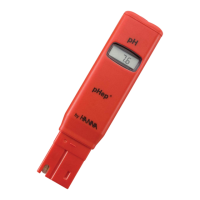
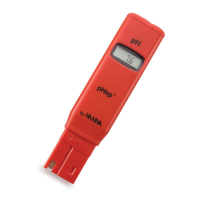
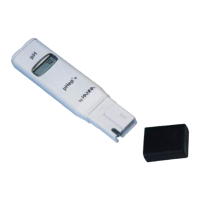
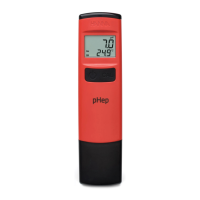
The Hanna Instruments pHep HI98107 is a pocket-sized pH meter designed for convenient and accurate pH measurements. This compact device is ideal for various applications where quick and reliable pH readings are needed.

Function Description:

The pHep HI98107 measures pH and temperature. It features an easy-to-read Liquid Crystal Display (LCD) that simultaneously shows the pH value on the primary display and the sample temperature on the secondary display. The meter is equipped with an ON/OFF button for power control and a CAL button for entering calibration mode and changing settings during setup. The device utilizes an integrated pH electrode at its tip for direct immersion into samples.

Important Technical Specifications:

  • pH Range: 0.0 to 14.0 pH
  • Temperature Range: 0.0 to 50.0 °C (32.0 to 122.0 °F)
  • pH Resolution: 0.1 pH
  • Temperature Resolution: 0.1 °C / 0.1 °F
  • pH Accuracy (@25 °C/77 °F): ±0.1 pH
  • Temperature Accuracy (@25 °C/77 °F): ±0.5 °C / ±1.0 °F
  • Calibration: Automatic, one or two-points (pH 4.01, 7.01, 10.01)
  • Temperature Compensation: Automatic, 0 to 50 °C
  • Battery Type: CR2032 3V Li-ion (1 pc.)
  • Battery Life: Approximately 800 hours of continuous use
  • Environment: 0 to 50 °C (32 to 122 °F); RH 100% max
  • Dimensions: 160 x 40 x 17 mm (6.3 x 1.6 x 0.7″)
  • Weight (without battery): 65 g (2.3 oz.)

Usage Features:

The pHep HI98107 is designed for straightforward operation.

  • Turning On/Off: Press the ON/OFF button. Upon startup, all LCD segments are displayed for 1 second, followed by the remaining battery life percentage for another second, before entering normal measuring mode. Holding the ON/OFF button during startup displays all LCD segments as long as the button is pressed.
  • Measurement: After conditioning the electrode, remove the protective cap and immerse the electrode tip (bottom 3 cm or 1.18″) into the sample. Stir gently and wait for the stability tag on the LCD to disappear for a stable reading. The meter automatically compensates for temperature.
  • Calibration Mode: Press the CAL button to enter calibration mode, indicated by the "CAL" message. The meter supports automatic one- or two-point calibration using pH 4.01, 7.01, and 10.01 buffers. For two-point calibration, pH 7.01 buffer should be used first. The meter automatically recognizes the buffer value. A "REC" message is displayed when the buffer is recognized and stable, and "Stor" is displayed upon acceptance. An "Err" message indicates an unrecognized buffer or out-of-range reading.
  • Setup Mode: To enter setup mode, remove the battery cover while in measurement mode and press the Setup button located on the side of the battery compartment. The ON/OFF button navigates through parameters, and the CAL button changes settings.
  • Temperature Unit Selection: In setup mode, when "Set t" is displayed, press the CAL button to switch between °C and °F.
  • Auto-Off Time Selection: In setup mode, when "AOFF" is displayed, press the CAL button to select auto-off times of 8 minutes, 60 minutes, or disabled.
  • Returning to Measurement Mode: Press the ON/OFF button to exit the setup menu.
  • Error Messages: The meter displays "---- Err" for out-of-range readings during calibration or unrecognized buffers. Blinking "pH 14.0" or "0.0" indicates the measured value is out of range. Blinking "50.0 °C" or "0.0 °C" indicates the measured temperature is outside the operational range.
  • Low Battery Indicator: A blinking battery indicator appears when the battery is below 10%. "dEAd batt" is displayed for 2 seconds before the meter turns off when the battery is fully discharged.

Maintenance Features:

Proper maintenance ensures the accuracy and longevity of the pHep HI98107.

  • Electrode Conditioning: The pH electrode is shipped dry. Before first use, condition the electrode by soaking its tip (bottom 3 cm) in HI70300 storage solution or pH 7.01 buffer solution for several hours.
  • Electrode Storage: After use, rinse the electrode with water and store it with a few drops of HI70300 storage solution, pH 4.01, or pH 7.01 buffer solution in the protective cap. Always replace the protective cap. Do not use distilled or deionized water for storage.
  • Electrode Cleaning: If the electrode or junction is dirty, soak the tip in HI7061 general cleaning solution for 30 minutes, then rinse thoroughly with distilled water. Specific cleaning solutions are available for different types of deposits:
    • General Cleaning: HI7061 General Cleaning Solution (approx. 1 hour)
    • Protein Deposits: HI7073 Protein Cleaning Solution (15 minutes)
    • Inorganic Deposits: HI7074 Inorganic Cleaning Solution (15 minutes)
    • Oil and Grease: HI7077 Oil and Grease Cleaning Solution
    • Post-Cleaning: After any cleaning procedure, rinse the electrode thoroughly with distilled water and soak it in HI70300 Storage Solution for at least 1 hour before taking measurements.
  • Junction Renewal: In case of erroneous readings due to a contaminated or clogged reference junction, pull out 2 mm (1/8″) of the cloth junction to renew the electrode reference. It is recommended to cut the cloth, leaving at least 2 mm (1/8″) over the reference compartment, and then recalibrate the meter. The cloth junction can be pulled out approximately 20 times before the electrode needs replacement.
  • Buffer Quality: Use fresh pH buffers for each calibration, as their values change over time once sachets are opened.
  • Rinsing: Rinse the electrode with purified water before and after placing it in buffer or sample.
  • Battery Replacement: To replace the CR2032 Li-ion battery, turn the battery cover counterclockwise to unlock, remove it, and replace the battery with the positive (+) side facing up. Dispose of old batteries according to local regulations.
  • Warranty: The meter is warranted for one year against defects in workmanship and materials, while the electrode is warranted for six months. Damage from accidents, misuse, tampering, or lack of prescribed maintenance is not covered.

Hanna Instruments pHep Specifications

General IconGeneral
BrandHanna Instruments
ModelpHep
CategoryMeasuring Instruments
LanguageEnglish

Related product manuals