DG3 Controller – Installation and Operation
Manual
540846-3 page 41 of 64 25/09/2015
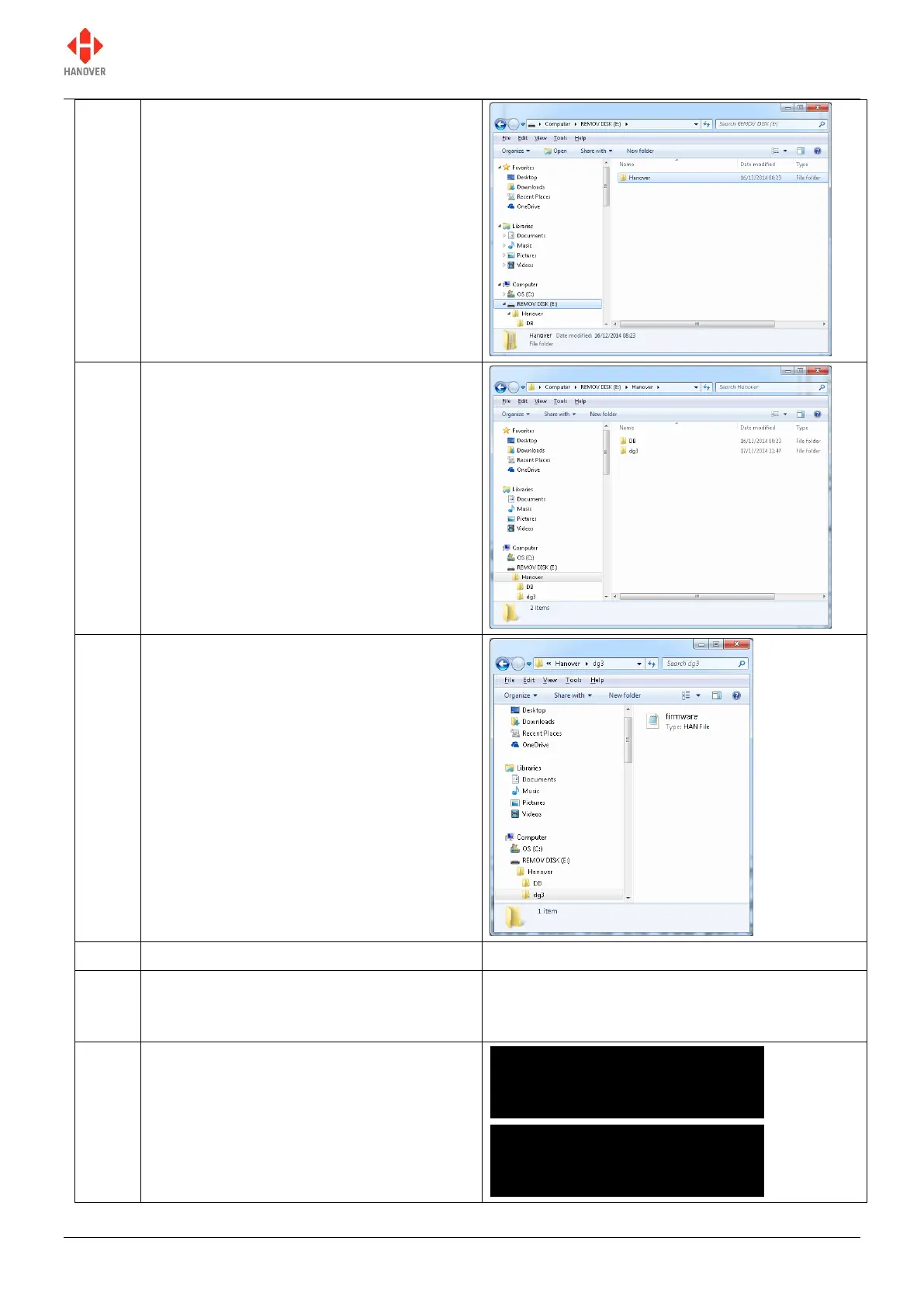
Create a folder called 'Hanover' on the
USB stick.
Open this folder and create another folder
within it named 'dg3'.
Copy firmware.han to the dg3 folder on the
USB drive, so that its full path name is
E:\Hanover\dg3\firmware.han
‘Safely remove' the USB stick from the PC.
Power up the DG3 controller and plug the
USB stick into the USB port on the front
panel
*
.
The message 'Load Data?' will appear on
the screen. Confirm this action by pressing
the F/E key.
Found firmware.han
Load data?
Yes ------- No


 To Next Page
 Loading...