EasyManua.ls Logo

HanRongDa HRD-787 - User Manual

Default Icon
16 pages
Print Icon
To Next Page IconTo Next Page
Loading...
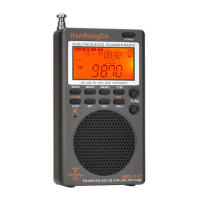
High Performance Multi Band Radio
Bluetooth TF Card Player · APP Intelligent Remote Control
Flashlight · SOS Alarm
Operational Guideline
(Model: HRD-787)
Thank you for your purchasing our product. Please read this operation guide carefully and keep it properly before using it.
1: An Overview of the Product
Our products which are constantly innovated can meet various demands of the majority of users. This has been our company’s
tenet for researching and developing new products.
HRD-787 is a product carefully made by our company. It is a DSP digital display full band radio that can support APP intelligent
remote control.
It can receive FM, medium wave, short wave, VHF VHF (VHF-NFM&VHF-WFM), North America national weather band
multi-band broadcast and can support Bluetooth, TF card multimedia music playback with high fidelity sound quality.
It supports flashlight lighting and SOS alarm emergency functions and is an emergency product that can be used both at home and
outdoors.
2: A Brief Description of Product Functions:
Different from the traditional radio, this product has a radio with APP intelligent remote control (it can support Android and
Hongmeng mobile phone software).
Within a range of less than 20 meters, the band switching and mode switching of the intelligent near-distance remote control radio
can be realized. With such functions as digital key point frequency, sound control, frequency selection, radio recording, locking, the
product can give users new use experience.
Our product designs six kinds of backlight colors which can provide users with different visual experience:
Question and Answer IconNeed help?

Do you have a question about the HanRongDa HRD-787 and is the answer not in the manual?

Summary

Product Overview

HRD-787 Radio Features

DSP digital display full band radio with APP intelligent remote control.

Multi-Band Reception and Connectivity

Receives FM, MW, SW, VHF, and North American weather bands; supports Bluetooth and TF card playback.

Emergency Functions

Includes flashlight and SOS alarm functions for home and outdoor emergency use.

Product Functionality Details

APP Remote Control

Enables remote control via APP for Android and Hongmeng mobile phones.

Backlight Customization

Features six kinds of backlight colors for different visual experiences.

Advanced Product Features

Bluetooth Wireless Connectivity

Connects wirelessly via Bluetooth for music transmission and playback.

TF Card Playback Modes

Supports four TF card playback modes: repeat all, repeat one, repeat file, and random.

Station Storage and Sleep Timer

Stores up to 396 stations; allows sleep timer setting from 10 to 90 minutes.

Timed Startup and Alarm Functions

Supports setting timed startup and timed alarm clock functions.

EQ Sound Settings

Offers six EQ sound settings for music playback.

Package Contents

Mobile APP Installation Guide

Appearance and Button Diagrams

Button Functionality Explained

Power, Band, and Mode Controls

Controls power, band selection, and working modes.

Volume, Time, and Lock Functions

Adjusts volume, sets time, and enables device lock.

Flashlight and SOS Alarm Activation

Activates flashlight and SOS alarm functions.

USB Port Functionality

Details USB port for charging and audio input.

LCD Symbol Guide

Function Introduction

Power and Sleep Timer Settings

Instructions for powering on/off and setting the sleep timer.

Band Selection and Volume Adjustment

Guide to selecting radio bands and adjusting volume levels.

Radio Reception Modes

Information on receiving FM, VHF, AM, SW, WB radio bands.

Station Searching Methods

Manual Station Tuning

Procedure for manually adjusting radio stations and frequency steps.

Semi-Automatic Station Search

How to perform a quick, semi-automatic search for radio stations.

Automatic Station Search and Storage

Guide to automatic station scanning and storing up to 396 stations.

Short Wave Frequency Selection

Details on short wave reception and quick selection of meter bands.

VHF Band Operations

VHF Band Modes and Settings

Information on VHF reception modes (NFM/WFM) and bandwidth settings.

Manual Station Storage

Steps for manually saving found radio stations to memory.

Retrieving Stored Stations

Instructions on retrieving stored stations via automatic or manual methods.

North American Weather Band

Bluetooth Mode

TF Card Playback

Setting Operating Time

Timed Power-On and Alarm Functions

Automatic Shutdown Time

Setting automatic shutdown times after timed power-on.

Canceling Timed Functions

How to disable or cancel the timed start-up and alarm functions.

Music EQ Settings

Emergency SOS and Lighting

SOS Alarm Control

How to activate, deactivate, enable, and disable the SOS alarm.

Flashlight Operation

Instructions for turning the flashlight on and off.

USB Charging and Audio Input

Device Charging

Guidelines for charging the device using a TYPE-C USB cable.

External Audio Input

How to use the USB port for external audio input from a computer.

Antenna Usage Tips

Technical Specifications

Safety and Usage Guidelines

General Safety Advice

Emphasizes reading and understanding all safety instructions and usage information.

Low Battery and Charging

Explains the low battery indicator and the need for charging.

Important Safety Precautions

Charging and Battery Care

Recommendations for charging devices and monthly charging for storage.

Environmental Protection

Warnings against moisture, liquids, heat, and direct sunlight exposure.

Physical Protection

Precautions against dropping, impact, and applying heavy pressure to the device.

FCC Compliance and Warnings

Modification Caution

Unauthorized modifications can void operating authority.

FCC Rules Compliance

Statement of compliance with FCC Part 15 rules and operating conditions.

Radiation Exposure Compliance

Confirmation of compliance with FCC radiation exposure limits for uncontrolled environments.

Overview

The HRD-787 is a high-performance multi-band radio designed for versatile use both at home and outdoors. It integrates a DSP digital display and supports APP intelligent remote control, offering a modern and convenient user experience.

Function Description:

The HRD-787 functions as a comprehensive radio receiver, covering FM, medium wave (AM), short wave (SW), and VHF (VHF-NFM & VHF-WFM) bands. It also includes reception for North American national weather bands. Beyond radio, it features Bluetooth connectivity for wireless music transmission and playback, and a TF card slot supporting up to 256GB for MP3, WMA, and WAV multimedia music playback with high-fidelity sound quality.

A key distinguishing feature is its APP intelligent remote control capability, compatible with Android and Hongmeng mobile phone software. This allows for near-distance control (within 20 meters) of band switching, mode switching, digital key point frequency input, sound control, frequency selection, radio recording, and locking, providing a new level of user interaction.

The device is equipped with a flashlight for lighting and an SOS alarm for emergencies, making it a practical tool for various situations. It offers six different backlight colors for various modes: green for FM&VHF, purple for AM, yellow for SW, red for WB, gentle blue for Bluetooth, and light blue for TF card playback, enhancing visual experience.

The HRD-787 supports automatic station search and storage, as well as manual station saving. It features 10-meter waves for quick searching of desired frequency points in short wave mode. Five FM/AM frequency settings are available to cater to different regional requirements. In music playing mode, a music spectrum display enhances the visual experience. The radio also boasts BASS low sound quality and headphone support, meeting diverse audio preferences.

For TF card playback, four modes are available: repeat all (rA), repeat one (rO), repeat file (rF), and random (rr). The device uses a polymer lithium battery for extended battery life and supports locking and muting functions. Its 1.26-inch super-large display screen shows various contents including time, power indicator, signal indicator, sleep time, and alarm clock symbol. Users can select between 24-hour and 12-hour time systems. Sleep shutdown time can be set from 10 to 90 minutes, and timing startup and alarm clock functions are configurable. The device can remember up to 396 stations (99 for each band: FM/VHF/AM/SW). In Bluetooth and TF card music playback modes, six EQ sound options are available: NORMAL, POP, ROCK, JAZZ, CLASSIC, and COUNTRY.

The TYPE-C jack serves a dual purpose: charging and data connection to a computer, allowing the device to function as a sound source input speaker.

Important Technical Specifications:

  • Scope of Receiving:
    • FM: 64-108MHZ
    • VHF: 30.000-199.975MHZ
    • AM: 520-1710KHZ
    • SW: 4.750-21.850MHZ
    • WB: 162.400-162.550MHZ
  • Sensitivity of Reception:
    • FM: ≤8dB
    • VHF: ≤8dB
    • AM: 86dB
    • SW: 40dB
  • Static Current: <70uA
  • Maximum Current: <820MA
  • Speaker: Φ40mm/4Ω/3W
  • SNR (Signal to Noise Ratio):
    • FM/VHF: ≥40dB
    • MW: ≥30dB
    • SW: ≥40dB
  • Number of Stored Stations: 396 (99 per band)
  • Bluetooth Version: VER 5.0
  • Bluetooth Receiving Range: <20 meters
  • Minimum Operating Voltage: 3.4V
  • External Input Voltage: DC 5V
  • Lithium Battery: 3.7V 1000mAh
  • TF Card Playback Format: Support MP3, WAV, WMA
  • Maximum TF Card Capacity: 256GB
  • Product Size: 92X53.2X26MM
  • Net Weight: 105g
  • Emergency Functions Power:
    • SOS Alarm: >3W
    • Flash Power: 1W
    • Flashlight Power: >1W

Usage Features:

  • Power On/Off: Light press the power button to turn on and display the clock. Long press for two seconds to turn off.
  • Sleep Mode: Set 90 minutes' sleep mode by light pressing the power button. Long press for two seconds to set sleeping mode (90-10 minutes options).
  • Volume Adjustment: Adjustable from 00 to 30 using VOL+ and VOL- buttons.
  • Radio Reception:
    • Frequency Range Selection: Long press "BAND" in time display mode to access FM low frequency point settings, then use arrow keys to select desired range.
    • Manual Station Adjustment: Light press arrow keys to increase/decrease frequency by minimum step value (0.1MHZ for FM/VHF, 9KHZ/10KHZ for AM, 0.005MHZ for SW).
    • Semi-automatic Station Search: Long press arrow keys for two seconds to quickly search for stations.
    • Full-automatic Station Search and Storage: Long press "BAND" for two seconds in radio mode to automatically search and store stations from lowest to highest frequency.
    • Meter Wave of Short Wave: Light press arrow keys in SW mode to quickly select predefined meter wave frequencies (e.g., 4.750MHZ, 5.600MHZ, etc.).
    • Manual Station Storage: Long press "MODE" for two seconds to enter saving mode, use arrow keys to select address, then press "MODE" again to confirm.
    • Fetch Stations: Light press "MODE" to pick up a stored station, use arrow keys to select station number.
  • VHF Band: Supports NFM (5KHZ bandwidth) and WFM (50KHZ, 100KHZ, 150KHZ, 200KHZ bandwidths). Default is VHF-NFM. VHF band can be turned on/off.
  • North American WB Weather Band: Light press "BAND" to switch to WB. Use arrow keys to select frequency points. Long press "BAND" for two seconds to activate/deactivate "ALERT" warning.
  • Bluetooth Mode: Switch to "BT" mode using "BAND" button. "HRD-787" is the device name. Control playback (volume, skip) via mobile phone or device buttons. Light press play/pause button to switch playback/pause.
  • TF Card Playing: Insert TF card. Switch to TF card mode using "BAND" button. Use arrow keys for next/previous song, long press for fast forward/rewind. Light press play/pause button to switch playback/pause. Select playback mode (rA, rO, rF, rr) by light pressing the play/pause button.
  • Setting Operating Time: In clock display status, long press VOL+ for two seconds to set hour, then minute, then 12Hr/24Hr system. Light press VOL+ to confirm each step.
  • Timed Power-on/Alarm: In clock status, long press VOL- to enter setting for automatic power-on/alarm. Select "rAd" for timed boot or "bu2" for timed alarm. Set time and duration.
  • EQ Sound Settings: In music playback mode, light press "MODE" to cycle through six EQ sound qualities.
  • SOS Alarm & Lighting:
    • Flashlight: Double click "LIGHT SOS" to turn on, light press to turn off.
    • SOS Alarm: Long press "LIGHT SOS" for two seconds to start SOS alarm with flashing light. Light press to turn off.
    • Disable/Enable SOS Alarm: In clock display status (unlocked), double click play/pause button to display "En SOS" (enabled) or "OF SOS" (disabled). Long press "LIGHT SOS" to confirm.
  • TYPE-C USB: Serves as a charging port (DC5V/1A-DC3A recommended) and computer audio input jack.
  • Antenna Usage: Pull out antenna for FM, VHF, SW, WB reception. Adjust length and direction for best signal. Shorten antenna for strong interference. AM uses a built-in magnetic antenna; rotate the device for best reception.

Maintenance Features:

  • Battery Charging: Recommended to use DC5V/1A-DC3A charging devices. Charge the lithium battery once a month if not used for a long time. Charging time is approximately 4-5 hours.
  • Safety Precautions:
    • Avoid exposure to rain, dampness, or any liquid.
    • Keep away from high temperatures, heat sources, and direct sunlight.
    • Do not barbecue or blow on the device.
    • Avoid dropping, hitting, or applying heavy pressure.
  • TF Card: If the TF card cannot play or displays "Err," replace it with a normal TF card, as it may be due to downloaded song sources or a broken card.

HanRongDa HRD-787 Specifications

General IconGeneral
BrandHanRongDa
ModelHRD-787
CategoryRadio
LanguageEnglish

Related product manuals