Video Wall Controller Series Manual
Know Your Appliance
Nano4K
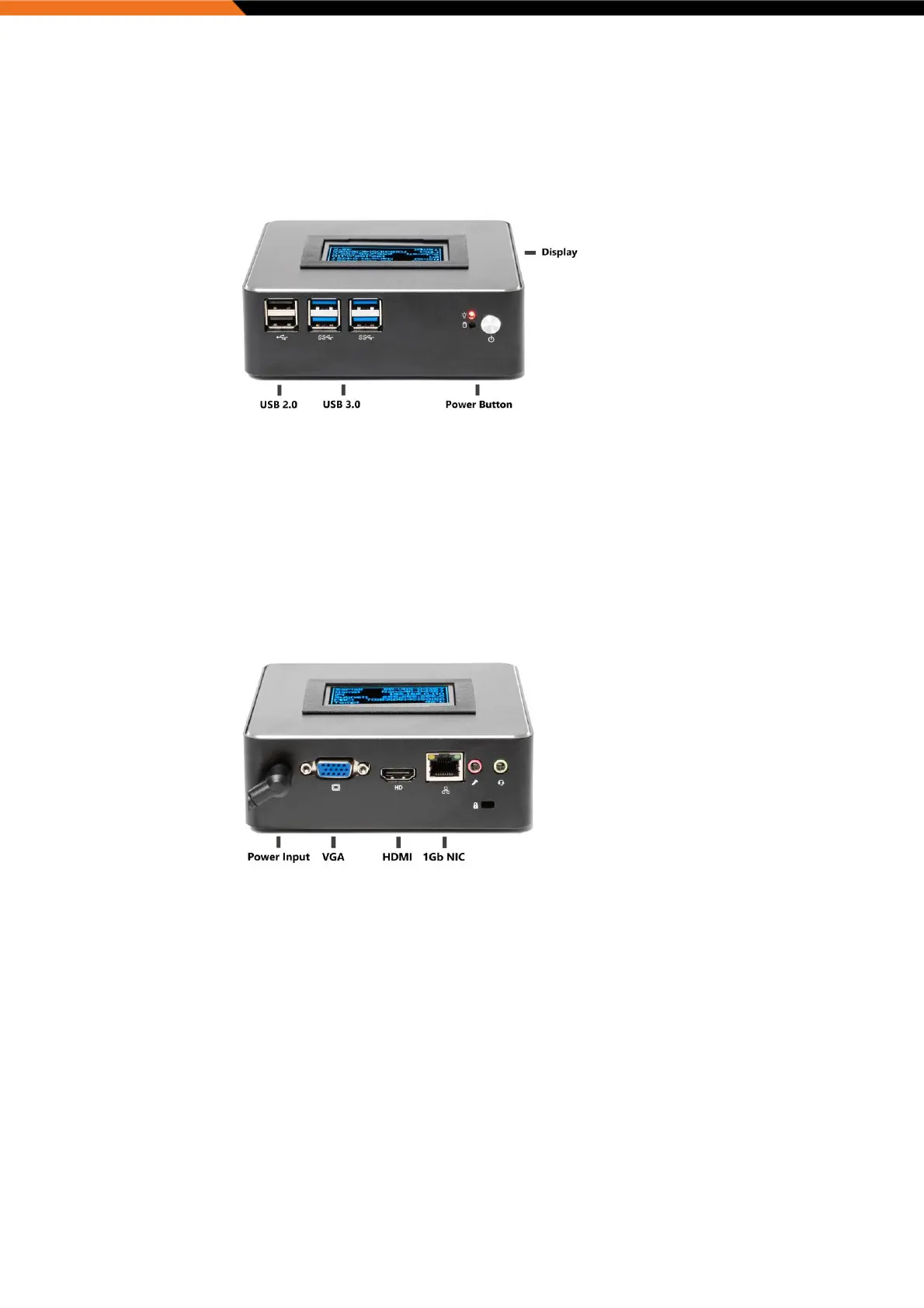
Front Panel
Power Button and Power LED
Power switch to power on/off the system and LED to show system powered.
USB 3.0 Ports
Used to connect USB 3.0/2.0 devices.
USB 2.0 Ports
Used to connect USB 2.0 devices.
Rear Panel
DC Power Input
Plug the 19V external power supply cord here before turning on the system.
GbE LAN Port
Used to connect the system to a local area network.
HDMI Port
Used to connect HDMI interface to the display device.
VGA Port
Used to connect VGA interface to the display device.


 To Next Page