Video Wall Controller Series Manual
4. Know Your Appliance
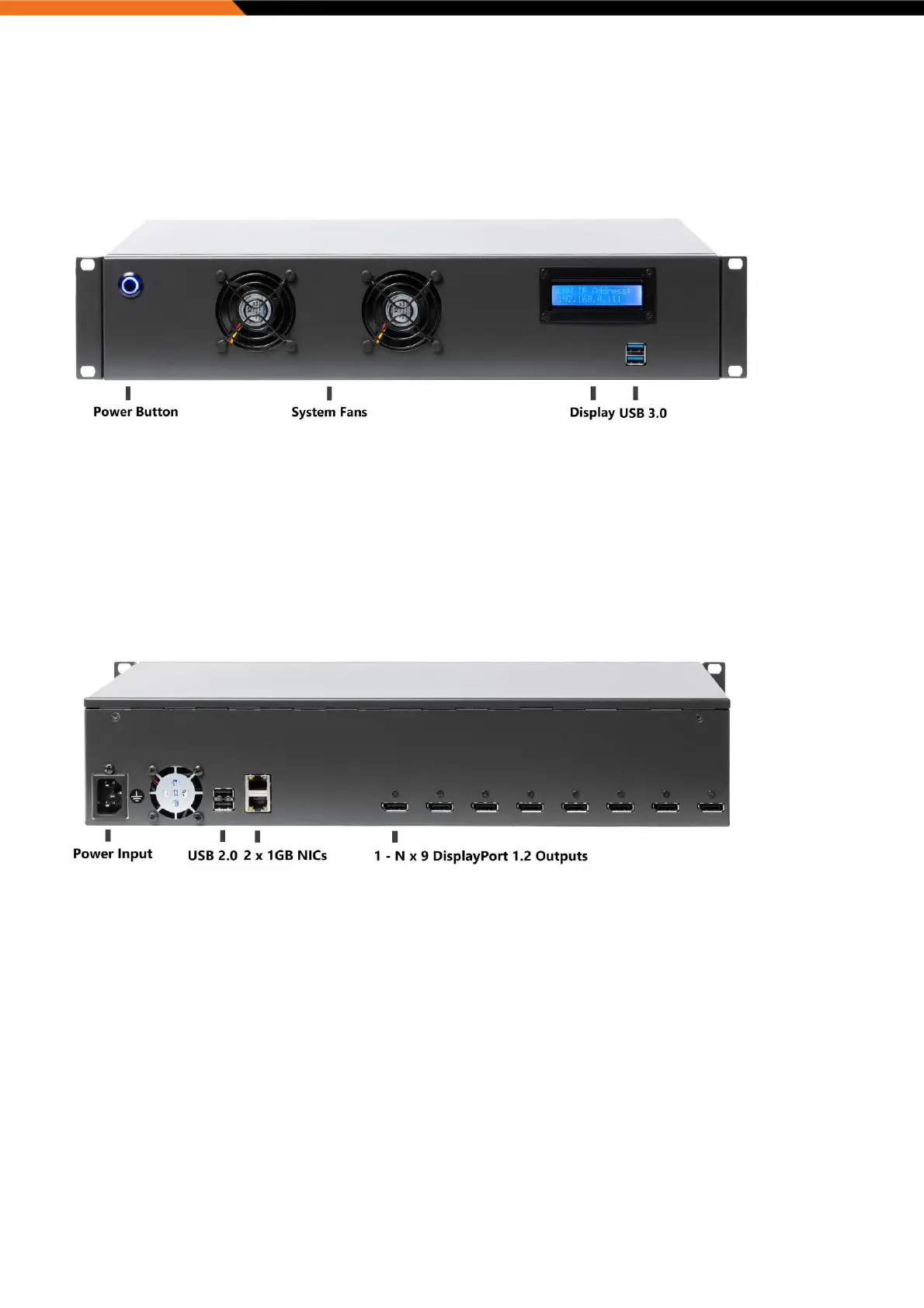
Eight1080 and Six4K
Front Panel
Power Button
Power switch to power on/off the system.
Display
Appliance display shows import appliance metrics for easy inspection.
USB 3.0 Ports
Used to connect USB 3.0/2.0 devices.
Rear Panel
AC Power Socket [90V~240V AC Input]
Plug an AC power cord here before turning on the system.
USB 2.0 Ports
Used to connect USB 2.0 devices.
GbE LAN Ports
Used to connect the system to a local area network.
DisplayPort 1.2 Ports
Used to connect DisplayPort interface to monitors.


 To Next Page