Video Wall Controller Series Manual
5. Getting Started
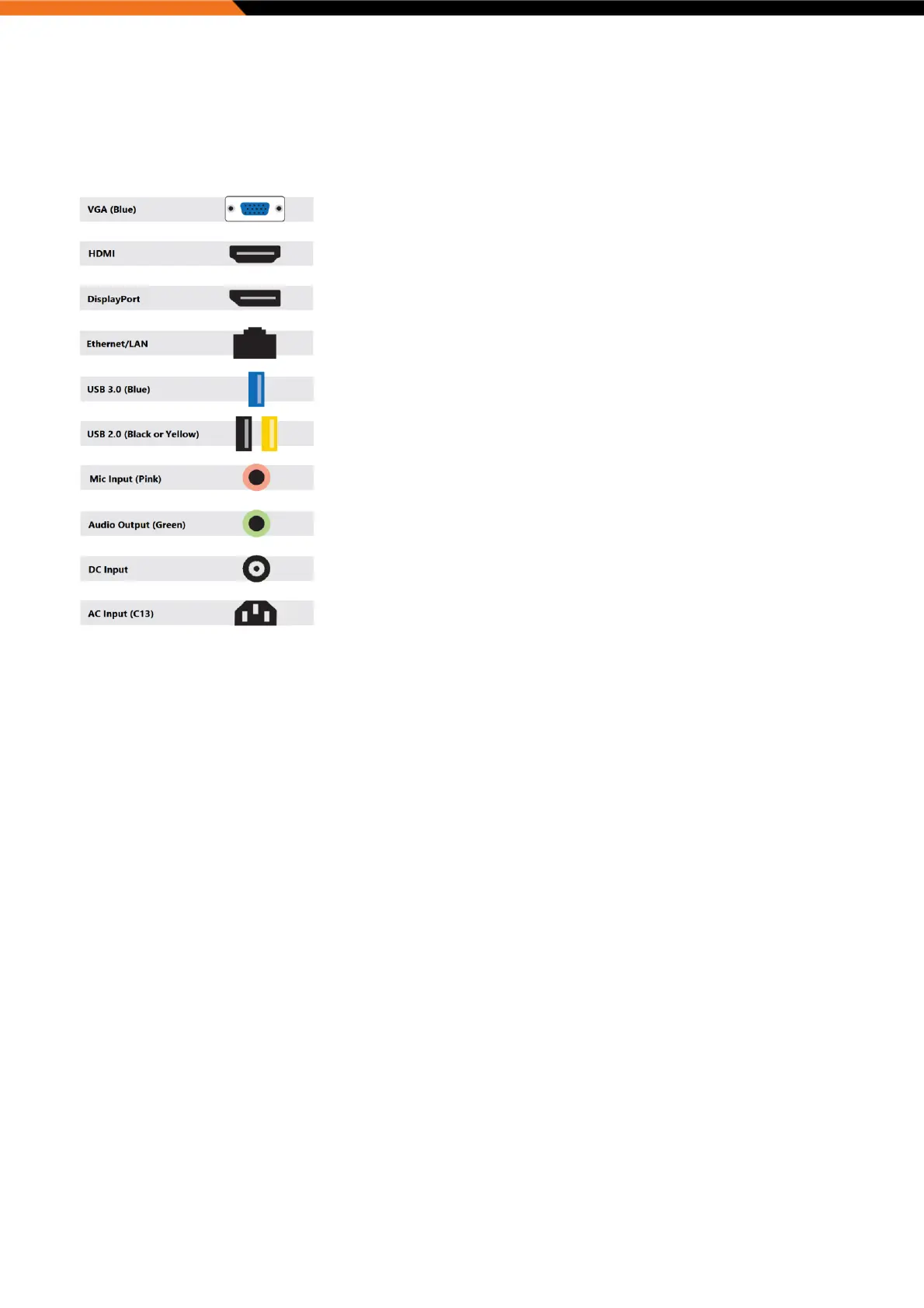
Port Guide
Physical Installation
The Eight1080 and Six4K are all 2U rack mountable systems.
The appliance can either be desktop mounted or installed in a standard 19” rack enclosure.
Use the enclosure mounting tabs to secure the unit within the rack. Supporting rails or a supporting shelf are always
recommended to ensure a more stable installation.
The Nano4K can be placed on a flat surface, such as a desktop, mounted on a monitor via the available VESA bracket
or wall mounted via the optional bracket.
IMPORTANT:
When installing the appliance, position the unit to allow for cable clearance at the front and rear of the unit.
Make sure that there is ample clearance around the appliance to provide sufficient air flow.
Power
IMPORTANT: A common IEC C13 cable is required to power the appliance, this is not provided and the customer will be
required to purchase one of the appropriate length and region for installation. This cable must be a 3 wire Earthed
cable and must be connected to an Earthed outlet socket.
When illuminated, the power switch LED indicates the unit is connected to a mains supply and unit is running.
All ports which deliver power are designed to the port type specification this include USB 2.0, USB 3.0 and DisplayPort 1.2.
Cables
Do not expose cables to any liquids; doing so may cause a short circuit which could damage the equipment. Do not place
heavy objects on top of any cables as this can cause damage and possibly lead to exposed live wires.
Adapters


 To Next Page