Video Wall Controller Series Manual
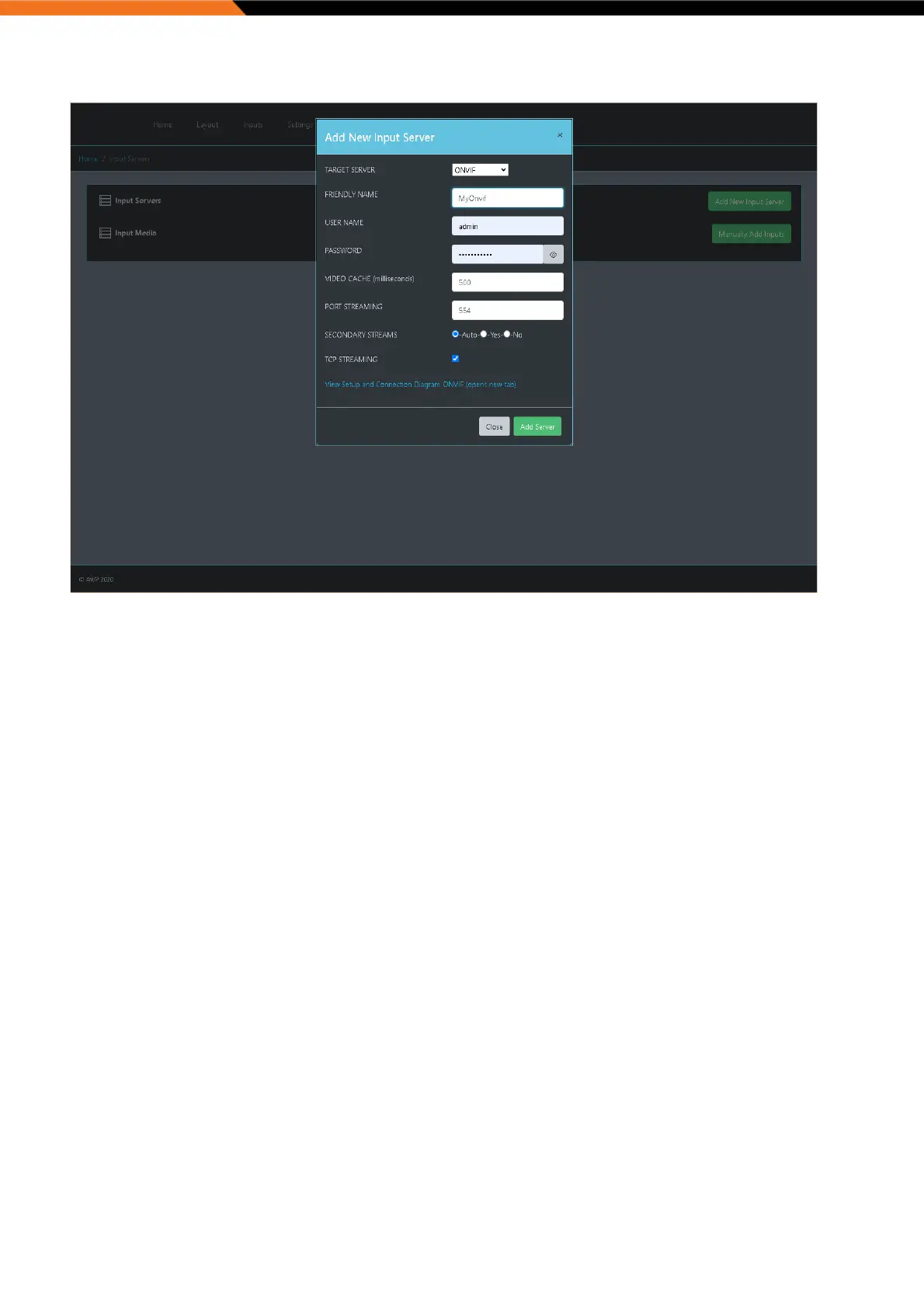
‘TARGET SERVER’ lists supported input servers. Select an integration type from the drop down list. Use the link at the
bottom of the pop up windows to view the setup instructions and connection diagram for the selected integration.
Click “Add Server” to apply and accept these settings.
Manually Add Inputs:
The ‘Input’ page allows the user to manually add the following input types:
● Network video streams
● Local video sources
● Applications with command line arguments
● VNC viewers
● Web pages


 To Next Page