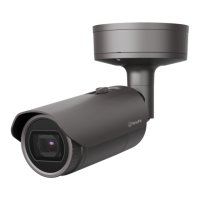
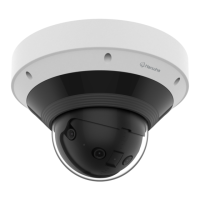
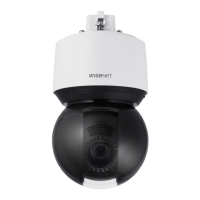
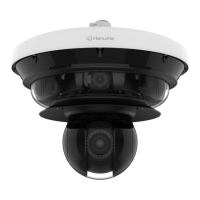
This document is a Quick Guide for the Hanwha Vision XNP-6040H Network Camera, providing instructions for installation, password setting, and Wi-Fi connection.
Function Description:
The Hanwha Vision XNP-6040H is a network camera designed for surveillance and monitoring. It features pan/tilt/zoom (PTZ) capabilities, allowing for flexible adjustment of the camera's field of view. The camera is equipped with various ports for connectivity, including power, network, audio, alarm, and RS485. It supports local storage via an SD card (not included) and can be connected to a network for remote access and control. The camera's settings can be configured through a web interface or a dedicated smartphone application.
Important Technical Specifications:
- Model: XNP-6040H
- Connectivity: Network (Ethernet), Power, Audio/Alarm/RS485, micro USB.
- Storage: Supports SD CARD (not included).
- PTZ Motors: Pan/Tilt/Zoom motors and slip ring are warrantied for one year under continuous operation.
- Password Requirements:
- For 8-9 characters: combination of at least three types (uppercase/lowercase alphabets, numbers, special characters).
- For 10-15 characters: combination of at least two types (uppercase/lowercase alphabets, numbers, special characters).
- User name must be different from password.
- Allowed special characters:
~!@#$%^*)_-+=|{}[].?/
- Avoid 4 or more consecutive or repeated characters (e.g., 1234, abcd, !!!!, 1111, aaaa).
- Wi-Fi Connectivity: Supports Wi-Fi connection via an OTG adapter (5-pin) and a Wi-Fi dongle (not included).
- Initial Password for Wi-Fi Connection: 4321.
Usage Features:
- Installation: The guide provides a step-by-step visual guide for physical installation, including mounting the camera and connecting cables. It emphasizes proper handling to avoid damage from extreme temperatures, fire, or flammable liquids.
- Cable Connections: The camera offers multiple connection points:
- Power/Network: Dedicated ports for power supply and network connectivity.
- Audio/Alarm/RS485: Ports for audio input/output, alarm triggers, and RS485 communication.
- micro USB: For connecting accessories like an OTG adapter and Wi-Fi dongle.
- Password Setting: Upon first access, users are required to set a strong login password following specific complexity rules to enhance security.
- Wi-Fi Connection: The camera can be connected to Wi-Fi for wireless operation. This involves connecting an OTG adapter and Wi-Fi dongle to the micro USB terminal.
- Smartphone Integration: The "Wisenet Installation" application allows for easy setup and configuration via a smartphone. Users can select the camera's SSID, run the application, and view live video. The app also enables adjusting the angle of view remotely.
- Device Management: The guide refers to a "DEVICE MANAGER" and "User Manual" (PDF) for comprehensive management and detailed instructions, accessible via a computer.
Maintenance Features:
- Password Reset: In case of a forgotten password, the product can be initialized by pressing the [RESET] button. Users are advised to keep a record of their password.
- Environmental Compliance: The product is "eco RoHS compliant," indicating adherence to environmental standards in manufacturing and material use.
- Disposal Information: The manual provides detailed instructions for the correct disposal of the product (Waste Electrical & Electronic Equipment) and its batteries, emphasizing responsible recycling to prevent harm to the environment and human health. This includes separating items from household waste and contacting local authorities or retailers for proper recycling channels. Chemical symbols (Hg, Cd, Pb) are used to indicate the presence of mercury, cadmium, or lead in batteries above reference levels, highlighting the importance of proper disposal.

 Need help?
 General

 To Next Page