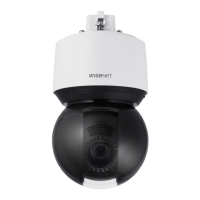
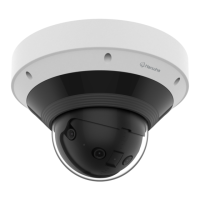
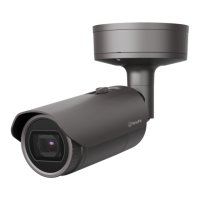
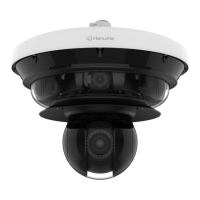
This document serves as the user manual for Hanwha Vision Network Cameras, specifically models QNV-C9083R, QNV-C8083R, QNO-C9083R, and QNO-C8083R. It provides essential information for installation, operation, and maintenance of these devices.
Function Description
These devices are network cameras designed for surveillance and monitoring. They capture video and can be connected to a network for remote viewing and management. The manual covers both outdoor vandal dome cameras (QNV-C9083R/QNV-C8083R) and outdoor bullet cameras (QNO-C9083R/QNO-C8083R). Key functionalities include:
- Video Surveillance: Capturing and transmitting video footage.
- Network Connectivity: Connecting to a local area network (LAN) or the internet for remote access.
- Audio Input/Output: Support for external microphones and speakers for two-way audio or audio monitoring.
- Alarm I/O: Integration with external sensors and alarm output devices.
- Local Storage: Recording video to a Micro SD card.
- Network Attached Storage (NAS) Recording: Storing video on a NAS.
- Remote Access: Accessing the camera's web viewer from a local or remote PC, or via smartphone using the Wisenet Installation application.
- Dynamic IP Configuration: Obtaining IP addresses automatically via DHCP.
- Static IP Configuration: Manually setting IP addresses and port information.
- Port Range Forwarding (Port Mapping): Configuring routers for remote access to the camera.
- Bonjour and UPnP Support: Facilitating camera discovery on the network.
Important Technical Specifications
- Operating Temperature: -30°C to +55°C (-22°F ~ +131°F).
- Power Supply: PoE (Power over Ethernet) 48Vdc.
- QNV-C9083R/QNV-C8083R: 0.27A.
- QNO-C9083R/QNO-C8083R: 0.25A.
- Must be supplied by a UL Listed Power Supply Unit marked "Class 2" or "LPS" or "PS2".
- Intended to be supplied by isolation power.
- Network Cable Specification:
- Connector: RJ-45 (10/100BASE-T).
- Ethernet: 10/100BASE-T (10/100 Mbps).
- Cable: Category 5e or higher.
- Max Distance: 100 m.
- DC Resistance: ≤ 0.125 Ω/m.
- PoE Support: IEEE 802.3af.
- Waterproofing: IP66 compliant (for the camera body, external cable jacks are not waterproofed).
- Recommended PC Specifications for Web Viewer:
- CPU: Intel(R) Core(TM) i7 3.4 GHz or higher.
- RAM: 8GB or higher.
- Recommended Browser: Chrome.
- Supported Browsers: Chrome, Safari, Firefox, MS Edge (chromium based).
- Supported OS: Windows, Mac, Linux, Android, iOS.
- Recommended Micro SD/SDHC/SDXC Memory Card Specifications:
- Capacity: 16GB to 256GB (MLC type required).
- Recommended Manufacturers: SanDisk, Transcend.
- Product Type: High endurance.
- NAS Recommended Specs:
- Capacity: 200GB or higher.
- Recommended products: QNAP NAS, Synology NAS.
- Audio Codec:
- Audio In: G.711 PCM (64kbps / 8kHz), G.726 ADPCM (16Kbps, 24Kbps, 32Kbps, 40Kbps / 8kHz), AAC (48Kbps / 16kHz).
- Full duplex Audio.
- Audio In: Selectable (microphone/Line-in), 2.5VDC (4mA), Input impedance: 25KΩ.
- Audio Out: Line-out (3.5mm mono jack), Maximum output: 0.5Vrms, Line out impedance: 600Ω.
- Microphone Specifications (recommended for external microphone):
- Frequency range: 40-16,000 Hz.
- Impedance: 1,500 Ω.
- Sensitivity: -40±3 dB (7.1-14.1 mV).
- IR LED: Emits IR light; users are warned not to stare at the operating lamp.
Usage Features
- Installation Flexibility: Can be directly installed on walls/ceilings or using pipes with various optional accessories (wall mount, pole mount, hanging mount, gang plate, back box, tilt mount, ceiling mount, corner mount, parapet mount, installation box).
- Adjustable Monitoring Direction: For dome cameras, PAN (0°-350°), TILT (-35°-70°), and Lens Rotation (0°-355°) can be adjusted. For bullet cameras, Pan, Tilt, and Lens Rotation are also adjustable.
- Easy Micro SD Card Insertion/Removal: Instructions provided for safe handling of Micro SD cards.
- Waterproofing for Outdoor Installation: Requires wrapping cable connections with waterproof butyl rubber tape to prevent leakage.
- Initial Administrator Login: Default ID is "admin"; password must be set upon first login and changed every three months for security.
- Device Manager: Software available from Hanwha Vision website for searching, configuring, and managing cameras on the network.
- Web Viewer: Browser-based interface for accessing and configuring camera settings, viewing live video, and managing events.
- WiFi Connectivity: Supports connecting a WiFi dongle to the micro USB port for smartphone setup and viewing via the Wisenet Installation application.
- DDNS Support: Allows access to the camera from a remote PC via the internet even if the IP address changes dynamically.
Maintenance Features
- Regular Password Changes: Recommended every three months for security.
- Safe Micro SD Card Handling: Instructions to turn off the camera and set the device to "Off" in storage settings before removing the Micro SD card to prevent data loss.
- Cleaning: Contaminated surfaces should be cleaned with a soft, dry cloth or a damp cloth (avoid detergents, alcohol, solvents, or oil constituents).
- Lens Cleaning: Dirty lens surfaces should be softly wiped with a lens tissue or cloth applied with ethanol.
- Troubleshooting Guide: Comprehensive section addressing common issues such as sound volume changes, video display problems, network access issues, Micro SD card/NAS recording failures, and image overlap.
- Firmware Updates: Not explicitly detailed in the provided pages but generally a standard maintenance feature for network cameras.
- Environmental Compliance: Hanwha Vision products are RoHS compliant and carry the Eco mark, indicating environmentally friendly design. Instructions for correct disposal of the product and batteries are provided.
- Safety Precautions: Emphasizes reading instructions, selecting appropriate installation sites, avoiding excessive force during installation, and referring servicing to qualified personnel.
- Warning against Staring at IR LED: To prevent damage.

 Need help?
 General

 To Next Page