V2300 SERIES OWNER’S MANUAL
7
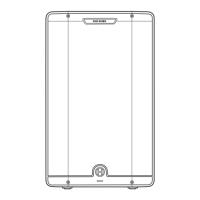
V2318S BACK PANEL
1
INPUTS 1 AND 2
These combo inputs are designed for either TRS or XLR balanced plugs at
line level, either from a mixer or another speaker. The source can be either
mono or stereo.
2
OUTPUTS 1 AND 2
These outputs feed through the signal(s) received from the input(s). If the
crossover is not switched off, the output signal(s) will be altered by the
crossover, which removes audio below the selected frequency, to allow
your speakers that are fed by the sub to focus all their energy and fidelity
on reproducing signals above the selected frequency.
3
OUTPUT CROSSOVER
This switch controls the high precision DSP crossover. Select 120Hz or
90Hz to have the audio below the selected frequency filtered out of the
output signals. Select Off to disable the crossover, and output the same full
range audio received at the outputs.
4
PHASE
This switch lets you “flip” (reverse) the phase on the power amp 180
degrees when needed to match the polarity of speakers that may operate
with opposite polarity to the V2318S, or to account for a phase difference
due to the physical distance between the sub and the full range speakers
it is operating with. When set to 0, phase is uneffected. When set to 180,
the phase of the power amp and internal speaker will be reversed.
5
FRONT LED
- ON: front LED lights white when power is on.
- ON/L: front LED lights red when limiter is triggered, and otherwise is lit
white when power is on.
- OFF: front LED is disabled.
6
POWER LED
Lights when power is on.
7
SIGNAL/LIMIT LED
Lights white when the speaker is receiving signal, and red when the limiter
is triggered. If the limiter is triggered continuously, the
8
Level knob
should be turned down.
8
LEVEL KNOB
Sets volume of internal speaker.
9
IEC POWER INPUT
Plug in the IEC AC cable here.
10
FUSE CARRIER
If the speaker will not power on and you suspect its fuse may have blown,
turn off the power switch, and open the fuse compartment using a small
flat blade screwdriver. If metal strip in fuse is broken, replace with T6.3AL
250V fuse.
11
POWER SWITCH
Turns the VARI subwoofer on or off.
1
2
3 4
5
9 10 11
6 7
8




 To Next Page