Harbor Communicaons (Revision 4/20/2018) Page 2 of 6
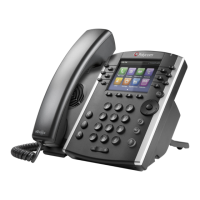
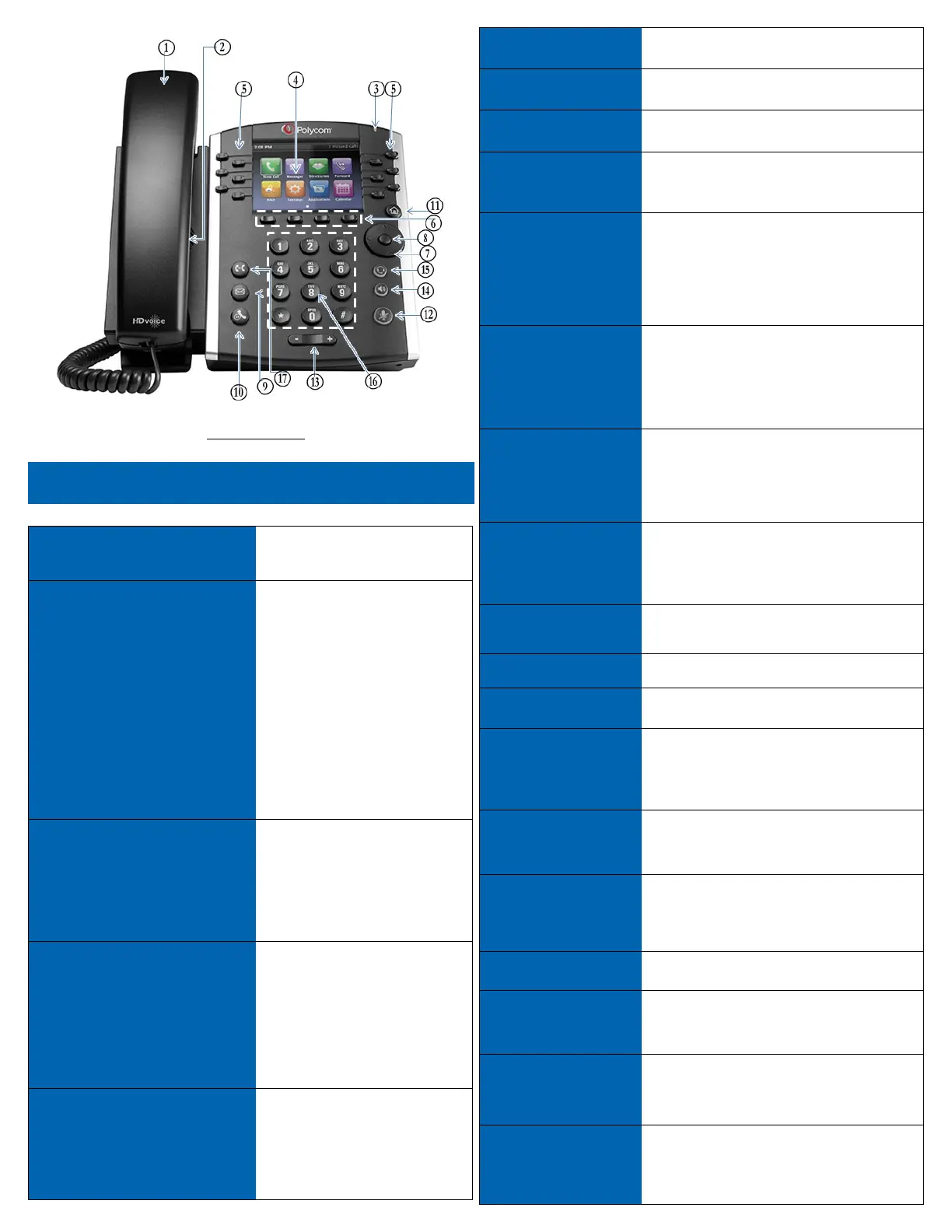
Figure 1 Model vvx410
Core Calling Acons
Acon How to?
Place / Answer
Call
To place or answer a call, pick
up the handset or press the
Speaker or Headset buon,
press a line buon and dial
from the keypad.
If the call arrives on your
primary line, pick up the
handset, press the Speaker or
Headset buon. If the call
arrives on another line buon,
press that buon.
End a
Call
Hang up the handset or press
the EndCall sokey. If you are
using the speaker phone, press
the Speaker buon.
Adjust
Volume
Li the handset or press the
Speaker buon. Press + or - on
the volume buon to increase
or decrease the volume. Press
Save to maintain the new level.
Mute
Press the Mute buon on the
phone to mute and un-mute
the speaker phone or handset.
# Phone Feature Descripon
1 Handset Pick up to answer or place calls.
2 Speaker Speaker for phone.
3
Message Waing
Indicator
When indicator is:
Flashing Red: You have a new voice mail.
4 LCD Screen
Your phone may vary, but commonly displays:
•Date and me
•Phone staon name
•Line extensions
•Sokey opons
5 Line Keys
Indicates phone line status:
Green (steady): Line is acve or in use.
Green slow blinking): Line is ringing.
Red (Slow blinking): Line on hold.
6 Sokey buons
Located below the LCD Screen. Performs the
acon stated on the tabs that display on the
LCD screen. (See Fig 1, #6)
7
Scroll Navigaon
Buon
Press in any direcon to scroll through the
opons on the LCD screen. Used to navigate
menus and change sokey opons.
8 Center Select Press to select the highlighted opon.
9
Messages
Buon
Press to access voice mail.
10 Hold Buon Press to place a call on hold.
11
Setup/Sengs
Buon
Press to access a menu to congure features
and preferences for this phone, access call
history, and provide phone status.
12 Mute buon
Press to mute and un-mute your phone.
Flashing red means no network connecon
exists.
13 Volume Buon
Use to adjust volume of ringer on speaker
(when on hook) and headset (when o hook).
14 Speaker Buon Press to turn on speaker phone.
15 Headset Buon Press to acvate the headset.
16 Keypad Press to dial numbers.
17 Transfer
During an acve call, press the Transfer
sokey. Dial the number, announce the call,
and press the Transfer sokey again to
complete the transfer


 To Next Page
 Loading...