Harbor Communicaons (Revision 4/20/2018) Page 5 of 6
Changing Your Ringtone
Press the Setup/Sengs buon.
Scroll to and select the Sengs.
Scroll to and select Ring Type.
Press the Right Arrow key.
Scroll through ringtones and press Play to hear.
FAQs
Why doesn't my main line forward when I forward my phone?
When you forward your phone, you forward calls that are called directly to your phone. While your main line may currently be
directed to your phone, it (for most companies) remains a virtual number that we are able to move around as needed. This means
that while you may have forwarded your phone number of xxx-xxxx, the main line of yyy-yyyy sll needs to be told where to go
separately. If you need your main line forwarded, the best thing to do is call Harbor Communicaons and we can forward the line
for you, go over opons custom to your business for you to forward the main line, and program any consistent forwarding you
may need (such as going to an answering service at night.
I don’t see all the sokeys listed in this guide…. How do I see them?
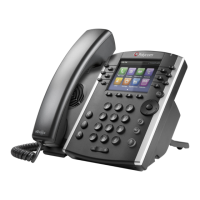
The navigaon buons (See Fig. 1 #7) will allow you to scroll le and right to see the current available sokeys.
How do I set up or change line appearances?
Some business choose to opt-in to Harbor Communicaons’ phone administrator portal and change these themselves. However,
Harbor Communicaons will gladly set these up for your convenience. Call us with the phone number of the phone you need
changed and what you need added and we will handle the rest.
What steps should I take when I hire an employee?
When you hire new sta, they will need new training. Harbor Communicaons provides video resources online to help your new
hire as well as the resources you already have with your sta that have already received training or have been using the phones.
Addionally, there may be some new needs for the new hire. Here are some things to look for in order to report to Harbor:
Does this person have a phone or do you need to add new phones to your account?
If a phone is being reassigned, report the number and name of the person to change the name to?
Does the new hire’s phone have appearances or speed dials that need to be changed on other phones?
Does the new hire’s phone and name need to be added in my auto aendant?
Have I wiped the old phone owner’s voicemail and had my new hire record greengs?
What steps should I take when I re/lose an employee?
Basically, do the opposite of a new hire (as seen below). Please report any needed changes to Harbor customer service.
Are you keeping the phone or are you removing phones from your account?
If a phone is being reassigned, report the number and name of the person to change the name to?
Does the person’s phone have appearances or speed dials that need to be changed on other phones?
Does the person’s phone and name need to be removed from my auto aendant?
Have I wiped the old phone owner’s voicemail?


 To Next Page
 Loading...