ALPHA PLUS HARDI NOVA
DD EE SS CC RR II PP TT II OO NN AA NN DD OO PP EE RR AA TT II OO NN
CHAPTER
22-
15
22-
99
-
44
TTWWOO WWHHEEEELLSS IINN ‘‘’’CCRRAABB’’’’ FFOORRMMAATTIIOONN
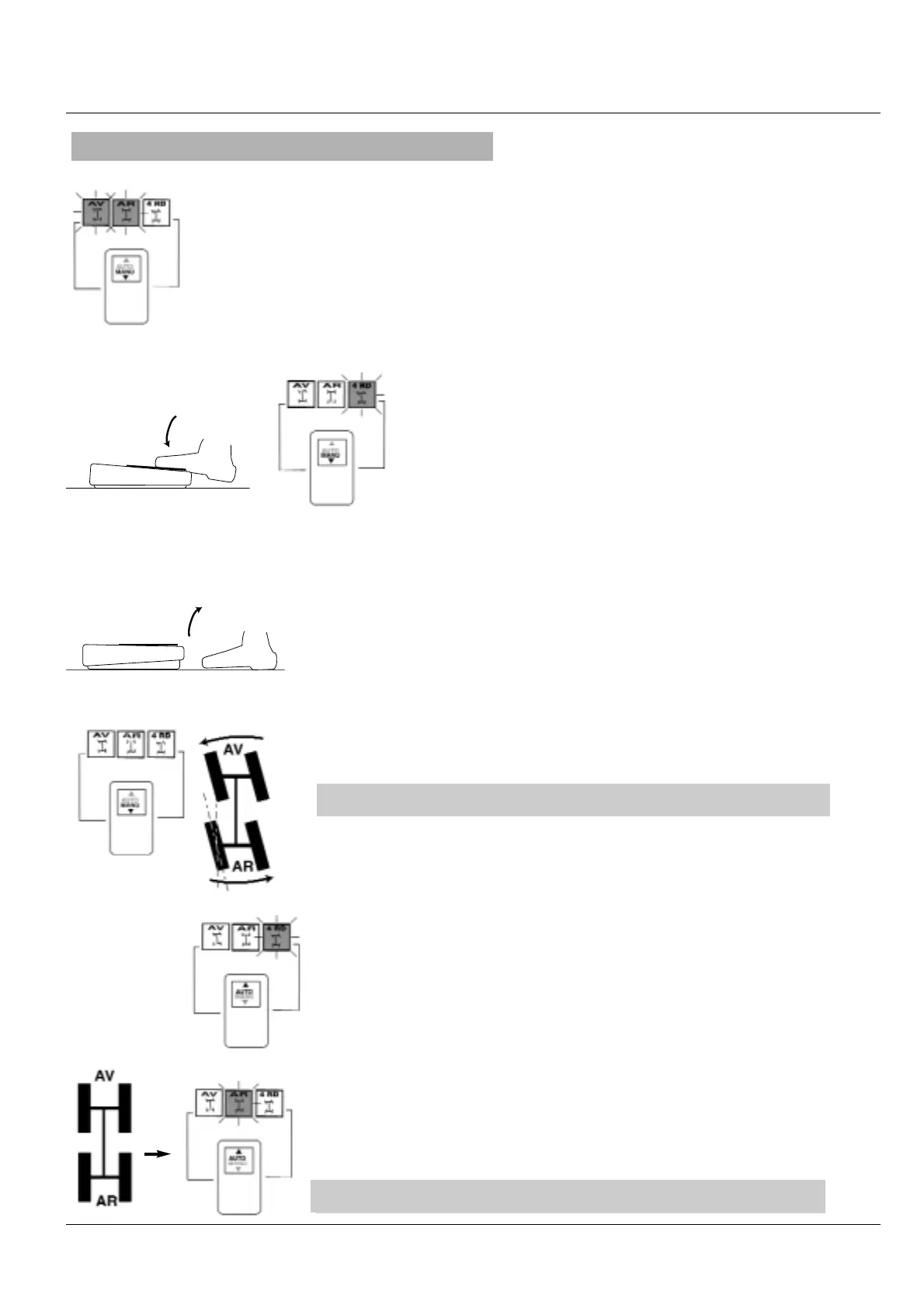
In this operating mode an adapted crab steer can be done by using the steering wheel
and pedal.
For this purpose :
- Set the switch to
‘‘MMAANNUU’’
.
- Turn the steering control so as to place the front and rear wheels in straight position;
the
‘‘
FFRROONNTT’’
’’
and
‘
RREEAARR
’’
warning lamp goes on.
- Press the 4-wheel pedal.
-Turn the steering control so as to put the rear wheels position
is required. The warning lamp
‘‘RREEAARR
’’
goes out.
- Release the pedal
In this operting mode, only the front wheels can steer and the rear wheels
remain in the same position
For returning to 4-wheel steering :
- Set the switch to
‘AUTO
’ . The warning lamp
‘4 wheel steering
’ goes out
- Turn the steering control so as to the rear wheels in straight position. The
warning lamp
‘REAR
’ goes on
22- wwhheeeell sstteeeerriinngg iiss ooppeerraattiinngg
22- wwhheeeell sstteeeerriinngg iinn ‘‘’’CCRRAABB’’’’ iiss ooppeerraattiinngg


 To Next Page
 Loading...