EasyManua.ls Logo

Hardy Process Solutions HI 6200 Series User Manual

Hardy Process Solutions HI 6200 Series
79 pages
To Next Page IconTo Next Page
Page #1 background imageLoading...
Page #1 background image
Herror!
FastFind Links
Product Description
Installation
Initial Setup
Ways to Set Scale Parameters
Setting Scale Parameters
Troubleshooting
Hardy Installation and Commissioning
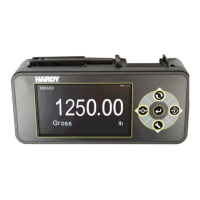
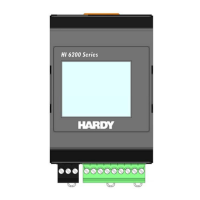
HI 6200 Single Channel Weight Processor
User Guide

Table of Contents

Questions and Answers:

Hardy Process Solutions HI 6200 Series Specifications

General IconGeneral
BrandHardy Process Solutions
ModelHI 6200 Series
CategoryComputer Hardware
LanguageEnglish

Summary

Product Description

Key HI 6200 Features

Details core features like WAVERSAVER®, C2® Calibration, and INTEGRATED TECHNICIAN™.

HI 6200 Installation Guide

Pre-Installation Planning Steps

Guidance on site preparation, checklists, and planning for installation.

Handling and Safety Precautions

Safety guidelines for handling the instrument, including ESD protection.

Mounting the HI 6200

Instructions for physically mounting the HI 6200 on a DIN rail.

Wiring and Connections for HI 6200

Details on connecting the HI 6200 to sensors, power, and communication.

Initial Setup of HI 6200

First-Time Configuration Guide

Step-by-step guide for initial configuration and calibration of the HI 6200.

HI 6200 Parameter Configuration

Setting Parameters via Touch Screen

Guide to setting parameters via the HI 6200's front panel touch screen.

Scale Calibration Procedures

Calibration Setup Parameters

Configuration of units, tolerances, and averages for calibration.

Performing HI 6200 Scale Calibration

Procedures for C2® and Hard Calibration of the HI 6200.

HI 6200 Troubleshooting Guide

Troubleshooting Common Problems

Lists common problems, causes, and resolutions for the HI 6200.

Related product manuals