15
3 Troubleshooting and Maintenance
3.1 Resetting Your System
Occasionally, you may need to reset your device. For example, you should reset
your system when it stops responding; or appears to be “frozen” or “locked up.”
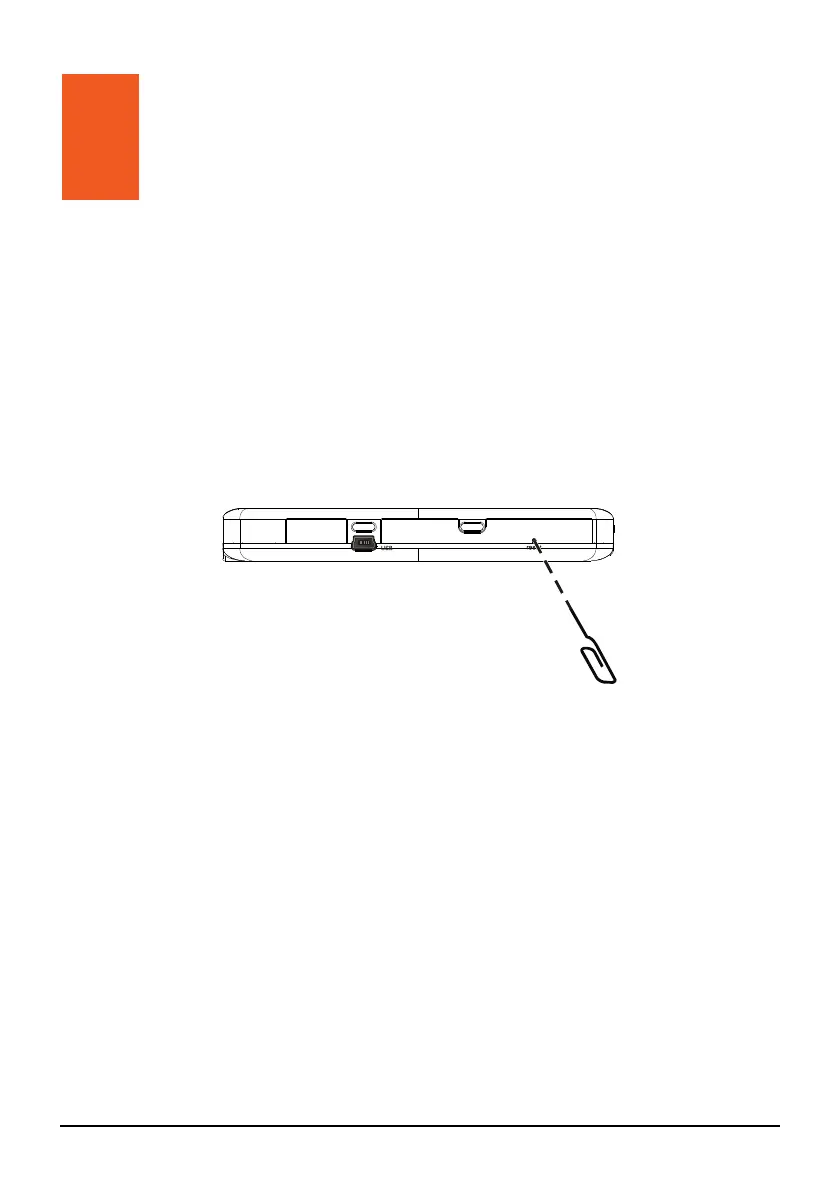
Insert a small rod, such as a straightened paperclip, into the reset button of your
device. This is called a “soft reset.” The Home screen should appear after a soft
reset.
3.2 Troubleshooting
Power Problems
Power does not turn on when using battery power
The remaining battery power may be too low to run your device. Charge the
battery.
Screen Problems
Screen responds slowly
Make sure that your device is not running out of battery power. If the problem
still exists, reset your system.
Troubleshooting and
Maintenance


 To Next Page