EasyManua.ls Logo

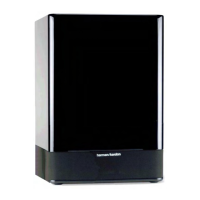
Harman Kardon SUB-TS7 - User Manual

Harman Kardon SUB-TS7
27 pages
Print Icon
To Next Page IconTo Next Page
Loading...
harman/kardon
SUB-TS7
(HKTS 7 SUBWOOFER)
SERVICE MANUAL
harman/kardon, Inc.
250 Crossways Park Dr.
Woodbury, New York 11797 Rev1 6/2004

Questions and Answers

  • J
    Jacqueline CrossJul 26, 2025
    What to do if one Harman Kardon SUB-TS7 Subwoofer speaker has no sound?
    • A
      Anthony HeathJul 26, 2025
      If there is no sound coming from one of your Harman Kardon Subwoofer speakers, you can try the following: * Check the “Balance” control on your receiver/amplifier. * Ensure all wires and connections between the receiver/amplifier and speakers are properly connected. * Make sure that none of the speaker wires are frayed, cut, or punctured, and that no wires are touching each other. * In Dolby Digital or DTS mode, ensure that the receiver/processor is configured so that the speaker in question is enabled. * Turn off all electronics and switch the problematic speaker with a working one. If the problem stays in the same place, the issue is likely with your receiver or amplifier. If the problem follows the speaker, further assistance may be needed.
  • K
    Kelly RiceAug 1, 2025
    How do I fix no sound from the center speaker on my Harman Kardon Subwoofer?
    • K
      kevinnielsenAug 1, 2025
      If you are not getting any sound from the center speaker of your Harman Kardon Subwoofer, here are some things to check: * Ensure all wires and connections between the receiver/amplifier and the speaker are properly connected. * Make sure none of the speaker wires are frayed, cut, punctured, or touching other wires. * If your receiver/processor is set in Dolby Pro Logic mode, ensure the center speaker is not in phantom mode. * If your receiver/processor is set in Dolby Digital or DTS mode, ensure the receiver/processor is configured so that the center speaker is enabled.
  • J
    Jose BakerAug 7, 2025
    How to troubleshoot no sound from Harman Kardon SUB-TS7 speakers?
    • C
      Christian NewmanAug 7, 2025
      If you're not getting any sound from your Harman Kardon Subwoofer speakers, there are several things to check: * Ensure that your receiver/amplifier is turned on and a source is actively playing. * Verify that the powered subwoofer is properly plugged into a power outlet and that its Master Power Switch is in the “•” position. * Inspect all wires and connections between your receiver/amplifier and the speakers to confirm they are securely connected. * Check that none of the speaker wires are frayed, cut, punctured, or touching other wires. * Review the correct operation of your receiver/amplifier.
  • M
    Michael AndersonNov 12, 2025
    Why is there low bass output from my Harman Kardon SUB-TS7?
    • K
      kcobbNov 12, 2025
      If you experience low or no bass output from your Harman Kardon Subwoofer, consider the following: * Ensure the SUB or Line-Level Inputs of the SUB-TS7 subwoofer and SUB or LFE output of your receiver or amplifier are correctly connected with an RCA-type interconnect cable. * If using the SUB-TS7’s Speaker-Level Inputs, verify all speaker cables are connected properly, none are frayed, cut, punctured, or touching, and that correct polarity is maintained (positive to positive, negative to negative). * Confirm the subwoofer is plugged into a working electrical outlet and its Master Power Switch is set to the “•” position. * Check the speaker setup (bass management) settings on your A/V receiver or processor to ensure front, center, and surround speakers are configured for 'Small,' a...
  • M
    mbondNov 18, 2025
    Why are my Harman Kardon SUB-TS7 Subwoofer surround speakers not working?
    • T
      Thomas WilsonNov 18, 2025
      If there is no sound coming from the surround speakers of your Harman Kardon Subwoofer, try these troubleshooting steps: * Check all wires and connections between the receiver/amplifier and speakers to ensure they are properly connected. * Make sure none of the speaker wires are frayed, cut, punctured, or touching other wires. * Review the proper operation of your receiver/processor and its surround sound features. * Confirm that the movie or TV show you are watching is recorded in a surround sound mode. If not, check if your receiver/processor has other surround modes you can use. * In Dolby Digital or DTS mode, ensure your receiver/processor is configured so that the surround speakers are enabled. * Review the operation of your DVD player and the DVD jacket to ensure the DVD...

Summary

Specifications

Amplifier Panel Controls and Connections

Control and Connection Details

Details the various controls and input/output connections on the subwoofer's amplifier panel.

Speaker Connections

Dolby Digital and DTS Connection Method

Connection method for Dolby Digital and DTS surround sound processors using line-level inputs.

Dolby Pro Logic Line Level Connection Method

Connection method for Dolby Pro Logic using receiver's line-level outputs.

Dolby Pro Logic Speaker Level Connection Method

Connection method for Dolby Pro Logic using speaker-level inputs.

Operation

Volume Adjustment

Instructions for adjusting the subwoofer's volume using the Subwoofer-Level Control.

Bass Adjustments

Guidance on using the Phase and High-Cut Filter switches for optimal bass response.

Troubleshooting

Unit Exploded View

Test Set Up and Procedure

General Unit Function Test

Procedure to verify general unit functionality using signal generator and multimeter.

Sweep Function Test

Procedure to test unit response across frequencies using a sweep generator.

Driver Function Test

Procedure to test the subwoofer driver's DC resistance and audio response.

Block Diagram

Electrical Parts List

Integrated Circuit Diagrams

Package Drawing

Harman Kardon SUB-TS7 Specifications

General IconGeneral
BrandHarman Kardon
ModelSUB-TS7
CategorySubwoofer
LanguageEnglish

Related product manuals