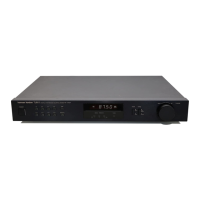
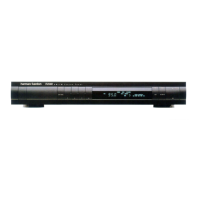
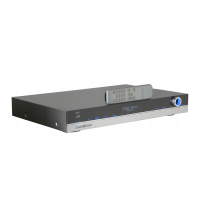
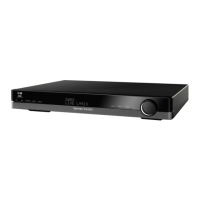
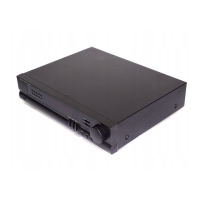
The Harman Kardon TU930 is an AM/FM Stereo Tuner designed to provide high-quality audio reception with user-friendly features. It incorporates advanced digital technology to ensure stable and accurate tuning, making it a reliable component for any stereo system.
Function Description
The primary function of the TU930 is to receive and process AM and FM radio broadcasts, delivering them as a stereo audio signal to a preamplifier or integrated amplifier. It is engineered to capture radio signals with clarity and minimal distortion, offering an enjoyable listening experience for a wide range of radio content. The tuner utilizes digital synthesized quartz-locked tuning, which is a key feature that eliminates frequency drifting and mistuning, thereby guaranteeing optimum sound quality. This precise tuning mechanism ensures that once a station is selected, it remains locked in, providing consistent audio performance.
The TU930 is capable of storing a significant number of radio stations in its memory. Users can preset up to 30 AM and FM stations, allowing for quick and convenient access with just one or two button presses. This memory function is particularly useful for listeners who frequently switch between their favorite stations, as it eliminates the need for manual tuning each time.
For enhanced control and integration into a larger home entertainment system, the TU930 also features wired remote control capability. This means it can be operated remotely when connected to an external infrared sensor or another hi-fi component that has an infrared sensor. This flexibility allows users to control the tuner from a distance, adding to the convenience of its operation.
Usage Features
Operating the Harman Kardon TU930 is designed to be intuitive, with several features aimed at optimizing the user experience:
- Power Control: The unit has a power switch to turn it on and off, and a standby indicator that illuminates when the unit is turned off, indicating it's in a low-power standby mode.
- Band Selection: A "Band" button allows users to switch between FM and AM reception, catering to different broadcast preferences.
- Tuning Modes: The tuner offers multiple tuning options:
- Auto Tuning: When "AUTO TUNING" is activated, the tuner automatically seeks and stops at the next strong signal when the "Tuning" buttons (up or down) are pressed. This mode is ideal for receiving strong, clear broadcasts in stereo. The display panel clearly indicates when Auto Tuning is active.
- Manual Tuning: For weaker broadcast signals that might be skipped in Auto Tuning mode, users can switch to Manual Tuning. In this mode, pressing the "Tuning" buttons steps up or down the broadcast band regardless of signal strength. It's important to note that all broadcasts in Manual Tuning mode are received in mono. Users should return to Auto Tuning mode when tuning to a stronger broadcast to benefit from stereo reception.
- Frequency Direct Tuning: This advanced feature allows users to directly enter the desired broadcast frequency using the numbered preset buttons. After pressing the "Freq Direct" button, the digit locations on the display will blink, prompting the user to input the frequency. This provides a precise way to tune into specific stations.
- Preset Memory: Storing and recalling stations is straightforward. To store a station, tune to the desired broadcast, press the "Memory" button (which will blink for 5 seconds), then enter a preset number (1 to 30) using the numbered buttons, and finally press "Enter." To recall a preset, simply press the corresponding numbered button. For two-digit presets, the second digit must be entered while the first digit is still blinking.
- Display Indicators: The front panel display provides crucial information at a glance. It shows whether a stereo broadcast is being received, if Auto Tuning is on, and the AM or FM band along with the frequency of the tuned station. It also indicates when frequency direct tuning mode is activated and flashes when a station can be entered into memory.
- Remote Control Integration: The TU930 can be connected to an external infrared remote sensor via the "REMOTE IN" jack on the back panel. This allows for control using a compatible remote commander, such as those from other Harman Kardon tuners or universal remote controls like Masterworks™. The "REMOTE OUT" jack also allows for a control wire to be run to other stereo components, potentially enabling integrated remote control across multiple devices.
Maintenance Features
The Harman Kardon TU930 is designed for durability and trouble-free operation, with several guidelines for proper care and maintenance:
- Power Cord Handling: Always pull on the plug itself, not the cord, when disconnecting from an AC outlet. Disconnect the plug if the unit will be unused for an extended period. Avoid placing heavy objects on the cord or making knots in it.
- Placement: The unit should be placed on a firm and level surface. Avoid locations that are moist, humid, close to heating equipment, exposed to direct sunlight, in a direct draft from an air conditioner, in very cold locations, subject to excessive vibration or dust, or poorly ventilated. Proper placement helps ensure optimal performance and longevity.
- Cabinet Integrity: Users are explicitly advised not to open the cabinet. Attempting to service the unit internally can cause fire or shock and may void the guarantee. In case water or small objects enter the unit, it should be unplugged immediately, and an authorized Harman Kardon service center should be consulted.
- Cleaning: For routine cleaning, dust should be removed with a soft, dry cloth. If necessary, a soft cloth lightly dampened with mild soapy water can be used, followed by wiping with a dry cloth. Harsh chemicals like benzene, thinner, alcohol, or other volatile agents, as well as insecticide sprays, should never be used near the unit, as they can damage the finish or internal components.
- Antenna Care: For the AM loop antenna, it should be placed away from the unit and any metal objects for best reception. If an outdoor AM antenna is used, a ground wire should be connected to the "GND" terminal. For FM antennas, proper connection and positioning are crucial for good reception. If reception is unsatisfactory with indoor antennas, installing an outdoor antenna or connecting to an FM cable antenna is recommended.
- Troubleshooting: A dedicated troubleshooting section in the manual helps users diagnose common issues, such as no sound, interference, or problems with presetting stations. This guide encourages users to check basic connections and settings before contacting a service center, promoting self-resolution of minor problems.
- Packing Material Retention: It is essential to save all original packing material. This is crucial for safe shipping if the unit needs to be moved or requires repair, protecting it from damage during transit.
- Voltage Compatibility: U.S. and Canadian customers should use 120 volt AC only. Other customers must use voltages appropriate to their area. Connecting the unit to an outlet supplying a higher voltage can create a fire hazard, emphasizing the importance of correct power supply.

 Need help?
 FM Tuner Specifications
 Weight and Dimensions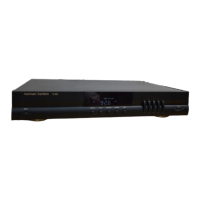

 To Next Page