The JBL PRX800 Series is a line of professional loudspeakers designed for live sound applications, offering advanced features for setup, control, and performance monitoring via a dedicated mobile application, PRX Connect. This system is developed by JBL Professional, a brand under HARMAN, a Samsung Company.
Function Description:
The PRX800 Series loudspeakers are active (powered) speakers, meaning they have built-in amplifiers, eliminating the need for external power amplifiers. They are designed to deliver high-quality audio for various live sound environments, including concerts, DJ events, presentations, and installations. A key feature of the PRX800 Series is its integration with the PRX Connect app, which allows users to wirelessly control and monitor their speaker system from a tablet. This app-based control simplifies setup, tuning, and optimization of the loudspeakers, providing a more efficient and precise user experience. The system supports both single-box connections and multi-speaker setups, allowing for scalability based on the venue and audio requirements.
Important Technical Specifications (Inferred from images):
While specific technical specifications like frequency response, SPL, and amplifier power are not explicitly detailed in the provided pages, the images suggest the following:
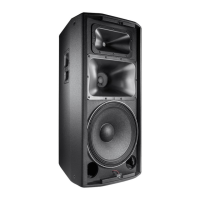
- Models: The series includes various models such as PRX812W (likely a 12-inch woofer model with Wi-Fi), PRX815 (likely a 15-inch woofer model), PRX815XLF (likely a 15-inch extended low-frequency subwoofer), PRX825 (likely a dual 15-inch full-range speaker), and PRX835 (likely a 15-inch 3-way full-range speaker). The "W" in PRX812W specifically indicates Wi-Fi capability.
- Inputs: Each speaker features multiple input channels, including at least two combination XLR/TRS inputs for microphone (MIC) or line-level signals, each with independent gain control.
- Outputs: A "MIX OUT" XLR output is present, allowing for daisy-chaining speakers or sending a mixed signal to another device.
- Controls: Physical controls on the rear panel include gain knobs for each input, a "MAIN/MONITOR" switch (likely for optimizing the speaker's voicing for front-of-house or stage monitor applications), a "CONNECT" button for Wi-Fi pairing, and a "50/50 MIX" button (its exact function is not detailed but could relate to input mixing or output routing).
- Indicators: LED indicators include a "FRONT LED" (likely for power or signal presence), "LIMIT" (indicating amplifier limiting), and "SIGNAL" (indicating input signal presence). The "CONNECT" button also has an LED that changes status (flashing slowly, flashing rapidly, solid blue) to indicate Wi-Fi connection status.
- Power: The speakers are self-powered, requiring an AC power input. The PRX812W model is shown with a standard IEC power inlet.
- Remote EQ: A "REMOTE EQ" indicator suggests that equalization settings can be controlled remotely via the app.
Usage Features:
- Wireless Control via PRX Connect App: The primary usage feature is the ability to control and monitor the loudspeakers wirelessly using the PRX Connect app on a tablet. This allows for adjustments to settings like EQ, delay, input mixing, and speaker selection from anywhere in the venue.
- System Setup Wizard: The app guides users through a step-by-step process for setting up a new system or loading an existing show file. This includes naming the show, connecting speakers via Wi-Fi, and configuring network settings.
- Wi-Fi Connectivity: Speakers connect to the tablet via Wi-Fi. For multi-speaker setups, an external Wi-Fi router is required. For single-box connections, the router is not necessary, implying the speaker can act as an access point or connect directly to the tablet's Wi-Fi.
- Flexible Network Configuration: Users can connect the PRX800 speakers to an existing external Wi-Fi network by providing the SSID and password, with support for WEP and WPA2 security protocols.
- Speaker Identification: The app helps identify and add "found" speakers to the show, making it easy to build and manage a multi-speaker system.
- Main/Monitor Voicing: The physical "MAIN/MONITOR" switch allows users to quickly optimize the speaker's frequency response for its intended application (e.g., full-range front-of-house or stage monitor).
- Input Flexibility: Multiple inputs with gain control accommodate various sources, from microphones to line-level instruments or mixers.
Maintenance Features:
- Master Reset Function: The system includes a master reset procedure to clear all connections and settings. This is crucial for troubleshooting, starting a fresh setup, or preparing the speakers for a new user. The reset is performed by holding specific buttons (upper left button and power button) during power-on, ensuring a clean slate for configuration.
- Firmware Update Capability: The PRX Connect app's menu includes a "Firmware Update" option, indicating that the speakers' internal software can be updated wirelessly through the app. This allows for improvements, bug fixes, and new features to be added over time, extending the lifespan and functionality of the loudspeakers.
- User Guide Access: The app provides access to a "User Guide," offering readily available documentation and support for users.
- Connection Status Indicators: The various LED indicators (SIGNAL, LIMIT, CONNECT) provide immediate visual feedback on the speaker's operational status, aiding in quick diagnosis of issues during setup or performance. For example, a rapidly flashing CONNECT LED indicates a successful connection between the device and speaker, while a solid blue light signifies a stable, connected state.

 Need help?
 General




 To Next Page