EasyManua.ls Logo

Harman JBL CINEMA SB140 - User Manual

Harman JBL CINEMA SB140
15 pages
Print Icon
To Next Page IconTo Next Page
Loading...
JBL CINEMA SB140
OWNER’S MANUAL
Question and Answer IconNeed help?

Do you have a question about the Harman JBL CINEMA SB140 and is the answer not in the manual?

Summary

Safety Instructions

Introduction

Whats Included

Product Overview

Controls and Status Indicators

Details buttons, power, volume, source selection, and status indicator lights on the soundbar.

Connectivity Ports

Describes AC power, USB, HDMI ARC, OPTICAL, and SUBWOOFER OUT ports on the soundbar.

Subwoofer Connection

Explains how to connect the subwoofer to the soundbar.

Remote Control Functions

Details the functions and buttons of the included remote control.

Placement Guide

Desktop Placement

Provides guidelines for placing the soundbar and subwoofer on a flat surface.

Wall-Mounting Instructions

Details the process and considerations for mounting the soundbar on a wall.

Connecting Your Soundbar

TV Connection Options

Explains how to connect the soundbar to a TV via HDMI or optical cable.

Bluetooth Device Pairing

Guides on connecting the soundbar to Bluetooth devices like smartphones.

Operating Modes

Power and Standby Modes

Describes how to turn on the unit, standby mode, and auto-wake functionality.

Playing Audio from TV

Explains how to enjoy TV audio and set up TV remote control learning.

Playing Audio via Bluetooth

Details how to stream audio from a Bluetooth-enabled device to the soundbar.

Sound Customization

Preset Equalizer Settings

Explains how to select preset equalizer settings for different audio types.

Voice Mode Enhancement

Describes how to use voice mode to enhance vocal clarity.

Factory Reset

Software Updates

Technical Specifications

Troubleshooting Guide

Trademarks and Logos

Summary

Safety Instructions

Introduction

Whats Included

Product Overview

Controls and Status Indicators

Details buttons, power, volume, source selection, and status indicator lights on the soundbar.

Connectivity Ports

Describes AC power, USB, HDMI ARC, OPTICAL, and SUBWOOFER OUT ports on the soundbar.

Subwoofer Connection

Explains how to connect the subwoofer to the soundbar.

Remote Control Functions

Details the functions and buttons of the included remote control.

Placement Guide

Desktop Placement

Provides guidelines for placing the soundbar and subwoofer on a flat surface.

Wall-Mounting Instructions

Details the process and considerations for mounting the soundbar on a wall.

Connecting Your Soundbar

TV Connection Options

Explains how to connect the soundbar to a TV via HDMI or optical cable.

Bluetooth Device Pairing

Guides on connecting the soundbar to Bluetooth devices like smartphones.

Operating Modes

Power and Standby Modes

Describes how to turn on the unit, standby mode, and auto-wake functionality.

Playing Audio from TV

Explains how to enjoy TV audio and set up TV remote control learning.

Playing Audio via Bluetooth

Details how to stream audio from a Bluetooth-enabled device to the soundbar.

Sound Customization

Preset Equalizer Settings

Explains how to select preset equalizer settings for different audio types.

Voice Mode Enhancement

Describes how to use voice mode to enhance vocal clarity.

Factory Reset

Software Updates

Technical Specifications

Troubleshooting Guide

Trademarks and Logos

Overview

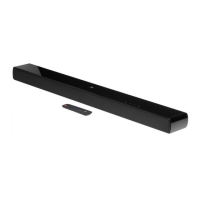
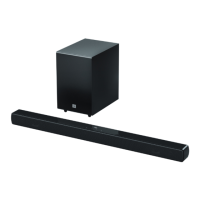
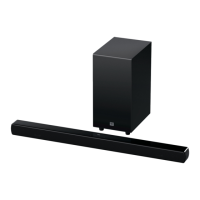
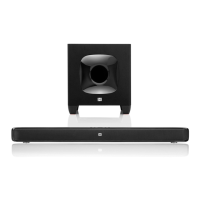
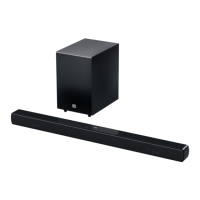
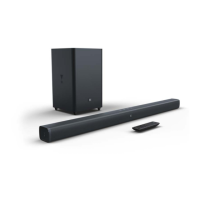
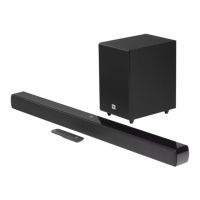
The JBL CINEMA SB140 is a soundbar and subwoofer system designed to enhance your home entertainment experience by delivering powerful and immersive audio. This system is engineered to provide an extraordinary sound experience for movies, music, and TV programs, making every viewing or listening session more engaging.

Function Description:

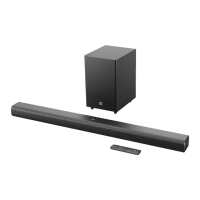
The JBL CINEMA SB140 functions as a comprehensive audio system for your television and other digital devices. It consists of a main soundbar unit and a wired subwoofer, working in tandem to produce a full range of sound, from crisp highs to deep, resonant bass. The soundbar is equipped with multiple input options, including HDMI ARC and Optical, allowing for seamless integration with various TV models and digital sources. For wireless audio streaming, the system features Bluetooth connectivity, enabling you to play music directly from your smartphone, tablet, or laptop. The included remote control provides convenient access to all functions, including power, volume, source selection, and sound modes.

Usage Features:

  • Easy Setup and Placement: The soundbar and subwoofer are designed for straightforward setup. For desktop placement, simply position the soundbar on a flat, stable surface, ensuring the subwoofer is at least 3 feet (1 meter) away from the soundbar and 4 inches (10 cm) from a wall for optimal performance. Wall-mounting is also an option, with a supplied template and kit to guide you through the process, ensuring a secure and aesthetically pleasing installation.
  • Versatile Connectivity:
    • HDMI ARC: Connect the soundbar to your TV's HDMI ARC input using the supplied HDMI cable for high-quality digital audio and video transmission. This connection also supports HDMI-CEC, allowing you to control basic soundbar functions (power, volume, source) using your TV's remote.
    • Optical: For TVs or digital devices without HDMI ARC, an optical cable (sold separately) can be used to connect the soundbar, providing clear digital audio.
    • Bluetooth: Effortlessly stream audio from any Bluetooth-enabled device. The soundbar enters pairing mode, allowing you to quickly connect and enjoy your favorite music wirelessly. It also remembers previously paired devices for automatic reconnection.
  • Intuitive Controls: The soundbar features on-unit controls for power, volume, and source selection, complemented by a comprehensive remote control. The remote offers dedicated buttons for various functions, including:
    • Power On/Standby: Easily switch the system on or off.
    • Volume Control: Adjust the audio level with precision.
    • Source Selection: Toggle between HDMI ARC, Optical, and Bluetooth inputs.
    • Sound Effect Buttons (NEWS/MUSIC/MOVIE): Optimize your audio experience with pre-defined equalizer settings tailored for different content types. "NEWS" enhances vocal clarity for news and weather forecasts, "MUSIC" provides a balanced sound for musical playback, and "MOVIE" delivers an immersive experience for films.
    • Voice Mode: Activate this mode to enhance vocal clarity, making dialogue easier to hear and understand, especially useful for movies and TV shows with complex soundscapes.
    • Playback Controls (Bluetooth): When streaming via Bluetooth, the remote allows you to skip tracks, play, and pause audio.
    • Mute: Instantly silence the audio.
  • Auto Standby and Wakeup: To conserve energy, the soundbar automatically switches to standby mode after 10 minutes of inactivity. It also features an auto-wakeup function, turning on automatically when it detects an audio signal from a connected TV via HDMI ARC or Optical.
  • TV Remote Control Learning: If your TV does not support HDMI-CEC, the soundbar can learn basic IR commands from your TV remote, allowing you to control power, volume, and source selection with a single remote.

Maintenance Features:

  • Software Updates: To ensure optimal performance and access to the latest features, the JBL CINEMA SB140 supports software updates via a USB connector. JBL may release updates in the future, which can be downloaded from their website and installed using a USB storage device. This ensures your system remains current and performs at its best.
  • Factory Reset: If you encounter any issues or wish to remove all personalized settings, the soundbar can be restored to its default factory settings. This is a useful troubleshooting step that can resolve various operational problems.
  • Safety Guidelines: The manual emphasizes important safety instructions, including verifying line voltage, avoiding extension cords, handling the AC power cord gently, and never opening the cabinet. These guidelines are crucial for the safe operation and longevity of the device.
  • Troubleshooting Guide: A dedicated troubleshooting section in the manual helps users diagnose and resolve common issues related to power, sound, and Bluetooth connectivity, providing practical solutions before professional service is required.

The JBL CINEMA SB140 is designed for users seeking a powerful, user-friendly, and versatile audio solution to elevate their home entertainment. Its robust sound, flexible connectivity, and intelligent features make it an excellent addition to any living space.

Harman JBL CINEMA SB140 Specifications

General IconGeneral
BrandJBL
ModelCINEMA SB140
TypeSoundbar
Channels2.1
SubwooferYes
Wireless SubwooferYes
BluetoothYes
Bluetooth Version4.2
HDMI ARCYes
HDMI1
Optical Input1
Wall MountableYes
Remote ControlYes
Bluetooth ProfileA2DP, AVRCP
Bluetooth Frequency Range2402MHz – 2480MHz
Bluetooth ModulationGFSK, π/4-DQPSK, 8DPSK
Operating Temperature0°C to 40°C

Related product manuals