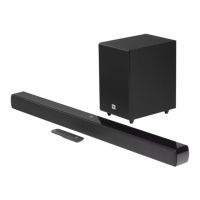
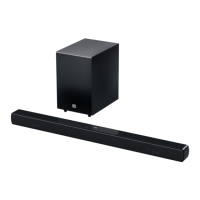
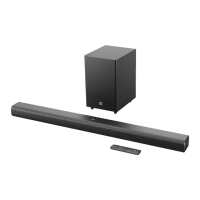
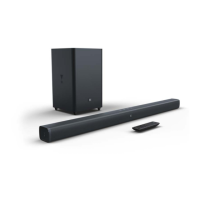
The JBL CINEMA BAR SB510 is a soundbar designed to enhance your home entertainment system with an extraordinary sound experience. This owner's manual provides comprehensive instructions for setting up, operating, and maintaining the device.
Function Description
The soundbar serves as an external audio system for your television and other Bluetooth-enabled devices. It offers a 3.1 channel sound system, delivering a rich and immersive audio experience for movies, music, and news. The primary function is to output high-quality sound, replacing or augmenting your TV's built-in speakers. It supports various audio input sources, including HDMI ARC (Audio Return Channel), optical, Bluetooth, and USB (for MP3 file playback in the US version, otherwise for service only). The soundbar can be controlled via its on-device buttons or the supplied remote control.
Usage Features
- Power Management: The soundbar can be switched on or put into standby mode using the power button on the unit or the remote control. It features an "Auto standby" function, which automatically puts the soundbar into standby mode if it's inactive for more than 10 minutes. An "Auto wakeup" feature allows the soundbar to turn on automatically when connected to a TV via HDMI ARC and the TV is switched on, or when audio signals are detected from an optical cable.
- Volume Control: Volume can be adjusted using the +/- buttons on the soundbar or the remote control. Holding these buttons allows for continuous volume adjustment. The soundbar also has a mute function, accessible by holding both +/- buttons on the unit or pressing the mute button on the remote.
- Source Selection: Users can easily switch between different audio sources: TV (HDMI ARC or Optical), and Bluetooth. The HDMI ARC input is prioritized over the optical input when both are connected.
- Bluetooth Connectivity: The soundbar supports Bluetooth 5.3, allowing wireless audio streaming from smartphones, tablets, and laptops. To connect a Bluetooth device, select the Bluetooth source, and then hold the source button on the soundbar or the Bluetooth button on the remote control for more than 3 seconds to enter pairing mode. The status indicator will flash blue quickly during pairing. Once connected, the indicator turns solid blue, and a confirmation tone is heard. The soundbar retains the last paired device and automatically reconnects when the Bluetooth source is selected again. To connect to a new Bluetooth device, the current Bluetooth connection needs to be reset by holding the source button on the soundbar or the Bluetooth button on the remote until the status indicator flashes blue, entering pairing mode again.
- TV Connection: The soundbar can be connected to your TV using either the supplied HDMI ARC cable or an optical cable (sold separately). For HDMI ARC, ensure HDMI-CEC is enabled on your TV to allow control of volume, source, and power functions via your TV remote. If your TV does not support HDMI-CEC, the soundbar offers a "TV remote control learning" feature, allowing you to program the soundbar to accept IR commands from your TV remote for basic functions like volume and power.
- Sound Settings (EQ Modes): The remote control provides pre-defined equalizer (EQ) settings to optimize the audio for different content types:
- VOICE: Enhances clarity for news and weather forecasts. The status indicator flashes red twice when enabled.
- MUSIC: Optimized for music playback. The status indicator flashes amber twice when enabled.
- MOVIE: Provides an immersive sound experience for movies. The status indicator flashes blue twice when enabled.
- Bass Adjustment: Users can adjust the bass level to their preference using the BASS button on the remote control, with five available levels (Level 3 is the default).
- USB Playback: For US versions, the soundbar supports MP3 file playback from a USB storage device connected to the USB port. This feature is for service only in other regions.
- Playback Controls (Bluetooth): When playing audio from a Bluetooth source, the remote control offers playback buttons to skip to the previous/next track, and start/pause playback.
Maintenance Features
- Safety Instructions: The manual emphasizes several safety precautions, including verifying line voltage before use (100-240V, 50/60Hz AC current), avoiding extension cords, handling the AC power cord gently, and never opening the cabinet due to shock hazards and warranty voidance.
- Troubleshooting: A dedicated section helps users diagnose and resolve common issues such as the unit not turning on, unresponsive buttons, no sound, distorted sound or echo, and Bluetooth connectivity problems. It advises checking power connections, ensuring the soundbar is not muted, selecting the correct audio input, and restoring factory settings if necessary.
- Factory Reset: If issues persist or for a complete reset, the soundbar can be restored to its factory settings by holding the power and source buttons on the soundbar for more than 10 seconds. This action will remove all personalized settings.
- Wall-Mounting: The soundbar comes with a wall-mounting kit and a template, along with detailed instructions for secure installation. This includes marking screw holder locations, drilling holes, installing brackets, and mounting the soundbar. Important notes include ensuring the wall can support the weight, installing on a vertical wall, avoiding high temperature/humidity locations, and ensuring cables can be properly connected.
- Remote Control Maintenance: If the remote control is not working, users are advised to check if the batteries are drained and replace them if necessary. Reducing the distance and angle between the remote control and the main unit can also improve functionality. The manual clarifies that IR learning is only supported for infra-red TV remote controls, not Bluetooth TV remote controls.

 Need help?
 General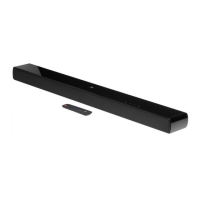


 To Next Page