
 Need help?
Do you have a question about the Harman JBL CINEMA SB560 and is the answer not in the manual?
Details the buttons, indicators, and status lights on the soundbar for user interaction and feedback.
Explains the various input/output ports on the soundbar for connecting external devices.
Describes the subwoofer, its power connection, and status indicator.
Details the functions and buttons of the remote control for operating the soundbar.
Provides guidelines for positioning the soundbar and subwoofer on a flat surface for optimal performance.
Details the steps and considerations for securely mounting the soundbar to a wall.
Explains how to connect the soundbar to a TV using HDMI ARC or an optical cable.
Guides on pairing and connecting Bluetooth devices like smartphones and laptops to the soundbar.
Provides instructions on how to connect a second Bluetooth device or re-pair existing ones.
Details the process of turning the unit on, its standby mode, and automatic wake-up features.
Explains how to play audio from your TV through the soundbar, including remote control setup.
Guides on streaming audio wirelessly from a Bluetooth device to the soundbar.
Describes how to control music playback functions like play, pause, skip, and volume via remote or soundbar.
Explains how to select different equalizer presets (Movie, Music, Voice) for audio enhancement.
Details how to adjust the bass level for the subwoofer using the remote control.
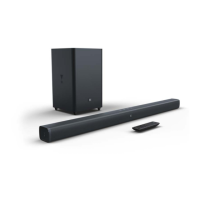
The JBL CINEMA BAR SB560 is a soundbar and subwoofer system designed to enhance your home entertainment experience with extraordinary sound. This owner's manual provides comprehensive instructions for setting up, operating, and maintaining the device.
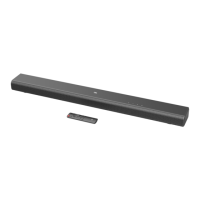
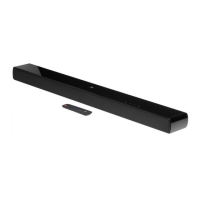
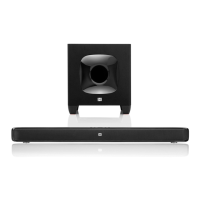
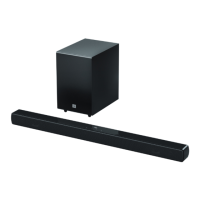
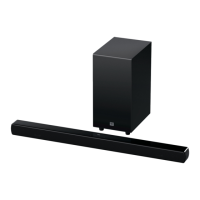
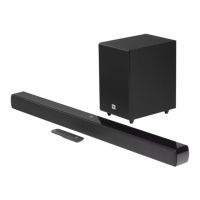
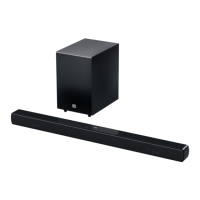
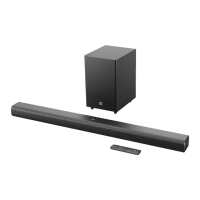
The JBL CINEMA BAR SB560 is a 3.1 channel sound system comprising a soundbar and a wireless subwoofer. It is designed to deliver immersive audio for movies, music, and TV programs. The soundbar connects to your TV via HDMI ARC or an optical cable, prioritizing the HDMI ARC connection for digital audio and video. It also supports Bluetooth connectivity, allowing you to stream audio wirelessly from your smartphone, tablet, or laptop. The subwoofer connects wirelessly to the soundbar, providing deep bass for a more dynamic audio experience.
The soundbar can be switched on or put into standby mode using the power button on the unit or the remote control. It features an auto-standby function, which activates after 10 minutes of inactivity, and an auto-wakeup function that automatically turns on the soundbar when your TV is switched on (via HDMI ARC) or when audio signals are detected from an optical cable.
Volume can be adjusted using the +/- buttons on the soundbar or the remote control. Holding these buttons allows for continuous volume adjustment. Pressing both buttons simultaneously mutes or unmutes the sound.
The soundbar supports multiple audio sources: TV (HDMI ARC or Optical) and Bluetooth. The source can be selected by repeatedly pressing the source button on the soundbar or the TV/Bluetooth buttons on the remote control. The status indicator on the soundbar changes color to indicate the active source: solid white for HDMI ARC, solid amber for Optical, and solid blue for Bluetooth.
To connect a Bluetooth device, select the Bluetooth source and hold the Bluetooth button on the soundbar or remote control for more than 3 seconds to enter pairing mode. The status indicator will flash blue quickly. Once paired, the indicator turns solid blue, and a confirmation tone is heard. The soundbar remembers the last paired device and reconnects automatically when the Bluetooth source is selected. To connect a new Bluetooth device, you may need to unpair "JBL CINEMA SB560" from the previously connected device first.
The remote control offers pre-defined EQ (equalizer) settings to optimize audio for different content:
If your TV does not support HDMI-CEC, you can program the soundbar to accept IR commands from your TV remote control. This allows you to control the soundbar's volume, source, and power functions using your TV remote. The learning process involves entering a learning mode (holding power and + buttons for 10 seconds), then pointing your TV remote at the soundbar and pressing the desired buttons for volume, mute, and power.
For optimal performance, the soundbar should be placed on a flat, stable surface. The subwoofer should be at least 1 meter (3 feet) away from the soundbar and 10 cm (4 inches) from a wall. The maximum distance between the soundbar and subwoofer for wireless connection is 6 meters (20 feet). The soundbar can also be wall-mounted using the provided kit and template.
The manual provides guidance for common issues:
To restore the soundbar to its factory settings, switch it on, then hold the power and source buttons on the soundbar for more than 10 seconds. This will remove all personalized settings.
While the soundbar and subwoofer are factory-paired, in special cases, you may need to re-pair them. To do this, hold the connection status indicator button on the subwoofer until it flashes amber quickly, then switch on the soundbar. The subwoofer will automatically connect, and its indicator will turn solid amber. If the wireless connection fails, check for conflicts or strong interference in the area.
 General
| Channels | 2.1 |
|---|---|
| Total Power Output | 300W |
| Soundbar Output Power | 100W |
| Subwoofer Output Power | 200W |
| Subwoofer | Wireless |
| Bluetooth | Yes |
| HDMI Inputs | 3 |
| HDMI Outputs (ARC) | 1 |
| Optical Input | Yes |
| Remote Control | Yes |
| Wall Mountable | Yes |
| Dolby Atmos | No |
| Type | Soundbar |
| Connectivity | Bluetooth, HDMI, Optical |



 To Next Page
