EasyManua.ls Logo

Harman JBL CINEMA SB270 - User Manual

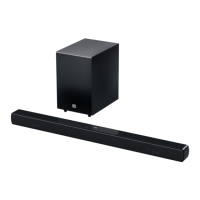
Harman JBL CINEMA SB270
16 pages
Print Icon
To Next Page IconTo Next Page
Loading...
JBL CINEMA SB270
OWNER’S MANUAL
Question and Answer IconNeed help?

Do you have a question about the Harman JBL CINEMA SB270 and is the answer not in the manual?

Summary

Important Safety Instructions

Introduction and Whats in the Box

1 Introduction

Provides an overview of the JBL CINEMA SB270 and encourages reading the manual for setup.

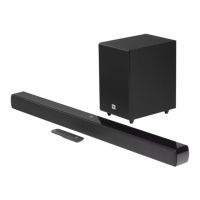
2 Whats in the Box

Lists all the components included in the product packaging for user verification.

Product Overview

3.1 Controls and Indicators

Details the physical controls and status indicators on the main soundbar unit.

3.2 Connectors

Describes the AC power and USB ports available on the soundbar.

3.3 Subwoofer

Explains the subwoofer's connections, status indicators, and pairing process.

3.4 Remote Control

Provides a comprehensive guide to the functions and buttons of the remote control.

Placement Guidelines

4.1 Desktop Placement

Offers recommendations for positioning the soundbar and subwoofer on a flat surface.

4.2 Wall-Mounting

Details the steps and diagrams for securely mounting the soundbar onto a wall.

Connecting Your Soundbar

5.1 TV Connection

Instructions for connecting the soundbar to a TV via HDMI ARC or optical cable.

5.2 Bluetooth Connection

Guides users through pairing and wirelessly connecting Bluetooth devices to the soundbar.

Playing Audio

6.1 Power-on, Auto Standby, and Auto Wakeup

Explains how to turn the unit on, its standby mode, and automatic wake-up features.

6.2 Play from TV Source

How to play TV audio through the soundbar and set up TV remote control.

6.3 Play from Bluetooth Source

Steps for streaming audio from a paired Bluetooth device to the soundbar.

Sound Settings

7.1 Pre-defined EQ Settings

Instructions on selecting equalizer settings for music, movie, or news audio.

7.2 Voice Mode

Details on using voice mode to enhance speech clarity during playback.

System Maintenance

8 Restore Factory Settings

Procedure to reset the soundbar to its original factory default settings.

9 Software Update

Steps for updating the soundbar's firmware using a USB storage device.

Connectivity and Specifications

10 Re-connect the Subwoofer

Instructions for re-pairing the subwoofer with the soundbar if the connection is lost.

11 Product Specifications

Technical details including power, audio, USB, and wireless specifications.

Troubleshooting

Trademarks

Summary

Important Safety Instructions

Introduction and Whats in the Box

1 Introduction

Provides an overview of the JBL CINEMA SB270 and encourages reading the manual for setup.

2 Whats in the Box

Lists all the components included in the product packaging for user verification.

Product Overview

3.1 Controls and Indicators

Details the physical controls and status indicators on the main soundbar unit.

3.2 Connectors

Describes the AC power and USB ports available on the soundbar.

3.3 Subwoofer

Explains the subwoofer's connections, status indicators, and pairing process.

3.4 Remote Control

Provides a comprehensive guide to the functions and buttons of the remote control.

Placement Guidelines

4.1 Desktop Placement

Offers recommendations for positioning the soundbar and subwoofer on a flat surface.

4.2 Wall-Mounting

Details the steps and diagrams for securely mounting the soundbar onto a wall.

Connecting Your Soundbar

5.1 TV Connection

Instructions for connecting the soundbar to a TV via HDMI ARC or optical cable.

5.2 Bluetooth Connection

Guides users through pairing and wirelessly connecting Bluetooth devices to the soundbar.

Playing Audio

6.1 Power-on, Auto Standby, and Auto Wakeup

Explains how to turn the unit on, its standby mode, and automatic wake-up features.

6.2 Play from TV Source

How to play TV audio through the soundbar and set up TV remote control.

6.3 Play from Bluetooth Source

Steps for streaming audio from a paired Bluetooth device to the soundbar.

Sound Settings

7.1 Pre-defined EQ Settings

Instructions on selecting equalizer settings for music, movie, or news audio.

7.2 Voice Mode

Details on using voice mode to enhance speech clarity during playback.

System Maintenance

8 Restore Factory Settings

Procedure to reset the soundbar to its original factory default settings.

9 Software Update

Steps for updating the soundbar's firmware using a USB storage device.

Connectivity and Specifications

10 Re-connect the Subwoofer

Instructions for re-pairing the subwoofer with the soundbar if the connection is lost.

11 Product Specifications

Technical details including power, audio, USB, and wireless specifications.

Troubleshooting

Trademarks

Harman JBL CINEMA SB270 Specifications

General IconGeneral
TypeSoundbar
Channels2.1
Soundbar Output Power100W
SubwooferWireless
BluetoothYes
HDMI ARCYes
Optical InputYes
Sound ModesMovie, Music, News
Remote ControlYes
Wall MountableYes
ConnectivityBluetooth, HDMI ARC, Optical

Related product manuals