EasyManua.ls Logo

Harman Kardon SB 16 - User Manual

Harman Kardon SB 16
14 pages
Print Icon
To Next Page IconTo Next Page
Loading...
Active speaker soundbar
SB 16
Owner’s Manual
Question and Answer IconNeed help?

Do you have a question about the Harman Kardon SB 16 and is the answer not in the manual?

Summary

Introduction and System Overview

Included Items

Lists the components included with the SB 16 system.

Description and Features

Details the SB 16 system's components and capabilities.

Soundbar Controls and Connections

Soundbar Top-Panel Controls

Describes the buttons and indicators on the soundbar's top panel.

Soundbar Rear-Panel Controls and Connections

Details rear panel controls and connection ports for the soundbar.

Subwoofer Controls and Connections

Subwoofer Rear-Panel Controls

Explains the controls on the subwoofer's rear panel.

Subwoofer Rear-Panel Connections

Details connection points on the subwoofer's rear panel.

Speaker Placement and System Connections

Speaker Placement Guide

Recommendations for positioning the soundbar and subwoofer for optimal sound.

Source and Power Connections

Instructions for connecting audio sources and power to the system.

System Operation and Controls

Powering On and Off

How to power the soundbar and subwoofer on and off using manual or auto modes.

Volume, Muting, and Source Selection

Guides on adjusting volume, muting the system, and switching audio sources.

Subwoofer and Soundbar Controls

Details on using volume, trim, phase, and wireless code switches.

Programming and Troubleshooting

Programming Remote Control

Steps to program the soundbar to respond to your TV remote commands.

Troubleshooting Common Issues

Solutions for common problems such as no sound or distorted audio.

Specifications

Summary

Introduction and System Overview

Included Items

Lists the components included with the SB 16 system.

Description and Features

Details the SB 16 system's components and capabilities.

Soundbar Controls and Connections

Soundbar Top-Panel Controls

Describes the buttons and indicators on the soundbar's top panel.

Soundbar Rear-Panel Controls and Connections

Details rear panel controls and connection ports for the soundbar.

Subwoofer Controls and Connections

Subwoofer Rear-Panel Controls

Explains the controls on the subwoofer's rear panel.

Subwoofer Rear-Panel Connections

Details connection points on the subwoofer's rear panel.

Speaker Placement and System Connections

Speaker Placement Guide

Recommendations for positioning the soundbar and subwoofer for optimal sound.

Source and Power Connections

Instructions for connecting audio sources and power to the system.

System Operation and Controls

Powering On and Off

How to power the soundbar and subwoofer on and off using manual or auto modes.

Volume, Muting, and Source Selection

Guides on adjusting volume, muting the system, and switching audio sources.

Subwoofer and Soundbar Controls

Details on using volume, trim, phase, and wireless code switches.

Programming and Troubleshooting

Programming Remote Control

Steps to program the soundbar to respond to your TV remote commands.

Troubleshooting Common Issues

Solutions for common problems such as no sound or distorted audio.

Specifications

Overview

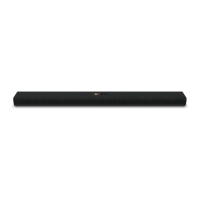
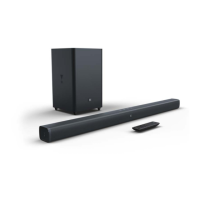
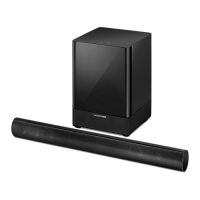
The Harman Kardon SB 16 is an active speaker soundbar system designed to enhance the audio experience of a flat-screen TV, transforming it into a home theater system. It comprises a soundbar speaker (SB 16 CTR) and a wireless powered subwoofer (SB 16 SUB).

Function Description:

The SB 16 CTR soundbar integrates left and right speakers with stereo amplifiers, utilizing digital signal processing and virtual 3D surround circuitry to create an immersive surround-sound experience without the need for additional speakers or wires. It can be placed on a table in front of a TV or wall-mounted. The soundbar can be programmed to respond to a TV remote's volume, power, and source commands, offering seamless integration with existing home entertainment setups.

The SB 16 SUB subwoofer receives audio signals wirelessly from the soundbar, allowing flexible placement anywhere in a room without cable clutter. Its 10-inch woofer and built-in 100-watt amplifier are designed to deliver impactful bass for movies and music. The subwoofer features an efficient switching system that automatically powers on when an audio signal is detected and enters standby mode after a period of inactivity.

Usage Features:

Soundbar Controls:

  • Power Button: Turns the soundbar on (blue indicator) or puts it into standby mode (amber indicator). A momentary press mutes the system (flashing blue indicator). The soundbar can also automatically turn on when an audio signal is detected, provided it has first sensed an IR remote signal.
  • Surround Mode Button: Toggles the 3D Surround processing on (blue indicator) or off (white indicator, for normal stereo sound). This feature is particularly effective for movies but can also enhance music.
  • Volume Up/Down Buttons: Adjust the system's volume. Holding the buttons allows continuous volume adjustment. The lowest setting mutes the system.
  • Source Selector Button (SRC): Switches between the connected audio sources: Source 1 (analog, white indicator) and Source 2 (digital, blue indicator).
  • EQ Switch: Optimizes bass performance based on placement. Set to "Wall" for wall-mounted soundbars or "Table" for table placement.
  • Trim Switch: Adjusts the soundbar's input sensitivity to accommodate TVs with varying audio output levels. Position 3 increases sensitivity for low output, while position 1 reduces it for high output to prevent distortion.
  • Wireless Code Switch: Selects one of four channels for wireless communication with the subwoofer. Both the soundbar and subwoofer must be set to the same channel.

Subwoofer Controls:

  • Crossover Knob: Adjusts the subwoofer's crossover frequency between 50Hz and 150Hz. This helps achieve a smooth bass transition between the subwoofer and soundbar, adapting to different room acoustics and placement.
  • Volume Knob: Balances the subwoofer's bass volume with the soundbar's output. Turn clockwise to increase volume, counter-clockwise to decrease.
  • Phase Switch: Determines whether the subwoofer driver's piston-like action is in phase with the soundbar speakers. This adjustment helps optimize bass performance and sonic impact, typically left in the 0° position for clearer sound.
  • Wireless Code Switch: Similar to the soundbar's switch, it selects one of four channels for wireless communication. Must match the soundbar's setting.
  • Power Switch: Activates the subwoofer (On position). In normal operation, this switch is typically left in the On position.
  • Status Indicator (on top of unit): Displays the subwoofer's status: blue for on, amber for standby, and off for power switch in the Off position.

Connections:

  • Source 1 Connection (Analog): For connecting stereo analog outputs from a TV, DVD player, or cable/satellite tuner using the supplied stereo audio cable. It's recommended to use a fixed-level output from the TV to allow independent volume control of the soundbar.
  • Source 2 Connection (Digital): For connecting coaxial digital outputs from a TV, DVD player, or cable/satellite tuner. The system also supports optical digital audio input using the supplied optical digital audio cable.
  • Power Connection: The soundbar connects to its included DC power supply, which then plugs into an active, unswitched AC outlet. The subwoofer plugs directly into an active, unswitched AC outlet.

Speaker Placement:

  • Soundbar: Can be placed on a table directly in front of the TV, centered with the screen, using supplied rubber feet. Alternatively, it can be wall-mounted below the TV using the included wall-mount brackets. Two sets of brackets are provided: shallow for general use and extended for when the optical digital audio input is utilized.
  • Subwoofer: Can be placed almost anywhere in the room due to the non-directional nature of low frequencies. Optimal bass reproduction is often achieved when placed in a corner along the same wall as the soundbar. It's important to maintain at least 150mm (6") clearance from the wall for the port tube opening. The maximum wireless operating distance between the soundbar and subwoofer is approximately 15.3m (50 feet).

Programming the Soundbar to Respond to Your TV Remote:

The soundbar can be programmed to learn power off, mute, volume up, volume down, and source commands from a TV remote. This involves a sequence of pressing and holding buttons on the soundbar, followed by aiming the TV remote at the soundbar and pressing the corresponding command button. To erase all remote programming, simultaneously press and hold the soundbar's Surround Mode and Volume Up buttons until all lights flash.

Maintenance Features:

Troubleshooting:

The manual provides a comprehensive troubleshooting guide for common issues such as the soundbar or subwoofer not turning on, no sound, distorted sound, low volume, insufficient bass, or difficulties in programming the TV remote. Solutions include checking power connections, switch positions, cable connections, source selection, volume levels, and wireless code settings. For the subwoofer, it also advises checking the AC fuse and adjusting placement. If the soundbar fails to learn remote commands, it suggests re-following the programming steps carefully. If the TV remote's power button causes the soundbar to turn off when the TV turns on (or vice versa), pressing the soundbar's or TV's power button once can re-synchronize them.

Fuse Replacement (Subwoofer):

The subwoofer is equipped with a T1.6AL/250V AC fuse. In case of a blown fuse, the manual provides instructions for safe replacement: unplug the power cord, use a screwdriver to remove the old fuse, and replace it with an identical T1.6AL/250V AC fuse. It emphasizes using the same type and rating for continued fire protection.

The SB 16 system is designed for user-friendly setup and operation, offering a powerful and refined audio experience for flat-screen TVs.

Harman Kardon SB 16 Specifications

General IconGeneral
Audio decoders-
RMS rated power- W
Audio output channels2.1 channels
Impedance8 Ω
Crossover frequency2200 Hz
Number of tweeter drivers1
Number of mid-range drivers2
Tweeter diameter (imperial)0.75 \
Total Harmonic Distortion (THD)0.07 %
Mid-range driver diameter (imperial)3 \
Frequency range45 - 20000 Hz
Apple docking compatibilityNot supported
Soundbar dimensions (WxDxH)920 x 89 x 110 mm
Subwoofer dimensions (WxDxH)380 x 380 x 480 mm
Subwoofer includedYes
Subwoofer connectivityWireless
Subwoofer frequency range45 - 200 Hz
Receiver includedNo
Product colorBlack
AC input voltage230 V
AC input frequency50 - 60 Hz
Connectivity technologyWired & Wireless
Weight and Dimensions IconWeight and Dimensions
Soundbar weight3670 g
Subwoofer weight15400 g

Related product manuals