006-0187-001 Rev. D
+7 495 926 4608 (Russia, CIS), +81 3 5565 6737 (Japan), +86 10 8391 3313 (China, mainland)
Harmonic Technical Support: +888 673 4896 (Americas), +65 6542 0050 (Asia Pacific), + 44 1252 555 450 (EMEA),
Link
Activity
Off = Inactive or 10 Mbps
Amber = 100 Mbps
Green = 1 Gbps
Link
Blink = Normal
Activity (green)
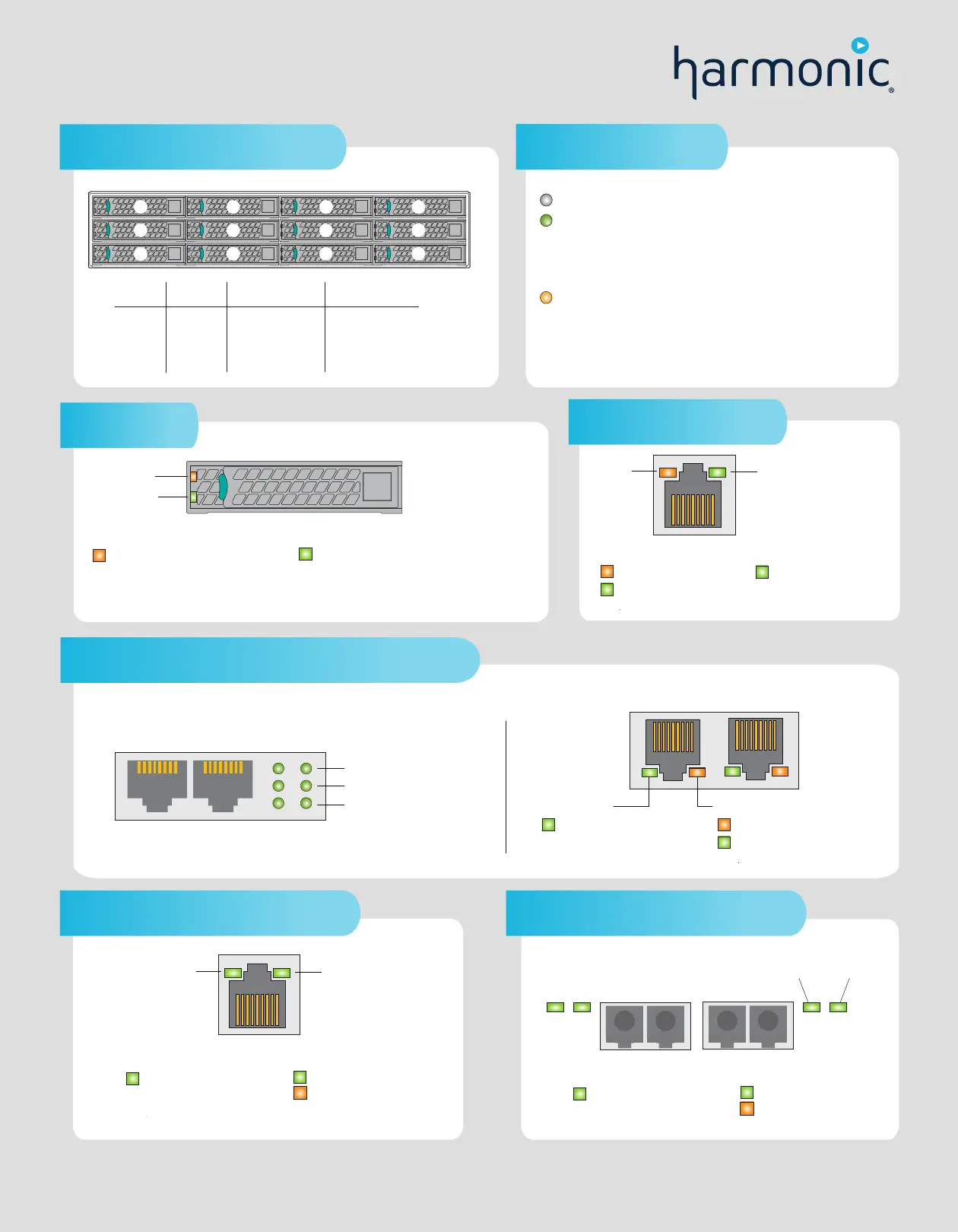
MediaPort Ethernet array
1 Gb Ethernet port status LEDs (for system management)
Drive numbering and storage
The Ethernet card for connecting to system management may vary. Your system may use one of the following.
Link/Activity
100
1000
Link/Activity = On with any link, blinks on activity
100 = On with 100 Mbps link
1000 = On with 1 Gbps link
Drive LEDs
Status
Activity
Solid = hard drive fault
Blink, 1 Hz = RAID rebuild in
progress
Blink, 2 Hz = drive being winked
Off = No access and no fault
Status (amber)
Solid = power on, no drive activity
Blinks off when processing command = power on
with drive activity
Off = power on and drive spun down
Blinks = power on and drive spinning up
Activity (green)
Green = Link, 1 Gbps
Off = Inactive or 10 Mbps
Amber = 1 Gbps
Green = 100 Mbps
SpeedLink/Activity
Off = no link
10 Gb Ethernet port status LEDs
Green = 10 Gbps
Amber = 1 Gbps
Off = 100 Mbp
s
Blink = activity
Solid = link
Off = no link
Link/Activity (green) Speed
Link/Activity
Speed
10 Gb Fiber Optic status LEDs (optional)
Green = 10 Gbps
Amber = 1 Gbps
Off = Not used
Blink = activity
Solid = link
Off = no link
Link/Activity (green) Speed
Link/Activity Speed
0
1
2
3
5
6
7
8
8
9
10
113
2
1
4
9 12
11
10
# Drives RAID set
Capacity per drive Storage capacity
4 TB
2 x (4+2)
12 SAS 32 TB
2 TB
2 x (4+2)
12 SAS 16 TB
6 TB
2 x (4+2)
12 SAS 48 TB
Off = AC power is not connected.
Green (solid) = A valid AC source is connected to the power supply, and
the power supply is operational.
Green (1 Hz blink) = AC is present, but the power switch on the front
panel is off or in a cold redundant state due to low system power load.
Green (2 Hz blink) = Power supply firmware updating.
Amber (blink) = Power supply is operational, but experiencing a warning event.
Amber (solid) = AC power is lost or a power supply is shut down
.
Power supply status LED


 To Previous Page
 Loading...




