Page 3
8) If the 900 cannot communicate with the Blaster during the Add routine, or the 900 wants to update the
Blaster’s rmware and this process freezes, try the following steps:
• Press and hold the red button on the back of the Blaster until all the lights go solid.
This will reset the Blaster.
• On the 900 press OptionsRF System SettingsAdvanced RF Settings.
• Type the following numbers on the 900’s keypad: 31337
• Press ok to reset the remote. Now try adding the Blaster again.
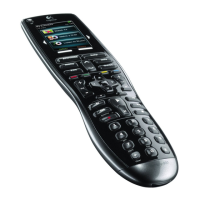
While adding, make sure that the remote is touching the top of the Blaster as in the picture.
9) Finally, let’s say that the 900 is communicating via RF to the Blaster and you are not getting the red ‘X’ or
any error messages. All the buttons are mapped correctly and the devices that are supposed to be con-
trolled by the Blaster (or mini-blasters) are not responding at all. Then, there is the possibility that the IR
emitters in the Blaster or in one of the minis have burned out. There is more than 1 IR emitter in the main
Blaster and in the minis, so it is pretty rare for them to burn out in such a way as to no longer control your
devices. Still, this will depend on the individual setup. So, how can we test to see if the IR emitters are
working? You can use a digital camera or cell phone camera to check for IR bursts coming from the front
and sides of the Blaster and/or minis. To do this, rst you need to verify that your camera can ‘see’ IR, since
many have IR lters built in. So, take the camera and, using a known good IR source, (another remote con-
trol, or even the 900 if it is using IR as well), press a button that you know should send an IR signal. Look at
the front of the remote through the screen of the camera or cell phone and you should see white/blue ash-
es coming from the remote. Once you’ve veried that your camera can ‘see’ IR, then do the same test with
the Blaster and the minis. Look at them as you press a button on the 900 that you know should be commu-
nicating with the Blaster. If the IR emitters in the Blaster and/or the minis are working, you should see the
same white/blue ashes you saw before. Remember though, if you have used the Advanced Settings on
the 900 to allocate device control to a certain port on the Blaster (A or B), then, if you press a button that is
supposed to control that device, only the mini that has been allocated will respond! Don’t assume that your
main Blaster’s IR emitters have burned out! Make sure that you are checking the correct IR blaster!
Questions? Need additional help? Contact us at info@harmonyremoterepair.com
www.harmonyremoterepair.com


 To Previous Page
 Loading...