EasyManua.ls Logo

HART 275 - User Manual

HART 275
116 pages
Print Icon
To Next Page IconTo Next Page
Loading...
HART
®
Communicator
MAN 4275A00
PN: 00275-8026-0001
English
July 2000
Product Discontinued

Table of Contents

Questions and Answers

  • K
    Kenneth CannonJul 27, 2025
    What to do if my HART 275 Cell Phone has no communication with field device?
    • J
      Julie DonovanJul 27, 2025
      If your HART Cell Phone isn't communicating with the field device, there could be several reasons. First, check that there is at least 4mA and 12V DC at the field device terminals, because there may be insufficient loop current and voltage. Another possible cause is insufficient loop resistance at the HART frequencies, so add an additional 250 ohm resistor in series in the loop. Place the HART Communicator leads across the resistor and verify if communication has been restored. Also, the field device may be set to a HART address other than zero (multi-drop mode), so change 275 mode to digital polling.
  • T
    Tara LopezAug 1, 2025
    Why is my HART Cell Phone battery pack not charging?
    • M
      Megan RobertsonAug 1, 2025
      If the battery pack of your HART Cell Phone isn't accepting a charge, it might have been discharged past its normal range. To resolve this, remove the battery pack and recharge it while it is disconnected from the Communicator.
  • T
    taylorcarrilloAug 6, 2025
    What to do if control system communicates HART, but the 275 HART Cell Phone doesn't communicate properly?
    • C
      cbrownAug 6, 2025
      If the control system is communicating HART but your 275 HART Cell Phone isn't, it may be because the control system is preventing HART communication with the HART Communicator. To fix this, stop HART communications on the control system and check if communication between the field devices and HART Communicator is restored.
  • R
    Rachel RamirezAug 16, 2025
    What to do if there is noise on the field loop of HART 275 Cell Phone?
    • T
      Toni HuangAug 16, 2025
      If you're encountering noise on the field loop of your HART Cell Phone, verify that the field wiring shield is grounded at one end only. Normally, the shield is grounded at the control system and floating at the field device. See diagram following this table.
  • E
    Emily BrandtAug 21, 2025
    How to fix insufficient loop resistance at HART frequencies on HART 275 Cell Phone?
    • K
      kelly97Aug 21, 2025
      To address insufficient loop resistance at the HART frequencies on your HART Cell Phone, add an additional 250 ohm resistor in series in the loop. Place the HART Communicator leads across the resistor and verify if communication has been restored.
  • J
    Jason AvilaNov 10, 2025
    What to do if there is noise or signal distortion from the control system on HART 275 Cell Phone?
    • R
      robertjohnsonNov 10, 2025
      If you're experiencing noise or signal distortion from the control system with your HART Cell Phone, first remove field wiring and power loop with external power supply and a 250 resistor in the loop to verify if communication is restored with this configuration. If it is restored, use an oscilloscope to inspect possible noise or signal distortion from the control system. Noise of interest would be in the 800 Hz to 10 KHz range with an amplitude of 0.5Vpp or larger. Larger amplitudes below 800 Hz or above 10 KHz may also affect communication. If the problem persists, place a 0.1 microfarad (µf) to a 0.22 µf capacitor (working voltage: 50V DC and no polarity) across the control system terminals to verify if communication is restored. If not, place a 250 ohm resistor in series and verify if ...

Summary

Section 1: The HART Communicator

Introduction and Overview

Provides an overview of the HART Communicator's purpose, functionality, and document structure.

HART Communicator Connections

Explains how to physically connect the HART Communicator to devices and PCs using various ports.

Understanding the User Interface

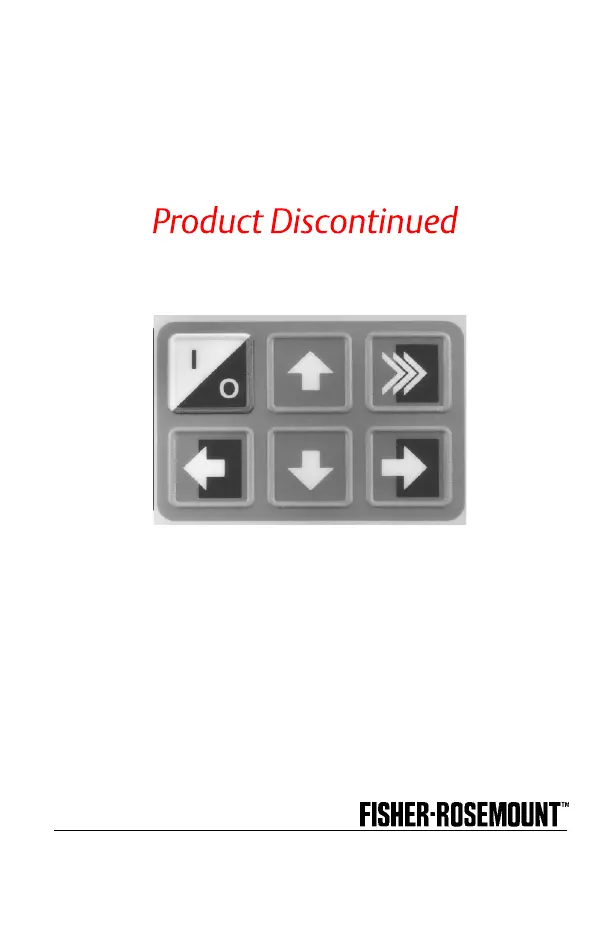
Details the LCD display, action keys, software-defined function keys, and alphanumeric keys.

Navigating Menus and Operations

Covers getting to know the device, software icons, menu structure, and reviewing installed devices.

Utility and Configuration Features

Describes menus for frequency devices, utilities, configuration, polling, contrast, system info, and simulation.

Configuration Management and Hot Keys

Covers saving configurations, using the Hot Key feature, and customizing it for quick access.

Maintenance, Compliance, and Servicing

Details date editing, Year 2000 compliance, calibration, battery pack management, and module replacement.

Section 2: Common Tasks for Fisher-Rosemount HART Devices

Introduction to Common Tasks

Introduces the section covering common tasks and menus for Fisher-Rosemount HART devices.

Powering Up and Online Operation

Guides on powering up the Communicator and accessing a HART compatible device online.

Online Menu and Device Information

Explains the Online menu and critical device information displayed upon connection.

Navigating the Device Setup Menu

Details accessing the Device Setup menu for parameters like Process Variables, Diag/Service, and Basic Setup.

Fast Key Sequences

Explains how to use numerical key sequences for quick task access to device functions.

Section 3: Menu Trees

Introduction to Menu Trees

Explains how menu trees display commands and options for specific HART devices.

HART Device Menu Tree Examples

Provides menu tree diagrams for various Fisher-Rosemount HART transmitters and analyzers.

Appendix A: HART Communicator Messages

HART Communicator Message Descriptions

Lists and describes messages displayed by the HART Communicator and their corresponding meanings.

Appendix B: Specifications and Ordering Information

Functional Specifications

Details memory, power supply, and connection specifications for the HART Communicator.

Performance Specifications

Outlines EMC compliance, humidity limits, hazardous locations, and operating/storage limits.

Physical Specifications

Describes the display, keypad, and weight of the HART Communicator.

Ordering Information

Lists model numbers, product options, and codes for ordering the HART Communicator.

Spare Parts and Accessories

Lists part numbers for replacement batteries, memory modules, and essential accessories.

Appendix C: CSA and FM Intrinsic Safety Approvals

Canadian Standards Association (CSA) Approvals

Details CSA intrinsically safe requirements and connection diagrams for hazardous locations.

Factory Mutual (FM) Approvals

Provides FM entity parameters and maximum allowable connected inductance for intrinsic safety.

Appendix D: Troubleshooting Communication Problems

Troubleshooting Steps

Offers solutions for intermittent communication, noise, and no communication issues.

Further Troubleshooting Assistance

Provides contact information and a checklist for persistent problems.

HART 275 Specifications

General IconGeneral
BrandHART
Model275
CategoryCell Phone
LanguageEnglish

Related product manuals