7 – English
OPERATION
WARNING:
Do not allow familiarity with this product to make you
careless.Rememberthatacarelessfractionofasecondis
sufficienttoinflictseriousinjury.
WARNING:
Alwaysweareyeprotectionwithsideshieldsmarkedto
complywithANSIZ87.1.Failuretodosocouldresultin
objectsbeingthrownintoyoureyesresultinginpossible
seriousinjury.
WARNING:
Donotuseanyattachmentsoraccessoriesnotrecom-
mendedbythemanufacturerofthisproduct.Theuseof
attachmentsoraccessoriesnotrecommendedcanresult
inseriouspersonalinjury.
NOTICE:
Beforeeachuse,inspecttheentireproductfordamaged,
missing,orloosepartssuchasscrews,nuts,bolts,caps,
etc.Tightensecurelyallfastenersandcapsanddonot
operatethisproductuntilallmissingordamagedparts
arereplaced.Pleasecontactcustomerserviceoranau-
thorizedservicecenterforassistance.
APPLICATIONS
Youmayusethisproductforthepurposelistedbelow:
Trimmingandshapinghedgesandshrubbery
INSTALLING/REMOVING BATTERY PACK
See Figure 2.
WARNING:
Alwaysremovebatterypackfromyourtoolwhenyouare
assemblingparts,makingadjustments,cleaning,orwhen
notinuse.Removingbatterypackwillpreventaccidental
startingthatcouldcauseseriouspersonalinjury.
To install:
Insertthebatterypackintotheproductasshown.
WARNING:
Makesurethelatchonthebottomofthebatterypack
snapsinplaceandthebatterypackisfullyseatedand
secureinthehedgetrimmerbatteryportbeforebeginning
operation.Failuretosecurelyseatthebatterypackcould
cause the battery pack to fall out, resulting in serious
personalinjury.
NOTICE:
Whenplacingbatterypackinthetool,besureraisedrib
onbatterypackalignswiththebottomofthetooland
latchesintoplaceproperly.Improperinstallationofthe
batterypackcancausedamagetointernalcomponents.
To remove:
Depressthelatchonthebatterypackandremovefrom
thehedgetrimmer.
WARNING:
Batterytoolsarealwaysinoperatingcondition.Remove
batterypackwhentransportingorcarryinghedgetrimmer
toavoidaccidentalstarting,whichmayresultinserious
injury.
Forcompletecharginginstructions,seetheoperator’sman-
ualsforyourbatterypackandcharger.
STARTING AND STOPPING THE HEDGE
TRIMMER
See Figure 3.
To start:
Removethescabbard,ifinstalled.
Graspthefronthandletoreleasethetriggerlock-out.
Depresstheswitchtriggertobeginoperation.
To stop:
Releasetheswitchtriggertostopthehedgetrimmer.
Releasethefronthandletore-engagethetriggerlock-out.
HOLDING THE HEDGE TRIMMER
See Figure 4.
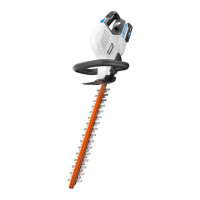
Theunithasbothafrontandrearhandle.Withtheblade
directedawayfromyou,holdtheunitbybothhandles.
WARNING:
Alwayskeepbothhandsonthehedgetrimmerhandles.
Neverholdshrubswithonehandandoperatethehedge
trimmerwiththeother.Improperoperationofthehedge
trimmermayresultinseriousinjury.
ROTATING HANDLE
See Figure 5.
Thehandlecanberotated45°or90°totheleftortotheright.
To rotate handle:
Graspthehandleswithbothhands.
Pressontherotatinghandlelever.
Turnthefrontrotatinghandletotherightortotheleftwhile
stillgraspingthefrontandrearhandleswithbothhands.
Releasetherotatinghandlelever.
Withbothhandsonthehandles,keepturningthefront
handleuntilitlocksintoplaceinoneofthe45°or90°
positions.
NOTE: Thetrimmerwillonlyoperateatoneoftheselocked
positions.Thehandleislockedwhen the rotating handle
leverissecurelyinplaceandthehandlewillnolongermove
toeitherside.


 To Next Page