EasyManua.ls Logo

Hasbro Gaming bop it - User Manual

Hasbro Gaming bop it
2 pages
Print Icon
To Next Page IconTo Next Page
Loading...
8.5 X 11” 2 folds 4C2S Printing, tri-fold to fit inside platform box
®
B6393
THE FIRST TIME YOU PLAY
OBJECT
BOP IT game unit
E6393
8
+
AGES
1+
PLAYERS
CONTENTS
Replace demo batteries with alkaline batteries.
Use a Phillips/cross head screwdriver (not included).
See battery information panel.
Respond instantly to the BOP IT game’s
commands to stay in the game!
Retain this information for future reference. © 2018 Hasbro, Pawtucket,
RI 02861-1059 USA. All Rights Reserved. TM & ® denote U.S. Trademarks.
Consumer contact:
US/Canada: Hasbro Games, Consumer Affairs Dept., P.O. Box 200,
Pawtucket, RI 02861-1059 USA. TEL. 1-800-255-5516.
Australia consumer service: auconsumercare@ap.hasbro.com
New Zealand consumer service: nzconsumercare@hasbro.com
TO REPLACE BATTERIES
Replace demo batteries with
alkaline batteries.
Use a Phillips/cross head
screwdriver (not included).
FCC STATEMENT
This device complies with Part 15 of the FCC Rules. Operation
is subject to the following two conditions: (1) This device may
not cause harmful interference, and (2) this device must accept
any interference received, including interference that may cause
undesired operation.
NOTE: This equipment has been tested and found to comply with
the limits for a Class B digital device, pursuant to Part 15 of the FCC
Rules. These limits are designed to provide reasonable protection
against harmful interference in a residential installation. This
equipment generates, uses and can radiate radio frequency energy,
and, if not installed and used in accordance with the instructions,
may cause harmful interference to radio communications. However,
there is no guarantee that interference will not occur in a particular
installation. If this equipment does cause harmful interference to
radio or television reception, which can be determined by turning the
equipment off and on, the user is encouraged to try to correct the
interference by one or more of the following measures:
Reorient or relocate the receiving antenna.
Increase the separation between the equipment and receiver.
Consult the dealer or an experienced radio/TV technician for help.
Caution: Changes or modications to this unit not expressly
approved by the party responsible for compliance could void the
user’s authority to operate the equipment.
CAN ICES-3 (B) / NMB-3 (B)
x2 1.5V AAA
Alkaline Batteries Required
(demo batteries included)
IMPORTANT: BATTERY INFORMATION
CAUTION:
1. As with all small batteries, the batteries used with this product
should be kept away from small children who still put things in
their mouths. If they are swallowed, promptly see a doctor and
have the doctor phone (202) 625-3333 collect. If you reside
outside the United States, have the doctor call your local poison
control center.
2. TO AVOID BATTERY LEAKAGE
a. Always follow the instructions carefully. Use only batteries
specified and be sure to insert them correctly by matching
the + and – polarity markings.
b. Do not mix old batteries and new batteries or standard
(carbon-zinc) with alkaline batteries.
c. Remove exhausted or dead batteries from the product.
d. Remove batteries if product is not to be played with for a
long time.
e. Do not short-circuit the supply terminals.
f. RECHARGEABLE BATTERIES: Do not mix these with any other
types of batteries. Always remove from the product before
recharging. Recharge batteries under adult supervision. DO
NOT RECHARGE OTHER TYPES OF BATTERIES.
3. Should this product cause, or be affected by, local electrical
interference, move it away from other electrical equipment.
Reset (switching off and back on again or removing and
re-inserting batteries) if necessary.
E63930000_BOPIT_I.indd 1 1/26/19 6:15 PM
Question and Answer IconNeed help?

Do you have a question about the Hasbro Gaming bop it and is the answer not in the manual?

Summary

Battery Information and Precautions

Replacing Batteries

Instructions for replacing batteries with a Phillips/cross head screwdriver.

Battery Safety

Important cautions for handling and using batteries to prevent harm and leakage.

Regulatory Compliance

FCC Statement

Device compliance with FCC rules regarding harmful interference.

Canadian Compliance

Canadian compliance statement for digital devices (ICES-3/NMB-3).

Game Setup and Controls

Game at a Glance

How to hold the game unit and basic controls.

Adjusting Volume

Adjusting the game's audio volume using the yellow knob.

Selecting Games

Cycling through game modes using the blue knob.

Turning the Game On

Powering on the game unit by pulling the blue knob.

Game Modes and Objectives

Quick Start - Solo Game

Steps to start and play the Solo game mode.

Beat Bop - Solo Game

Instructions for the Beat Bop Solo game with sound effects.

Pass It Games

How to play multi-player Pass It and Beat Bop Pass It games.

How to Win

Objectives for winning the Solo and multi-player games.

Gameplay Tips

Scoring

How points are earned and scores are tracked in game modes.

Troubleshooting

Advice for battery issues and unit operation.

Overview

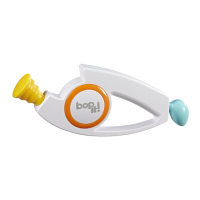
The Bop It! game unit is an interactive electronic game designed to test players' reflexes and coordination through a series of audio commands. The device features a central white "Bop It!" button, a yellow "Twist It!" knob, and a blue "Pull It!" knob, each corresponding to a specific action. The primary function of the game is to challenge players to respond quickly and accurately to these commands to stay in the game.

Function Description:

The Bop It! game offers multiple play modes to cater to different preferences and player counts.

  • Quick Start – Solo Game: This mode is designed for individual play and serves as an immediate entry point into the game. Players begin by pulling the blue knob to turn the game on, which then announces the "Solo game." Pressing the central "Bop It!" button starts the game, and players are immediately prompted with commands. The objective is to follow these commands as quickly as possible. The game progressively increases in speed, making it more challenging over time. If a player misses a command, the game ends, and their score is reported. To play again, the player simply presses the "Bop It!" button to restart and attempt to beat their previous high score.

  • Beat Bop – Solo Game: This is another solo play mode, but it distinguishes itself by using sound effect commands instead of spoken words. In this mode, a bass drum sound signifies "Bop It!", a ratchet sound means "Twist It!", and a whistle sound indicates "Pull It!". To access this mode, players cycle through the game options by repeatedly pulling the blue knob until "Beat Bop" is announced. After pressing "Bop It!" to start, the game issues sound effect commands, requiring players to respond with the correct action. The goal remains to respond quickly and accurately to achieve a high score. The game reports the score at the end of each round, encouraging players to improve their performance. The ultimate goal in this mode is to reach a score of 100, which signifies beating the Bop It! game.

  • Pass It & Beat Bop Pass It Games: These modes are designed for group play, allowing friends to challenge each other. To start, players pull the blue knob until either "Pass It" or "Beat Bop Pass It" is announced. Pressing the "Bop It!" button initiates the game. Players respond to commands, and after a few commands, the game unit will announce "Pass it!". At this point, the current player must hand the game unit to the next player. The game continues with players passing the unit around, each responding to commands until "Pass it!" is called again. Players who miss their commands are eliminated from the game. The last player remaining wins the game. The "Beat Bop Pass It" variant incorporates the sound effect commands, similar to the "Beat Bop – Solo Game," but within a multi-player pass-and-play format.

Usage Features:

  • Comfortable Handling: The game unit is designed to be held comfortably during play, ensuring that the central "Bop It!" button is not inadvertently covered, which could interfere with gameplay.
  • Volume Adjustment: A yellow knob allows players to adjust the volume of the game. Options typically include quiet, loud, or blasting, providing flexibility for different environments and preferences. The game must be on to adjust the volume.
  • Game Selection: The blue knob serves as the primary control for turning the game on and cycling through the available game modes (Solo, Pass It, Beat Bop Solo, and Beat Bop Pass It). Once the desired game is announced, pressing the "Bop It!" button confirms the selection and starts the game.
  • High Score Tracking: In Solo game modes, the device tracks and announces the player's high score. This feature encourages players to continuously improve their performance and provides a clear goal for repeated play. The high score is announced at the start of each instance of a Solo game.
  • Automatic Sleep Mode: To conserve battery life, the Bop It! game unit automatically enters a sleep mode after a few seconds of inactivity. Players can wake it up by pulling the blue knob.

Maintenance Features:

  • Battery Replacement: The device requires two 1.5V AAA alkaline batteries. Demo batteries are included, but users are instructed to replace them with alkaline batteries for optimal performance. A Phillips/cross head screwdriver (not included) is needed to access the battery compartment.
  • Battery Safety Guidelines: The manual provides comprehensive battery safety instructions. These include keeping batteries away from small children, seeking medical attention if swallowed, and following proper insertion guidelines (matching polarity).
  • Preventing Battery Leakage: Users are advised to avoid mixing old and new batteries, or standard (carbon-zinc) with alkaline batteries. Exhausted or dead batteries should be removed promptly, especially if the product will not be used for an extended period. Short-circuiting the supply terminals is also cautioned against.
  • Rechargeable Battery Use: If rechargeable batteries are used, they should not be mixed with other types of batteries. They must always be removed from the product before recharging, and recharging should occur under adult supervision. Non-rechargeable batteries should never be recharged.
  • Troubleshooting Electrical Interference: In cases where the product causes or is affected by local electrical interference, users are advised to move it away from other electrical equipment. Resetting the device by switching it off and back on, or by removing and re-inserting the batteries, can often resolve such issues. It is important to note that resetting the device by removing batteries will result in the loss of any stored high scores.

Hasbro Gaming bop it Specifications

General IconGeneral
BrandHasbro Gaming
Batteries RequiredYes
ModelBop It
TypeElectronic Game
Recommended Age8+
Players1+
PowerBattery Powered
Game TypeAction
WeightApprox. 1 pound

Related product manuals